

A Small Countertop POS With BIG Clover Features
Clover Mini gives your business a full touchscreen POS system in a smaller front-counter setup — built for payments, tips, receipts, inventory, employees, reporting, and everyday checkout.
A strong fit for retail shops, quick-service restaurants, cafés, salons, service businesses, medical offices, and any business that wants a clean checkout setup without a full Clover Station.
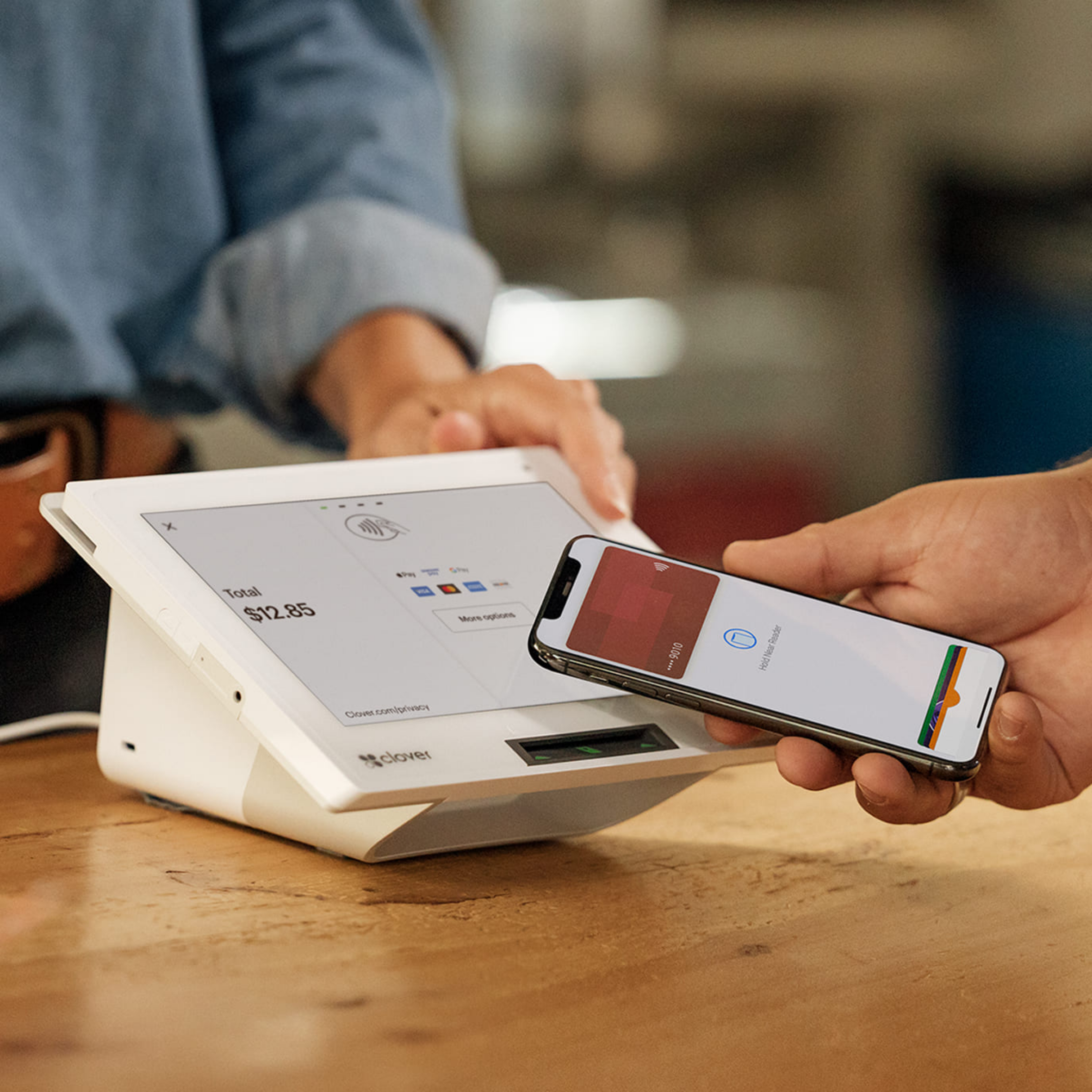
Clover hardware with real setup guidance, honest recommendations, and direct support from Limelight Payments.
All-in-one POS
Professional front-counter checkout for growing businesses
Built-in printer
Print receipts from the same countertop device
Tap, chip & swipe
Accept modern payments without adding a separate card reader
Free POS Expert
Setup guidance and ongoing help from a real Clover expert

🆓 Choose One FREE CLOVER POS - Click Here
🧩 Flexible Software Plans Starting @ $0.00 / mo.
🍀 See All Clover Software Plans
⭐ 5-Star Trust, Backed by Real Reviews
👨💼 Expert Setup & Training Included — Meet Your Expert
📞 Call/Text a Real Person in the U.S.
💳 Financing Available
Cash Drawer Sold Separately (+$87.00)
A small countertop POS — not just a payment terminal.
Clover Mini is a full touchscreen Clover POS in a smaller footprint. It is designed for businesses that want a professional checkout station without stepping up to a full Clover Station Duo or Solo.
It can take payments, print receipts, manage items, track employees, collect tips, run reports, and connect to Clover’s software ecosystem — all from one front-counter device.
- 8-inch touchscreen for fast checkout
- Built-in receipt printer
- Tap, dip, and swipe payment acceptance
- Works with Starter and Essentials software plans
What the Clover Mini Gen 3 does
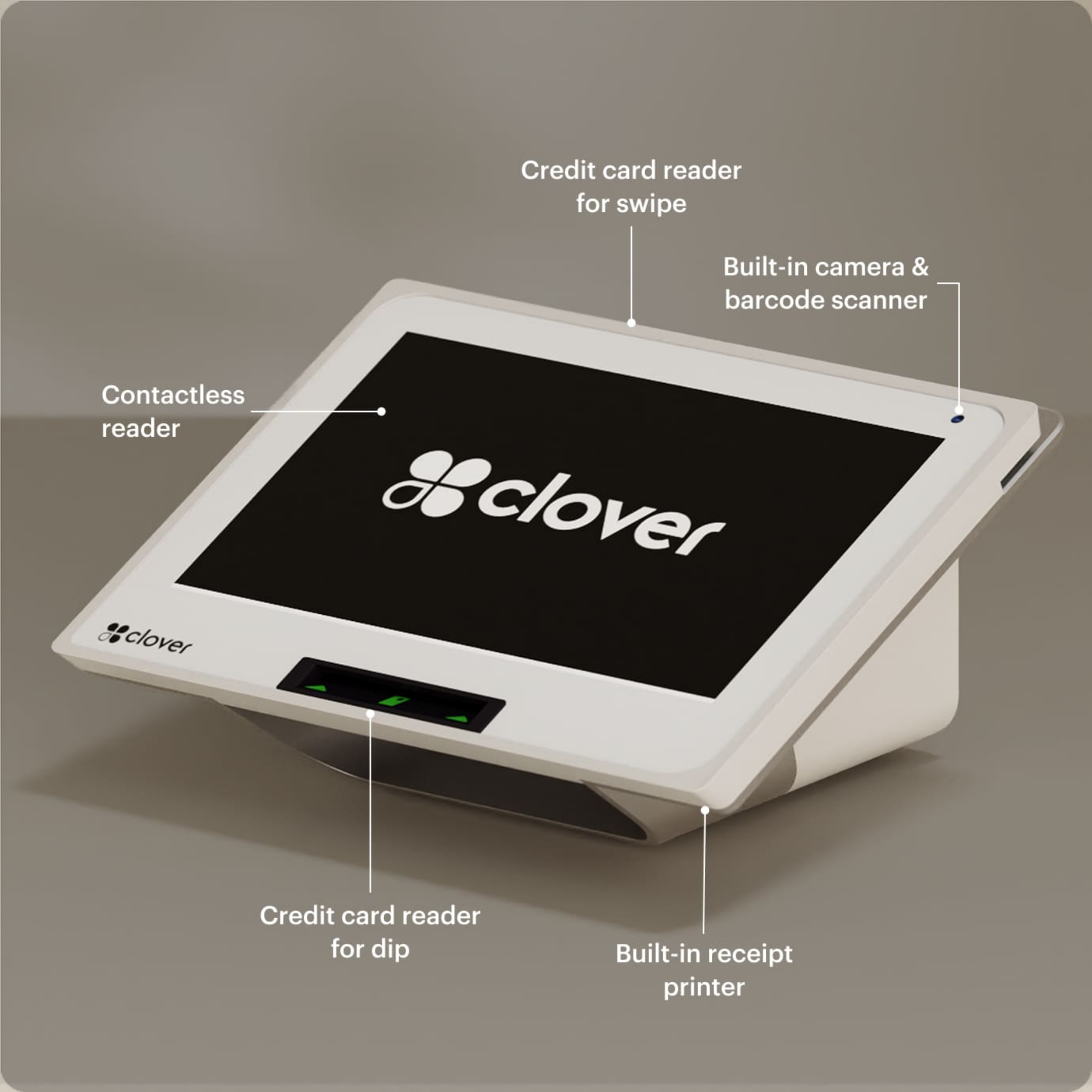
A small front-counter Clover POS built for taking payments, printing receipts, tracking sales, and running everyday checkout. Here's what's inside:
A larger screen than a basic payment terminal, built for item selection, tips, checkout, and front-counter workflows.
Built-in EMV chip reader, NFC contactless payments like Apple Pay and Google Pay, and magnetic stripe reader.
Print customer receipts directly from the Mini without needing a separate receipt printer for simple checkout.
A clean fixed checkout setup for food trucks, cafés, retail shops, salons, service desks, and smaller counters.
View sales reports, track tips, manage sales tax, and see what your business is processing each day.
Use Wi-Fi or wired Ethernet for a more reliable fixed checkout setup at your counter, truck window, or front desk.
Create menu items, organize categories, add modifiers, and customize your Mini for how your business takes orders.
Add loyalty tools, promotions, rewards, and gift card options to help bring customers back again.
Use employee tools for scheduling, time tracking, permissions, and payroll-ready hour reports.
🆓 Choose One FREE CLOVER POS - Click Here
🧩 Flexible Software Plans Starting @ $0.00 / mo.
🍀 See All Clover Software Plans
⭐ 5-Star Trust, Backed by Real Reviews
👨💼 Expert Setup & Training Included — Meet Your Expert
📞 Call/Text a Real Person in the U.S.
💳 Financing Available
Cash Drawer Sold Separately (+$87.00)Learn More About the POS Placement Program
🧩 Flexible Software Plans Starting @ $0.00 / mo.
🍀 See All Clover Software Plans
⭐ 5-Star Trust, Backed by Real Reviews
👨💼 Expert Setup & Training Included — Meet Your Expert
📞 Call/Text a Real Person in the U.S.
📄 One per new customer. The equipment is provided for use with the merchant service. The amount paid today covers shipping and setup. If the merchant account is terminated or discontinued, the equipment must be returned in accordance with the program terms & conditions.
Cash Drawer Sold Separately (+$87.00)Clover Mini Gen 3 — full specs.
The Clover Mini is a small countertop POS with a larger screen than a basic card terminal and a cleaner footprint than a full register station.
Not sure if Mini is the right Clover for your business?
A Limelight advisor can walk you through Mini vs. Flex vs. Station Duo or Solo — free, no pressure.
The hardware is one decision. The software plan is another.
Clover Mini can run simple payment workflows or more complete POS workflows depending on the monthly plan you choose.
- ✓ Payments, tips, and tax tracking
- ✓ Basic reporting
- ✓ Gift cards
- ✓ Customer records tied to payments
- — No inventory tracking
- — No employee time clock
- — No order management
- ✓ Everything in Starter
- ✓ Order management
- ✓ Inventory items & categories
- ✓ Employee scheduling and time clock
- ✓ Discounts and modifiers
- ✓ Loyalty and rewards tools
- ✓ Branded website
A Limelight advisor can confirm the current Clover software plan options and help you choose the right one for your business.
Anyone can sell you Clover. Limelight gives you a real Clover Expert.
The Clover Mini hardware is the easy part. What matters is whether you get honest guidance, help setting it up, and support from someone who actually knows Clover.

You get personalized setup and ongoing support from a real Clover Expert.
Limelight Payments
Best for businesses that want real guidance and support.
- Clear pricing: no confusing sales games.
- Setup help: help with taxes, items, tips, apps, and workflow setup.
- Support after the sale: one-on-one help from a real Clover POS expert.
- Tailored setup: configured around how your business actually operates.
- Long-term help: we do not disappear after the sale.
Clover Direct
Best for owners comfortable doing more on their own.
- Pricing: straightforward, but less personalized.
- Setup help: mostly DIY or general support.
- Support: general support instead of one dedicated expert.
- Customization: less hands-on guidance.
- Relationship: no dedicated personal advocate.
Other Resellers
Some are good. Many are inconsistent.
- Pricing: can be unclear depending on the rep.
- Setup help: varies a lot.
- Support: often generic or inconsistent.
- Customization: depends on the reseller’s Clover knowledge.
- Risk: higher chance of weak support or confusing terms.
The Mini is best when you want a real counter POS in a smaller footprint.
Clover Mini is not a handheld device like Flex, and it is not a dual-screen front register like Duo. It shines when you want a clean, smaller, professional checkout setup.
A great fit for truck windows and tight spaces where you want an 8-inch POS, built-in printer, and fast checkout in one unit.
- Small checkout footprint
- Built-in receipt printer
- Better menu visibility than a handheld
- Works well for lunch and event service
Great for fixed checkout counters where you want a clean register setup without using a much larger station.
- Easy item and inventory setup
- Good for barcode-based checkout
- Customer-facing payment acceptance
- Can connect a cash drawer
A strong choice for smaller counters with fast service, simpler menus, and limited space.
- Fast front-counter checkout
- Easy tip prompting
- Menu item visibility on a larger screen
- Good for smaller café and QSR counters
Works well at the front desk for service checkout, product sales, and tipping.
- Service + retail checkout in one device
- Tipping made simple
- Clean front-desk footprint
- Works with customer and employee tools
Useful for front-desk checkout, deposits, balances, and a cleaner patient payment experience.
- Simple front-desk payments
- Small footprint for reception areas
- Better than a basic countertop terminal
- Can support recurring or stored payment workflows
If your business wants a real POS at a fixed checkout area but does not need a larger station, Mini is often the sweet spot.
- Smaller than a full station
- More capable than a basic card terminal
- Professional look on the counter
- Easy path into the Clover ecosystem
Still not sure if Clover Mini is the right fit?
Tell us about your business and we’ll recommend the right Clover device and software plan.
The Mini gives you real Clover tools in a smaller front-counter setup.
Same Clover ecosystem. Same merchant dashboard. Same payment processing. The difference is that the Mini is built for a smaller fixed checkout setup instead of a larger station or handheld workflow.
Take payment any way your customers want to pay.
Clover Mini accepts the modern payment methods your customers already expect from a front-counter POS. It gives you a cleaner checkout flow than a basic standalone credit card terminal.
- EMV chip & magnetic stripe — accept everyday credit and debit cards
- NFC contactless — Apple Pay, Google Pay, and contactless cards
- Gift cards & store credit — redeem and manage on the same device
- Built-in tipping screen — preset tip percentages plus custom amounts

Run the window without wasting counter space.
Clover Mini gives food trucks a compact service-window POS with payments, receipts, tipping, basic menu tools, and customer engagement options in one smaller countertop setup.
- Compact footprint — built for tight food truck counters and service windows
- Integrated receipt printer — no separate receipt printer needed for basic checkout
- Fast checkout flow — take orders and payments without a bulky register setup
- Good for events — useful for trucks, pop-ups, festivals, and catering setups

Protect transactions and customer data.
Clover Mini supports secure payment acceptance with Clover security tools, encryption-focused workflows, PCI-focused protections, and cloud-based access controls.
- Clover Security — security tools designed for payment protection
- PCI-focused workflows — helps support safer card acceptance
- Fraud prevention tools — additional protection for payment activity
- Cloud dashboard access — manage activity from the Clover dashboard
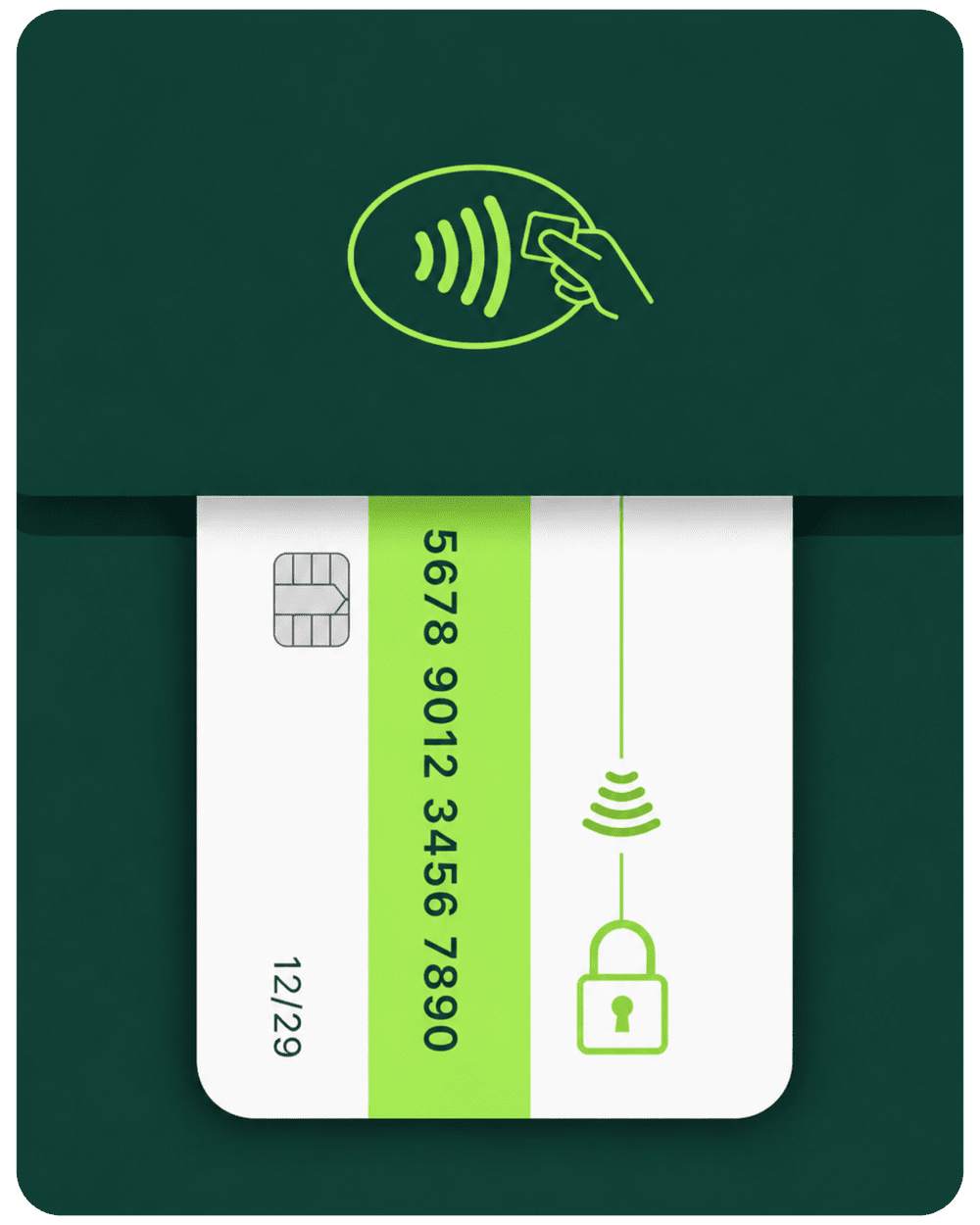
Keep moving if your internet drops.
Clover includes Offline Payments mode for eligible transactions during temporary outages. That means Clover Mini can keep your checkout moving during short disruptions and sync eligible transactions once the device reconnects.
- Offline mode — store eligible transactions temporarily
- Reconnect and sync — upload once service returns
- Helpful for busy counters — reduce disruption during short outages
- Good backup protection — especially during peak business hours
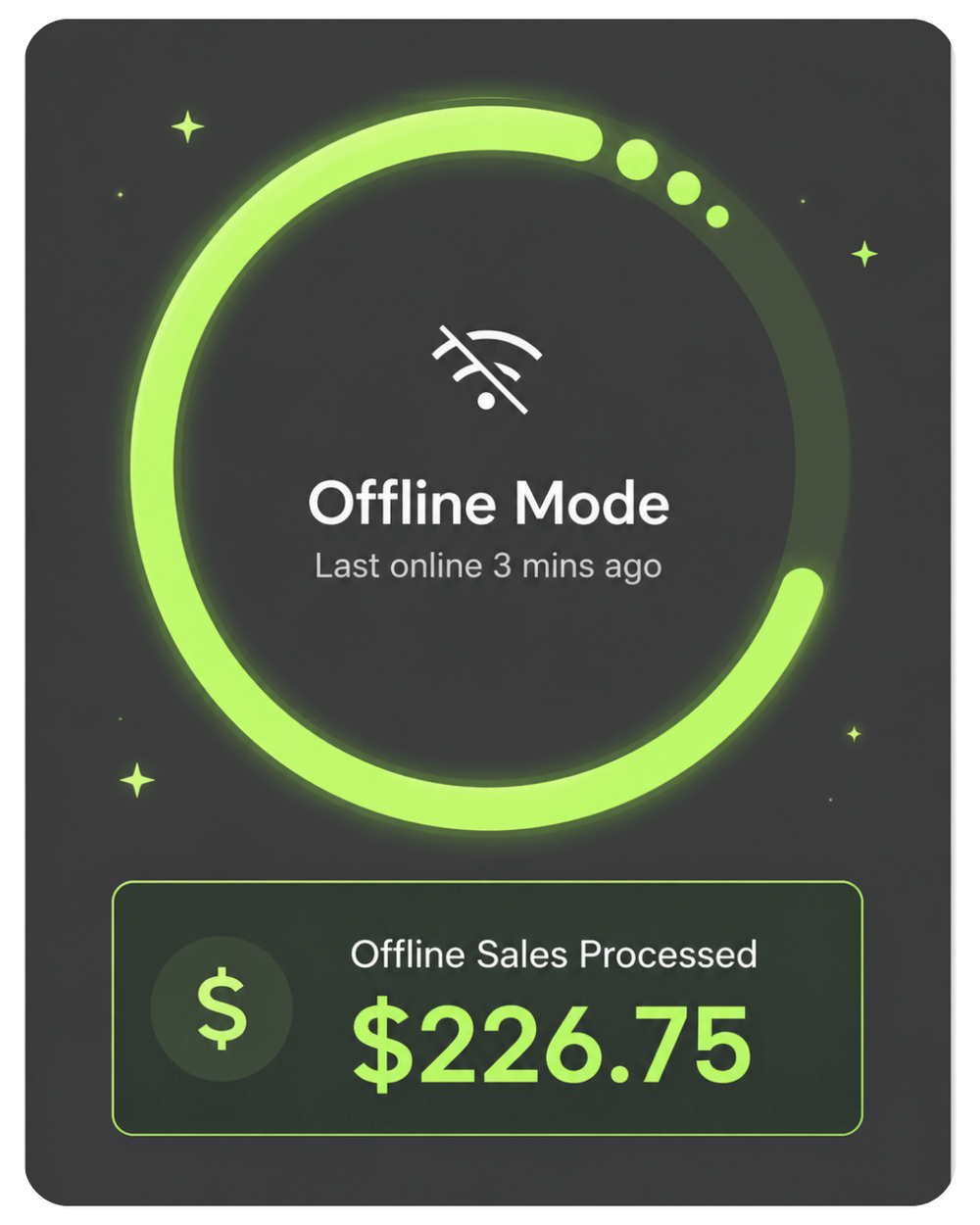
Turn checkout into a repeat-business tool.
Clover Mini can help capture customer information during checkout and build a customer database over time. From there, you can use rewards, promotions, and customer tools to drive repeat visits.
- Customer database — build customer records from transactions
- Loyalty programs — support points, punch cards, and rewards
- Email & SMS marketing — send promos and follow-up campaigns
- Rewards tracking — let customers earn and use benefits more easily
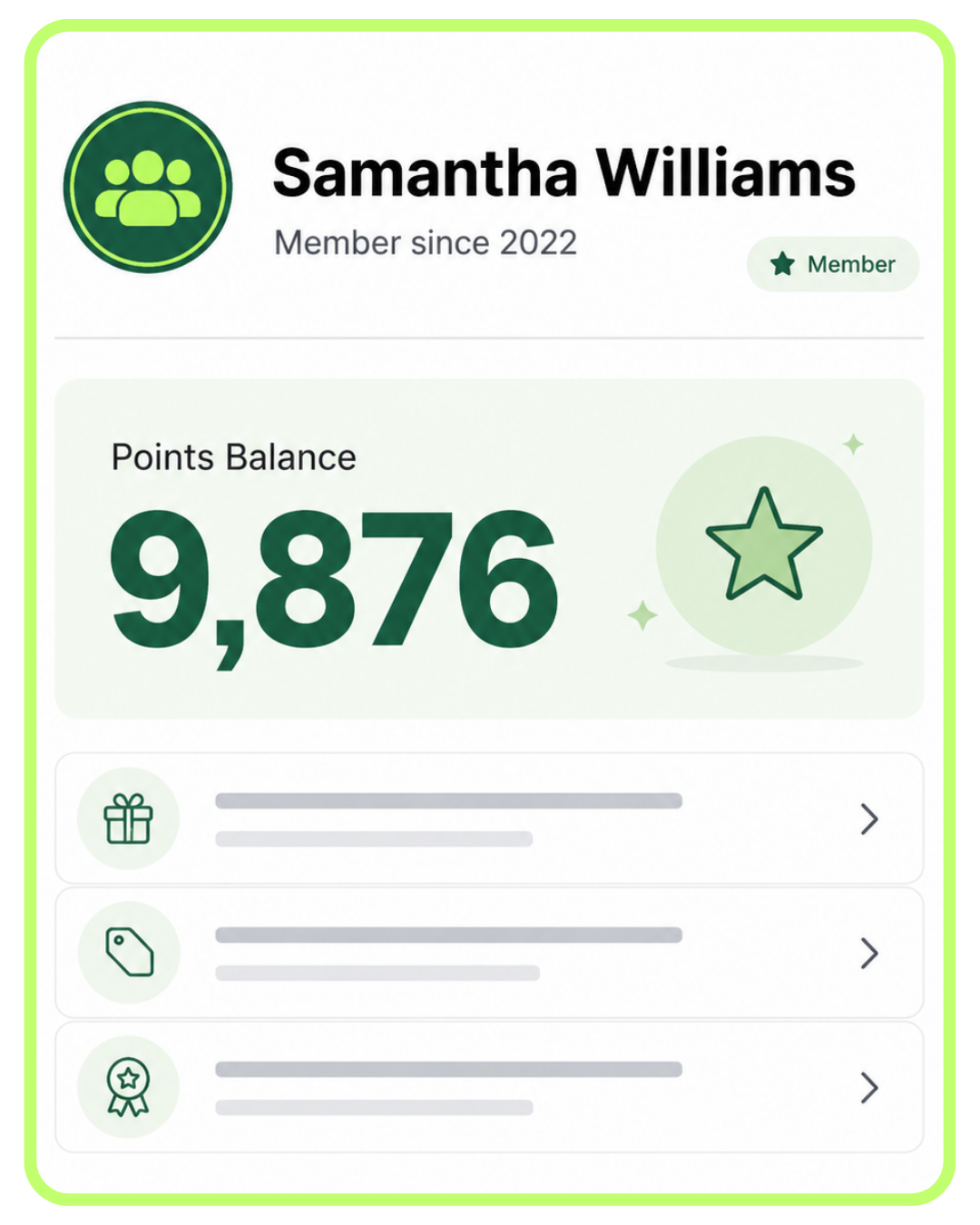
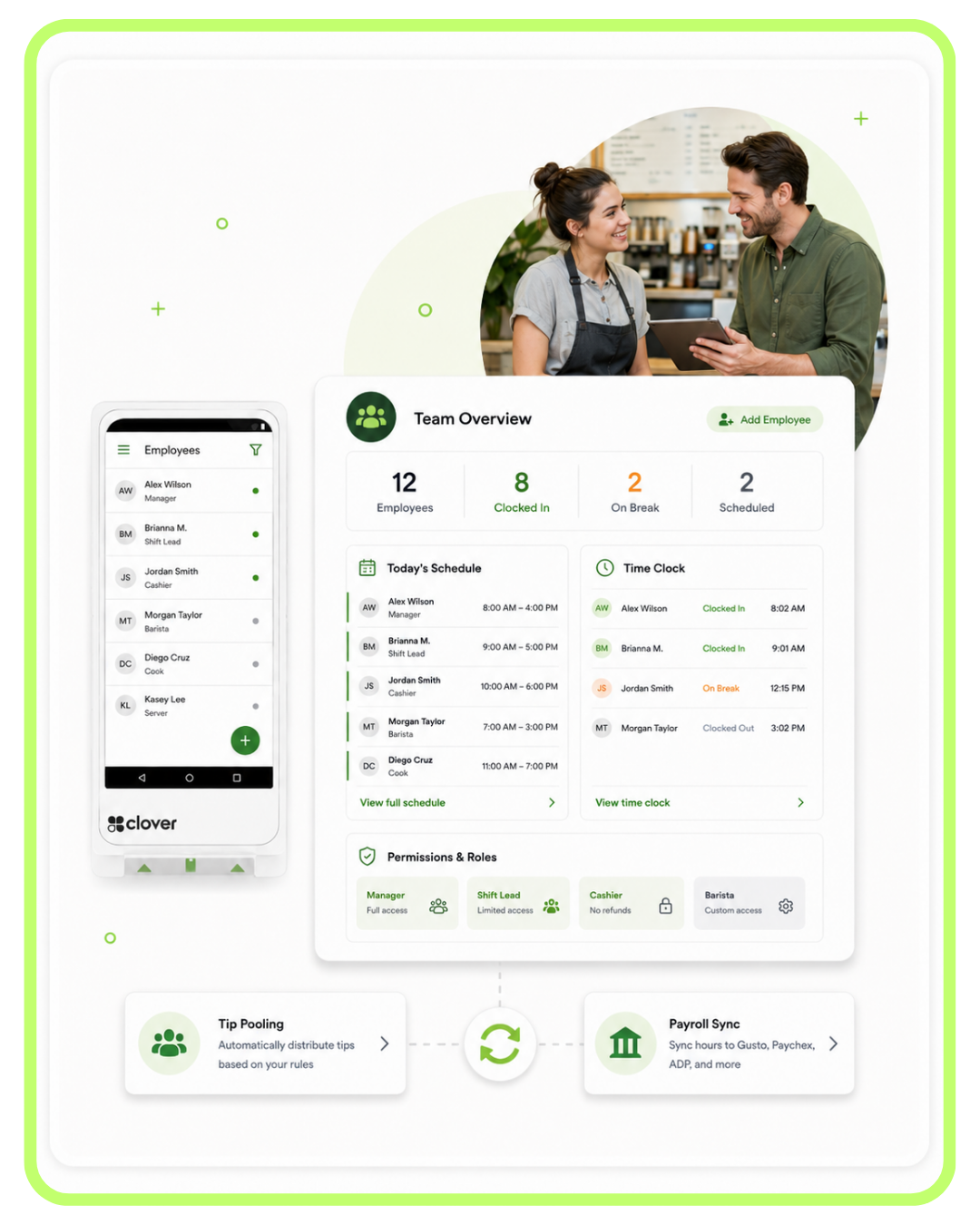
Manage your team from the same checkout device.
Clover Mini can help you manage employees, permissions, shifts, and sales activity without needing a separate management system for most small businesses.
- Per-employee permissions — control refunds, discounts, and access levels
- Shift tracking & clock-in/out — manage daily staff activity
- Sales by employee — see who is selling what
- Payroll-friendly workflows — support connected payroll and team tools
Know what is happening — even when you are away from the counter.
Sales, refunds, tips, top items, and employee performance can all be viewed through Clover’s reporting tools. That helps you stay close to the business even when you are not standing at the register.
- Live dashboard — view performance from your phone or computer
- Item-level reporting — see what products or menu items are selling
- Sales by employee, hour, or day — understand traffic and labor patterns
- Useful exports — better bookkeeping and accounting visibility


Chip. Tap. Apple Pay. Clover Mini covers the payment methods customers already use.
Clover Mini gives you a professional front-counter checkout experience with modern payment acceptance built right into the device.
Choose the Clover Mini path that fits your situation.
You can buy the Clover Mini, use the placement option, or talk through the best setup before deciding.
- Buy the Clover Mini Gen 3 hardware
- You own the Clover Mini hardware
- Merchant account with Limelight Payments required
- Clover software billed separately by plan
- Best fit: you want to own your equipment
- Get Clover Mini through the placement program
- $99 covers shipping and setup
- One per new customer, subject to approval
- Hardware is placed for use with service
- Best fit: you want lower upfront cost
- We review your business workflow
- We compare Mini vs. Flex vs. Solo vs. Duo
- We recommend the right Clover software plan
- We confirm any accessories you may need
- Best fit: you want guidance before deciding
Both hardware paths require a Limelight Payments merchant account. Clover software is billed separately by plan. Placement program offers are subject to approval and program terms.
5.0 stars across 30+ Google reviews.
"Someone online told me that if I was going to get a Clover system, I should go through a trusted sales rep — and that was the best advice I could've received. Ryan helped with everything: setting up my menu, uploading my inventory, and even integrating my gift cards."
"I've been in business for over 20 years using credit card processors and Ryan is by far the most knowledgeable, helpful individual I have ever used."
"I used Limelight Payments for my pressure washing business. If I have a question, Ryan still answers the phone or returns my call. I don't get tossed around with customer service reps."
Answers to the questions Limelight advisors get most.
Is Clover Mini a full POS system or just a card terminal?
Clover Mini is a full touchscreen Clover POS system in a smaller front-counter setup. It can take payments, print receipts, collect tips, manage items, track employees, run reports, and connect to Clover software tools. It is much more capable than a basic credit card terminal.
Who is Clover Mini best for?
Clover Mini is best for businesses that want a real checkout POS in a smaller fixed setup. It works well for food trucks, cafés, quick-service counters, retail shops, salons, service desks, medical offices, and businesses that do not need a larger Clover Station.
Does Clover Mini have a built-in receipt printer?
Yes. Clover Mini includes a built-in receipt printer, which makes it cleaner than using a separate terminal and external receipt printer for simple checkout. You can also add other accessories, such as a cash drawer or kitchen printer, depending on your setup.
Can Clover Mini accept tap, chip, swipe, and Apple Pay?
Yes. Clover Mini can accept chip cards, swipe cards, contactless cards, and mobile wallets like Apple Pay and Google Pay. This makes it a strong front-counter payment option for businesses that want modern checkout without adding a separate card reader.
Is Clover Mini better than Clover Flex?
It depends on how you sell. Clover Mini is better when you want a fixed counter POS with a larger screen and built-in printer. Clover Flex is better when you need a handheld device for tableside checkout, field service, line-busting, or mobile payments away from the counter.
Is Clover Mini better than Clover Duo or Solo?
Clover Mini is usually better when you want a smaller fixed checkout setup. Clover Duo is better when you want a larger front-counter register with a staff screen and customer-facing display. Clover Solo is better when you want a larger staff-facing station without the customer-facing Duo screen.
Can I use Clover Mini for a food truck?
Yes. Clover Mini is a strong option for food trucks that want a fixed checkout device at the service window. It gives your team an 8-inch screen, built-in receipt printer, payment acceptance, menu tools, tipping, and reporting in a smaller counter setup.
Can I keep my current credit card processor and just buy a Clover Mini from you?
No. Limelight Payments only provides Clover hardware to merchants who process with us. We do not sell Clover devices for use with other processors. If you want to keep your current processor, you would need hardware from Clover or from a reseller authorized on that specific processing platform.
What happens after I submit the contact form?
A Limelight advisor based in Camarillo, CA calls or texts you within one business day. We ask about your business, your current setup, and what you are trying to solve. No high-pressure pitch — if Clover Mini is not the right answer, we will say so. If it is, we will send a clear recommendation and quote.
What if I choose the wrong Clover device?
That is exactly why we recommend talking with a Clover expert first. We will help you compare Mini, Flex, Solo, and Duo before you commit. If your business is better served by a different Clover setup, we will point you in that direction.
Why are there so many Clover resellers and how do I know who to trust?
Clover hardware can be sold through many authorized resellers. The hardware may be the same, but the pricing model, processing setup, support, and account management can be very different. Ask who will help with setup, who you call after activation, what processing structure you are being offered, and whether the equipment is being sold, placed, financed, or leased.
Is Limelight Payments actually Clover, or just a reseller?
Limelight Payments is a POS consulting and solutions brand operated by POS Advisors Inc. We are not Clover Network, LLC. Clover® and the Clover logo are registered trademarks of Clover Network, LLC. The difference is that Limelight helps you choose, set up, and support the Clover system after the sale.
Not ready to order? Talk to a POS expert.
Most people just add to cart and the POS expert calls them. But if you'd rather talk through your business first, fill this out and we'll call you within one business day.
No commitment at this stage. We'll send pricing in writing before you sign anything.
Prefer to talk to a human?
Call Now: (888) 415-7020| Features | Starter | Essentials |
|---|---|---|
| Monthly Software Cost | ||
| Cost Per Month (One Device) | INCLUDED | $29.95 |
| Payments Features | ||
| Accept all credit & debit cards | ✓ | ✓ |
| Virtual Terminal / MOTO | ✓ | ✓ |
| eCommerce integrations | ✓ | ✓ |
| Clover Go mobile POS | ✓ | ✓ |
| Invoice payments & tracking | ✓ | ✓ |
| Recurring payments | ✓ | ✓ |
| Surcharging | ✓ | ✓ |
| Cash Discount | ✓ | ✓ |
| Tips | ✓ | ✓ |
| Sales tax tracking | ✓ | ✓ |
| Sales tax reporting | ✓ | ✓ |
| Order Management | ||
| Create, save, pay, refund, and edit orders | — | ✓ |
| Item-level tax calculations | — | ✓ |
| Item & order discounts | — | ✓ |
| Automatic order numbers | — | ✓ |
| Reporting | ||
| Sales reporting | ✓ | ✓ |
| Payments reporting | ✓ | ✓ |
| Cash reporting | ✓ | ✓ |
| Track sales by employee | ✓ | ✓ |
| Product mix reporting | — | ✓ |
| Tax reporting | ✓ | ✓ |
| Revenue class reporting | — | ✓ |
| Item, Inventory & Menu Management | ||
| Inventory items & categories | — | ✓ |
| Menu & inventory tracking | — | ✓ |
| Real-time inventory updates | — | ✓ |
| Bulk inventory import / export | — | ✓ |
| Multi-location item management | — | ✓ |
| Item variants | — | ✓ |
| Item modifiers | — | ✓ |
| Customer Engagement | ||
| Customer records tied to payments | ✓ | ✓ |
| Customer purchase tracking | — | ✓ |
| Promotions | — | ✓ |
| Rewards / Loyalty program | — | ✓ |
| Feedback collection | — | ✓ |
| Employee Management | ||
| Roles & permissions | ✓ | ✓ |
| Time clock / timesheets | — | ✓ |
| Website | ||
| Branded website | — | ✓ |
| Add-Ons | ||
| Advanced Loyalty | — | ✓ |
| Gift cards | ✓ | ✓ |
| Payroll | — | ✓ |
| Clover Platform & Financial Services | ||
| Clover Capital | ✓ | ✓ |
| Access to Clover App Market | — | ✓ |
| Clover Dashboard web & mobile access | ✓ | ✓ |
| Online dispute management | ✓ | ✓ |
| Online chat support via Clover Dashboard | ✓ | ✓ |
| 24/7/365 customer support | ✓ | ✓ |
| Security & Compliance Features (Required) | ||
| Clover Security TransArmor - Cost per Month | $10.00 | $10.00 |
| PCI Compliance Tools | ✓ | ✓ |
| Point-to-Point Encryption (P2PE) | ✓ | ✓ |
| Tokenized Payment Security | ✓ | ✓ |
| Fraud Risk Reduction Tools | ✓ | ✓ |
| Active Merchant Account (Required) | ||
| Active Merchant Account - Cost per Month | $10.00 | $10.00 |
| Required to activate payment processing on Clover device | ✓ | ✓ |
| Next-day funding on batches closed before 7 PM EST | ✓ | ✓ |
| Accept Visa, Mastercard, Discover, American Express, and debit cards | ✓ | ✓ |
| Ability to pass credit card fees to customers when properly set up | ✓ | ✓ |
| Online statements, deposits, and transaction reporting | ✓ | ✓ |
| Chargeback and dispute management support | ✓ | ✓ |
| Ongoing account management and support | ✓ | ✓ |
| Total Monthly Fees for this Program | ||
| Software + TransArmor + Active Merchant Account | $20.00 | $49.95 |
| ▼ Click to View Starter vs. Essentials Plan Comparison | ||
Notes: Feature availability, software plan names, and pricing may vary by processor setup, merchant account approval, Clover account configuration, app subscriptions, hardware, and future Clover updates. Some tools may require compatible hardware, third-party apps, or additional fees.
Interested in industry-specific Clover software plans? Learn more about optional upgrades here: Restaurants and Bars · Retail · Salons