

The portable POS that goes everywhere your business does.
A 6-inch handheld Clover terminal with built-in receipt printer, barcode scanner, and 4G LTE. Take payment at the table, on the truck, in the chair, at the job site. This guide covers everything: specs, best-fit industries, software plans, pricing, and the three ways to get one through Limelight.
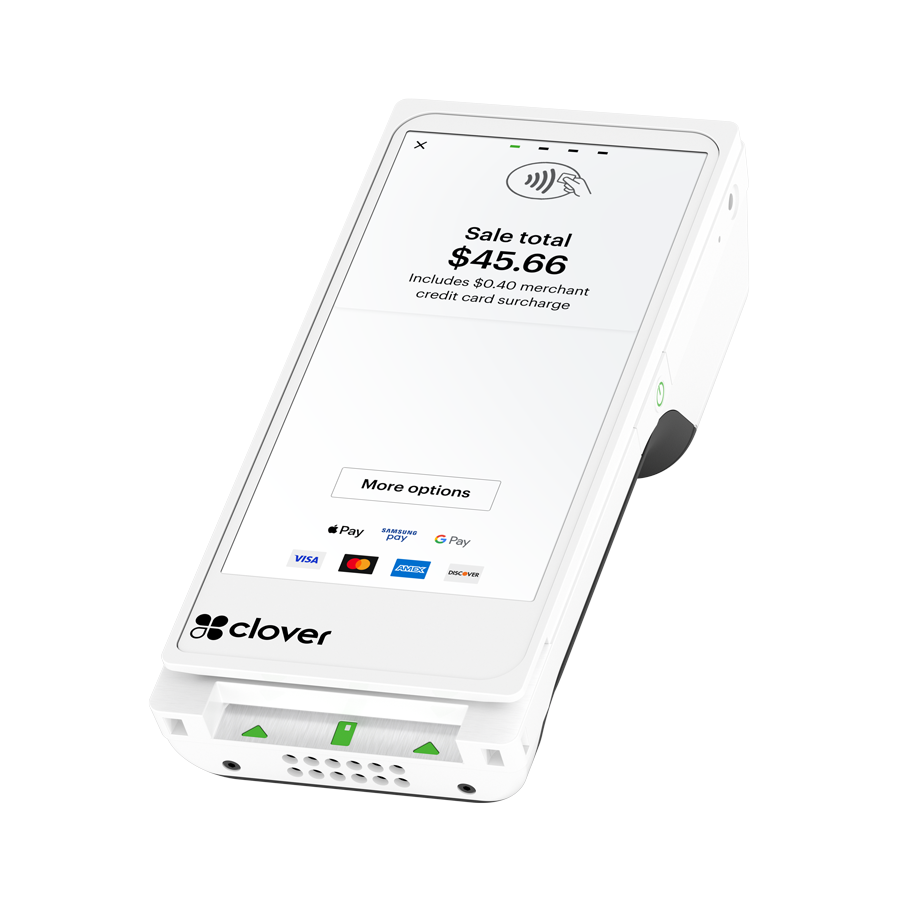
Limited-time Limelight promotion. Buy the Clover Flex Gen 4 hardware for $249 instead of the regular $699 price.

🧩 Flexible Software Plans Starting @ $0.00 / mo.
🍀 See All Clover Software Plans
👨💼 Expert Setup & Training Included — Meet Your Expert
📞 Call/Text a Real Person in the U.S
⭐ 5-Star Trust, Backed by Real Reviews
💳 Financing Available
✅ Sale pricing applies to one POS terminal only; additional machines must be purchased separately at regular price.
Anyone can sell you Clover. Limelight gives you a real Clover Expert - for FREE!
A Clover POS system is only part of the purchase. The real difference is whether you get honest guidance, help setting it up, and support from someone who actually knows the system.

You get personalized setup and ongoing support from a real Clover Expert.
Limelight Payments
Best for businesses that want Clover with real guidance, expert setup, and long-term support.
Clover Direct
Best for business owners who are comfortable doing more on their own.
Other Clover Resellers
Some are good. Many are inconsistent. You need to vet them carefully.
Limelight Payments is selling a service — not just a POS system.
A complete handheld POS — not just a card reader.
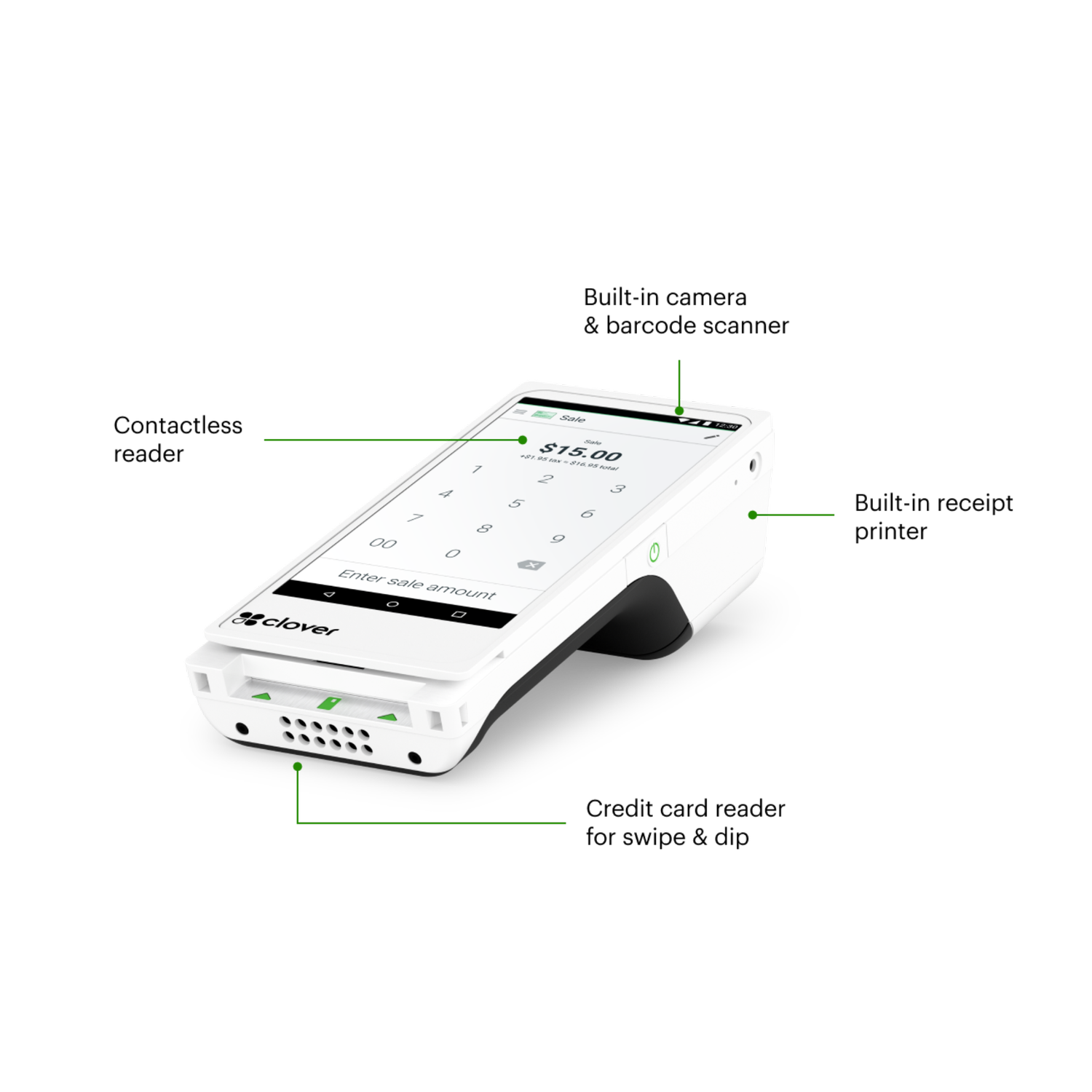
The Clover Flex Gen 4 is Clover's flagship portable terminal. Unlike a basic mobile card reader (Square's, Stripe's, SumUp's), the Flex is a self-contained POS: it processes payments, prints receipts, scans barcodes, manages inventory, runs reports, handles employee shifts, and connects to your kitchen printers or online ordering — all from one 6-inch device.
It runs Android 10 and uses the same Clover OS as the Mini, Station Solo, and Station Duo, which means it works across Clover’s connected POS ecosystem for payments, reporting, loyalty, online ordering, and business management tools.
See the full specs ↓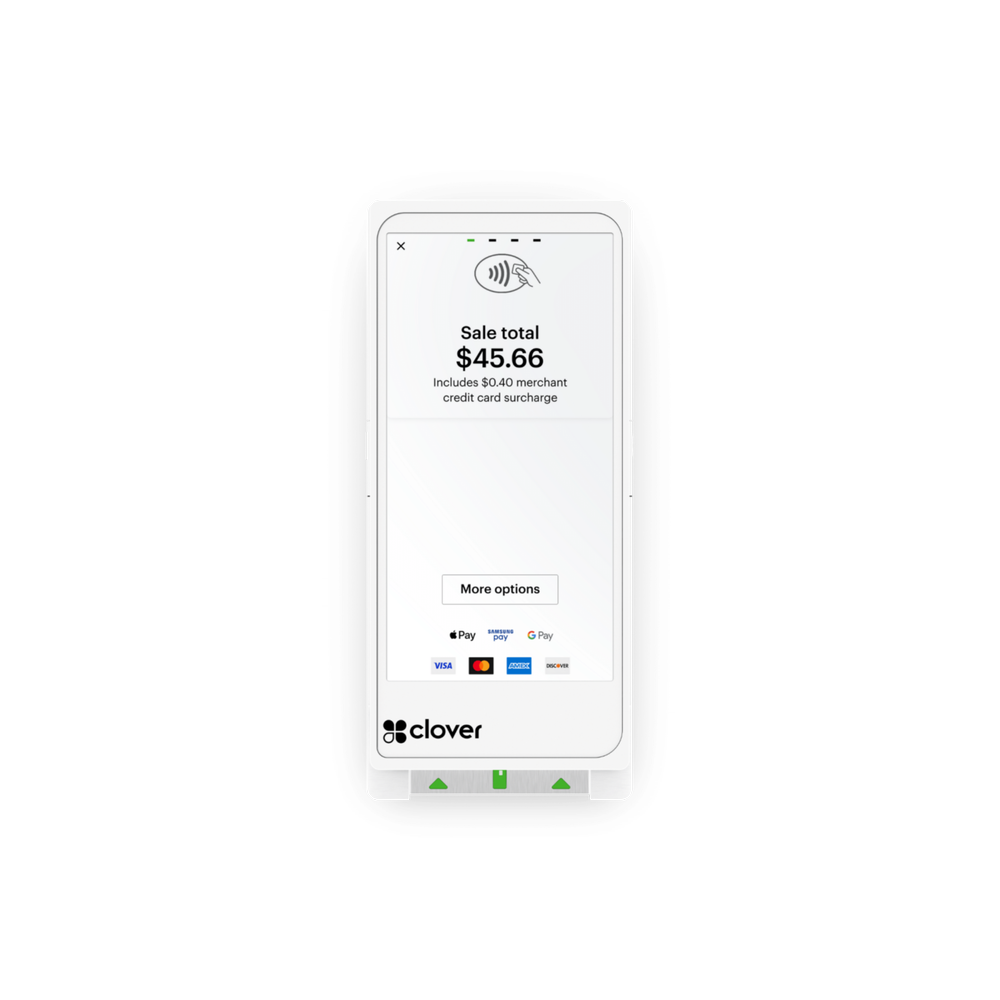
Clover Flex Gen 4 — full specs.
Manufacturer specifications. The Flex is identical regardless of which reseller you buy it from.
Not sure if the Flex is the right Clover for your business?
A Limelight advisor can walk you through Flex vs. Mini vs. Station — free, no obligation, no sales pitch.
The Flex is purpose-built for businesses that move.
Counter-only retailers usually do better with a Clover Station Duo, Solo or Mini. But if your transactions happen anywhere besides a fixed register — at the table, on the truck, in the chair, at the customer's home — the Flex is the right choice. Here's the honest breakdown by industry.
Tableside ordering, splitting checks, and processing payment at the table. Servers can carry the Flex to the table, while your main Clover station stays at the server station, bar, or counter.
- Open, split, and close checks from a mobile device
- Send orders to the kitchen or bar when properly configured
- Built-in tipping screens for faster guest checkout
- Helps reduce walkbacks and speed up table turns
The Flex was practically designed for trucks. Built-in 4G LTE means you take payment even when Wi-Fi fails. Battery lasts a full service. Receipt printer is built in — no external dongles.
- 4G LTE backup
- 8-hour battery handles lunch + dinner rush
- Rugged enough for truck environments
- Works with mobile menu apps and online pre-orders
Stylists can ring up clients chair-side at the end of the appointment. The Flex is also useful for tipping, product sales, deposits, and faster checkout when the front desk is busy.
- Chair-side checkout without sending clients back to the front desk
- Tipping screen helps make gratuity clear and simple
- Track retail products and service sales
- Use booking tools when your salon needs online scheduling
HVAC, plumbing, electrical, landscaping, pest control, cleaning — anyone collecting payment at the customer's home. The Flex's 4G LTE and battery make it independent of the customer's Wi-Fi.
- Take payment in the driveway before you leave the job
- Print itemized receipts on-site
- Set up recurring billing for maintenance plans
- Capture signature on-screen for service completion
For many auto repair and tire shops, the Flex is a simple way to take payment at the counter, in the bay, or near the customer’s vehicle. It can also work well as a secondary payment device next to a main counter POS.
- Take payment at the counter, vehicle, or service bay
- Accept deposits, balances, and final invoices
- Print receipts from the same handheld device
- Use alongside a main Clover Mini, Solo, or Duo at the front desk
Honest take: a Clover Mini is usually a better fit if you have a fixed counter. But for boutiques where staff bring items to fitting rooms, jewelry stores with locked cases, or pop-up vendors, the Flex shines.
- Built-in barcode scanner
- Customer-facing signature screens
- Inventory tracking with low-stock alerts
- Easy to bring to trade shows and pop-up markets
Medical, dental, and veterinary offices often need more than a basic card terminal. The Flex can be useful for front desk checkout, deposits, balances, and mobile payment collection inside the office.
- Accept co-pays, deposits, balances, and treatment payments
- Use card-on-file and recurring payment tools when properly configured
- Give staff a simple way to collect payment away from the front desk
- Work with a setup that better fits healthcare-style workflows
Honest take: high-throughput counters with a fixed register usually do better with a Clover Station Duo, Solo or Mini. The Flex is useful as a secondary terminal.
- Line-busting during rushes
- Patio service
- Pop-up events and catering
- Fast tipping flow for mobile checkout
Still not sure which industry fit applies to your business?
Tell us how you sell — counter, mobile, mixed — and we'll recommend the right Clover device and software plan. Free consultation, no pitch.
The hardware is one decision. The software plan is another.
Clover offers monthly software tiers. The right one depends on whether you only need simple payments or also need order management, inventory, employee tools, loyalty, and a more complete business setup. Both plans include a Personal Clover Expert with your Limelight Payments account.
- ✓ Payment processing
- ✓ Receipts & basic reporting
- ✓ Tipping
- ✓ Sales tax setup and tracking
- ✓ Gift cards
- ✓ Personal Clover Expert with Limelight account
- — No inventory tracking
- — No employee scheduling or timeclock
- — No order management
- ✓ Everything in Starter
- ✓ Order management
- ✓ Items & inventory tracking
- ✓ Employee scheduling and timeclock
- ✓ Full menu with categories
- ✓ Discounts and modifiers
- ✓ Customer database with loyalty and rewards
- ✓ Simple branded website
- ✓ Personal Clover Expert with Limelight account
Software pricing is set by Clover Network, LLC. Limelight does not mark up software fees. Plans can be upgraded or downgraded at any time.
The Flex is a Clover Station that fits in your hand.
Same operating system. Same merchant dashboard. Same payment processing. The only thing the Flex doesn't do that a Station does is sit on a counter all day.
Take payment any way your customers want to pay.
Chip, swipe, tap, mobile wallet. The Flex accepts every modern payment method on a single device — no separate card reader, no Bluetooth pairing.
- EMV chip & magnetic stripe — every credit and debit card
- NFC contactless — Apple Pay, Google Pay, Samsung Pay, contactless cards
- Gift cards & store credit — issue and redeem in one tap
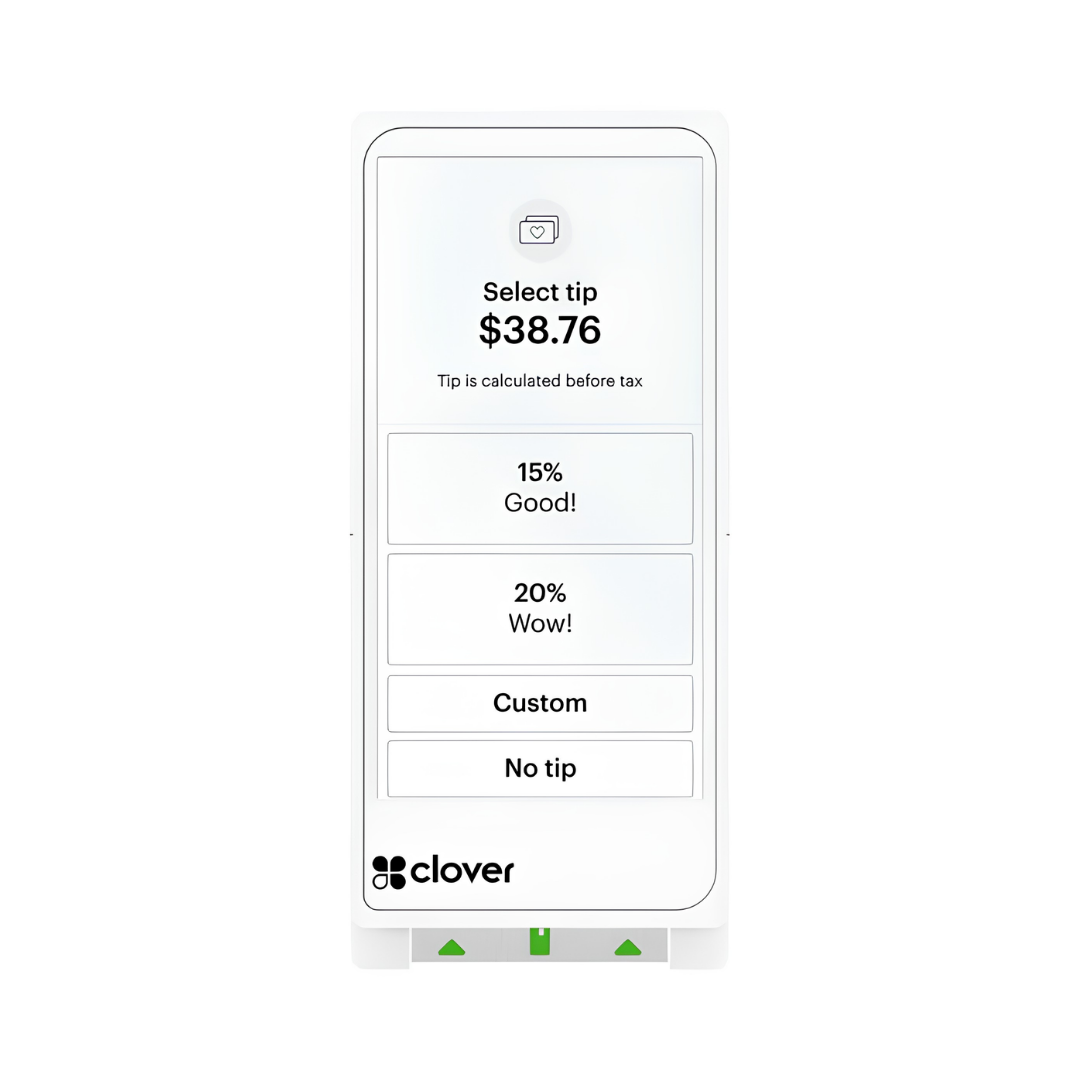
- Built-in tipping screen — preset percentages plus custom amount entry
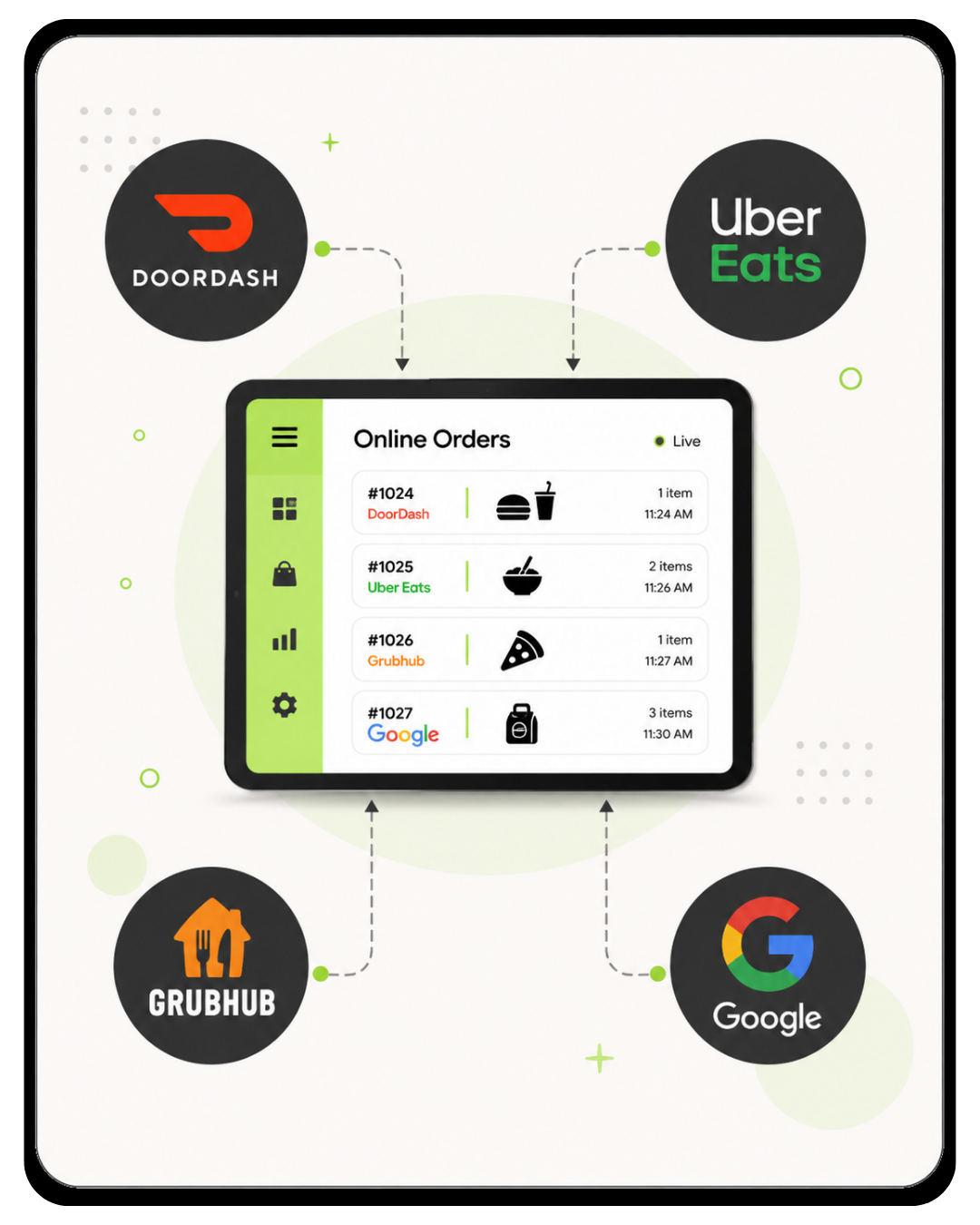
Online orders route straight to your Flex.
Clover's online ordering and delivery integration tools can help bring online orders, delivery app orders, and in-person orders into one Clover workflow. These features require Clover's upgraded Restaurant Growth Plan.
- Commission-free direct online ordering — your customers, your fees, your data
- Uber Eats / DoorDash / Grubhub integrations — delivery orders can connect into your Clover workflow
- Restaurant Growth Plan required — online ordering, delivery integrations, and advanced restaurant tools require an upgraded software plan
- Order routing — assign orders to bar, kitchen, or expo printers when properly configured
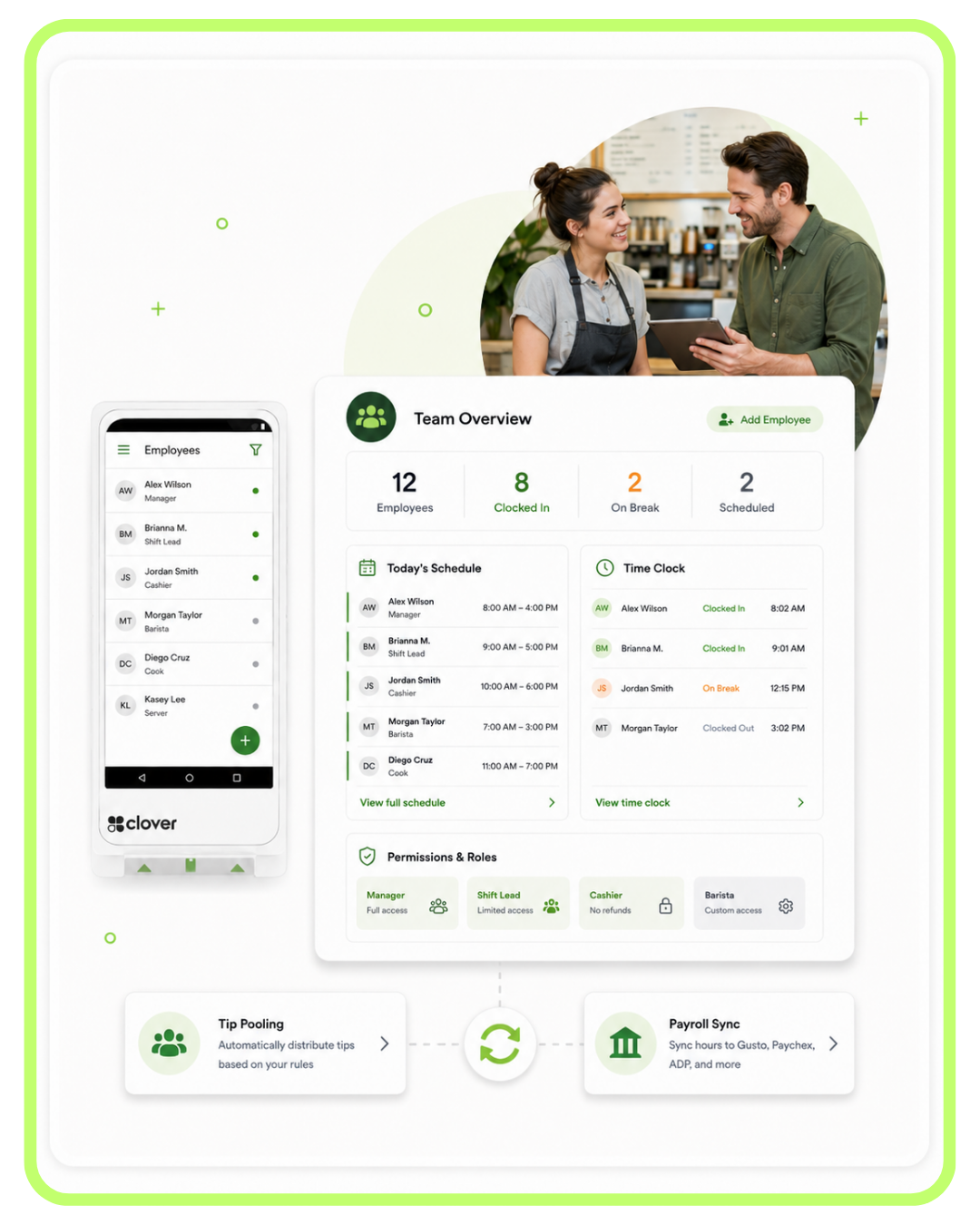
Manage your team from the same device.
Set permissions, track shifts, monitor sales by employee, and sync hours to payroll — all from the Flex or any browser. No separate scheduling software needed for most small teams.
- Per-employee permissions — restrict refunds, discounts, no-sale opens
- Shift tracking & clock-in/out on the Flex itself
- Tip pooling with automatic distribution rules
- Payroll sync — Gusto, Paychex, ADP, and more through compatible integrations
Know what's happening — without standing at the register.
Sales, refunds, tips, top items, hourly traffic — visible from your phone, tablet, or laptop the moment a transaction happens. Set thresholds and get alerts so you can stay close to the business even when you are not physically at the counter.
- Live dashboard — pull up your business sales from your phone or computer
- Item-level reporting — see which menu items or products are selling
- Sales by employee, hour, day, location — understand patterns and staffing needs
- Tax-ready exports — use reports for bookkeeping and accounting workflows

Turn one-time customers into regulars.
The Flex can help capture customer info at checkout and build a customer database over time. From there, you can use loyalty programs, rewards, promotions, and customer follow-up tools to keep people coming back.
- Auto-build customer database from transactions — no manual entry
- Loyalty programs — points, punch cards, and rewards
- Email & SMS marketing — send promos and announcements
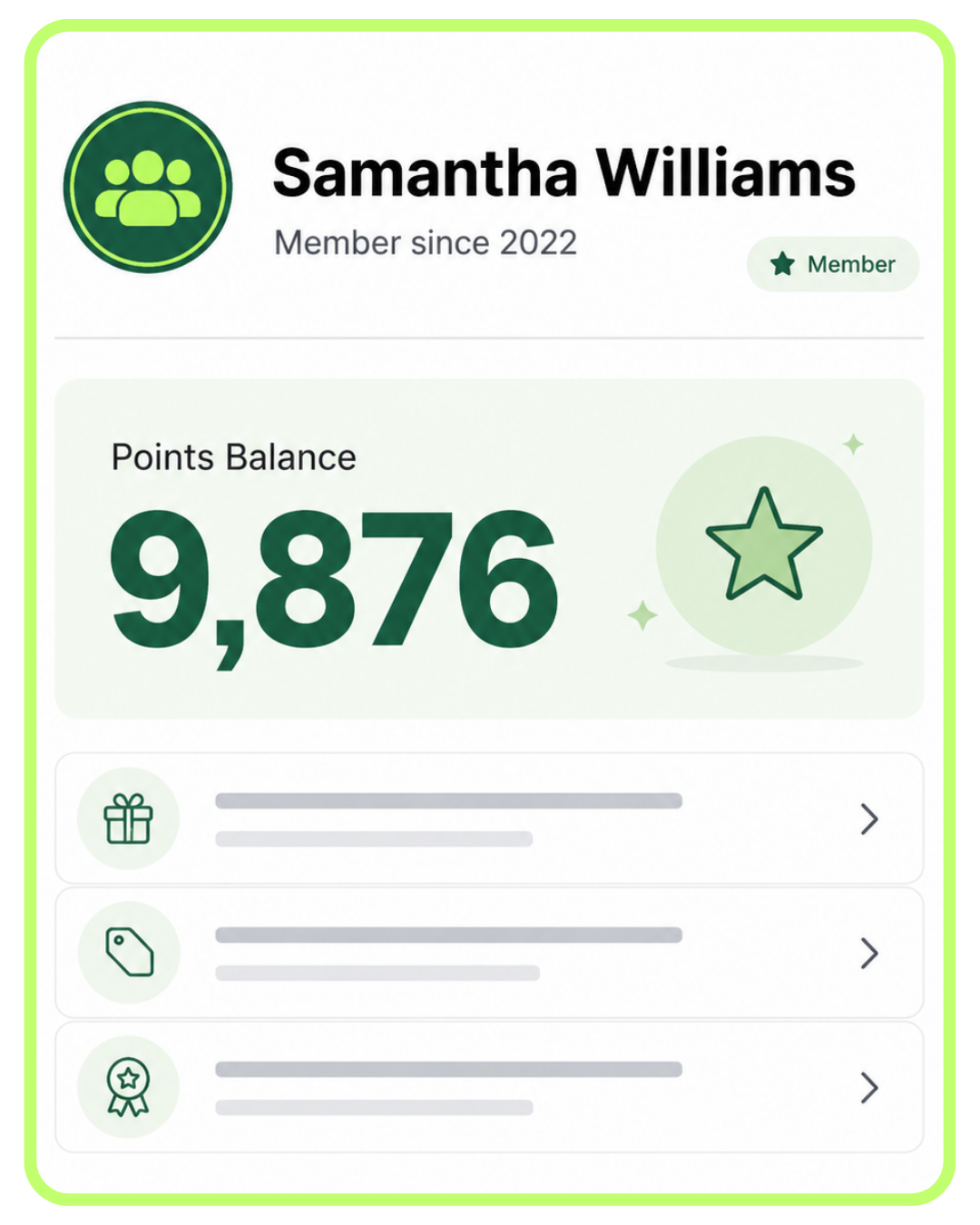
- Customer rewards tracking — show points balances and reward progress
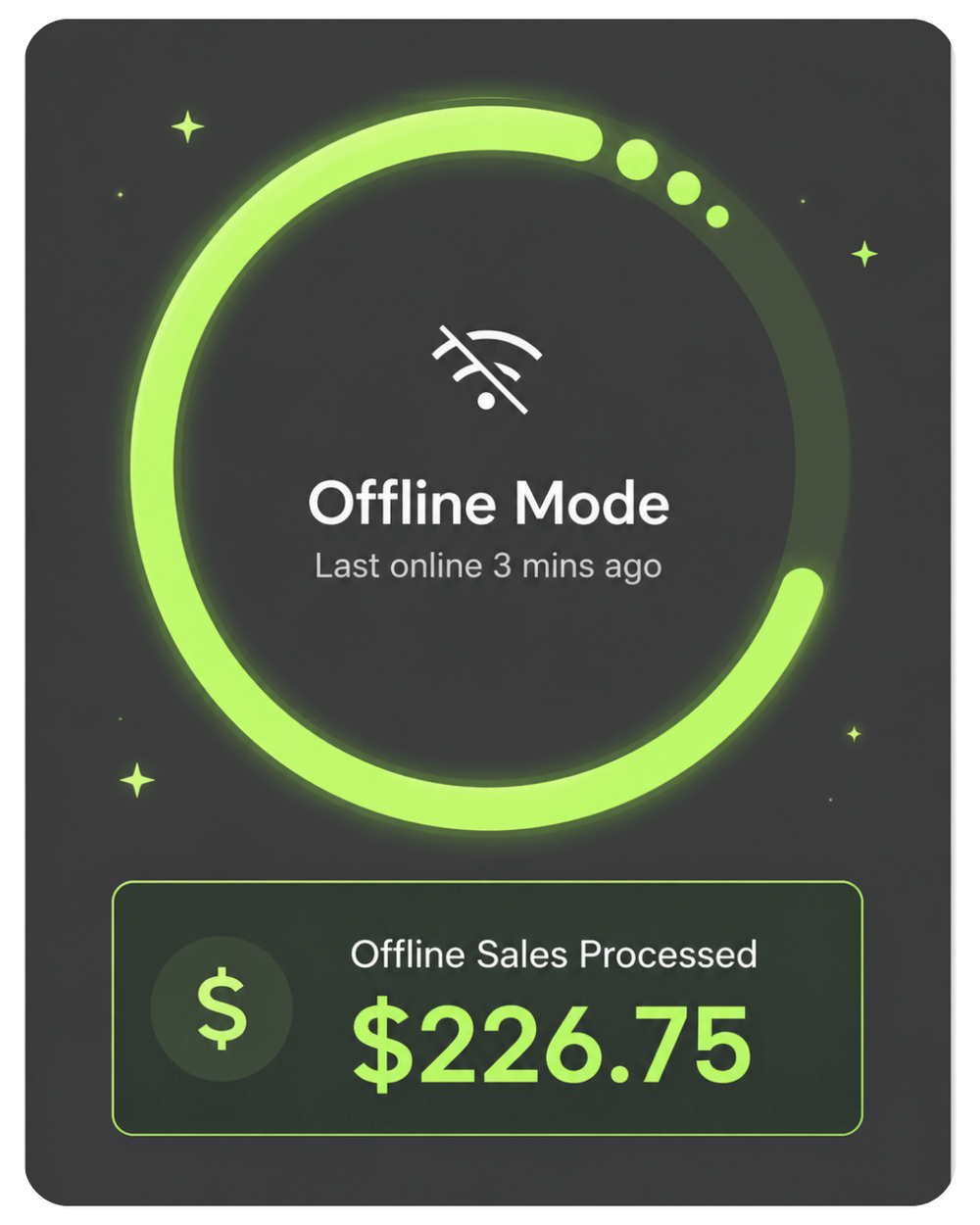
Keep taking payments when the Wi-Fi drops.
The Flex includes Offline Payments mode. If your Wi-Fi goes down mid-service, the Flex stores eligible transactions locally and syncs them once you reconnect. Combined with built-in 4G LTE, you have more ways to stay connected during service.
- 4G LTE backup — use cellular service when Wi-Fi is unreliable
- Offline mode stores eligible transactions for later sync
- Mobile hotspot support — tether to your phone if needed
- Critical for food trucks, mobile vendors, and rural businesses
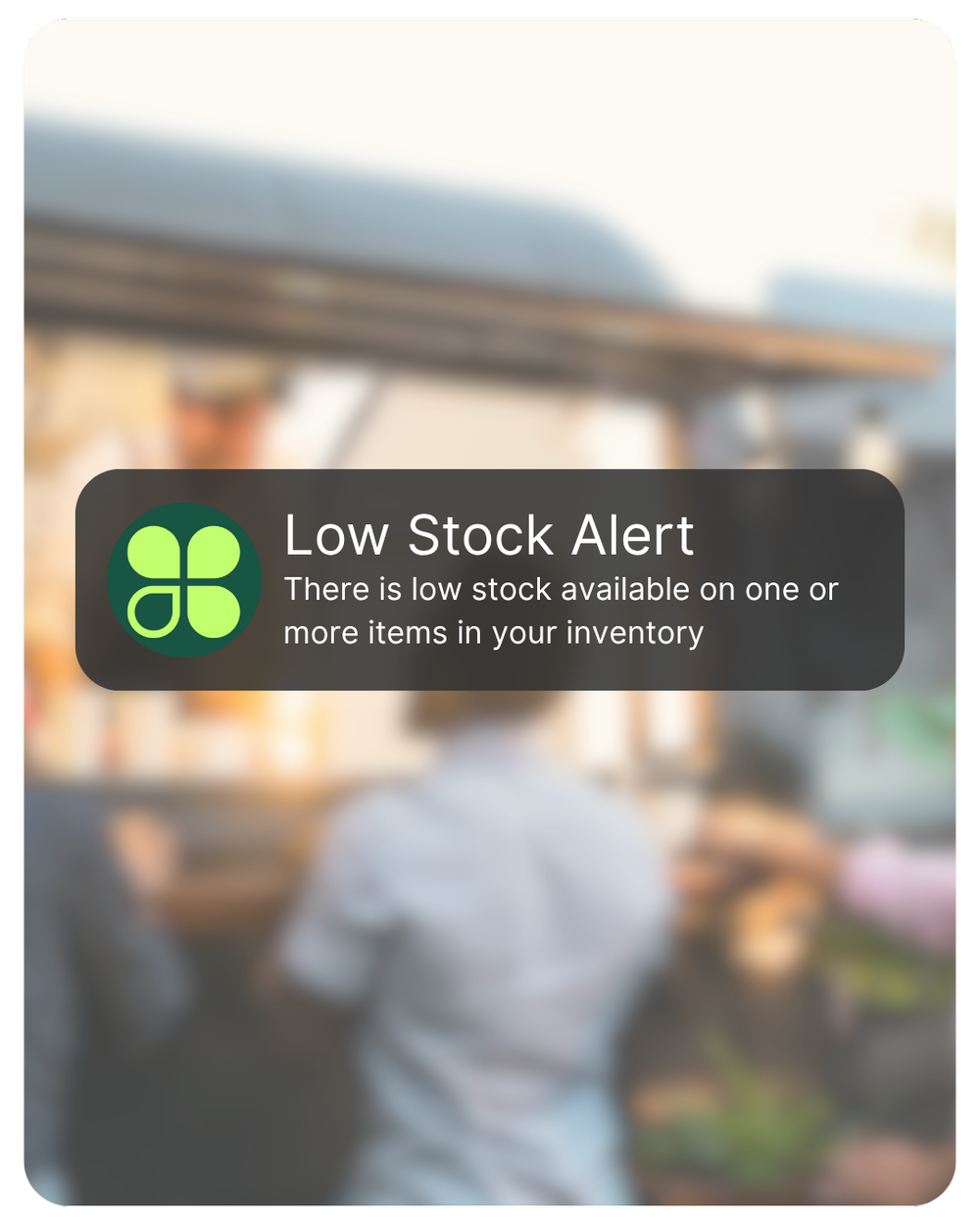
Get notified before you run out — not after.
Set low-stock thresholds per item. The Flex can help your team know when inventory drops below your set level. No more "we just ran out of that" moments mid-rush.
- Real-time low-stock alerts for key menu items or products
- Variants and modifiers — track sizes, colors, toppings, and options
- Cost tracking — understand margin per item, not just revenue
- Bulk import from CSV — Limelight can help with initial setup
Want a 15-minute live demo of any of these features?
Limelight advisors do free Zoom demos — we'll show you the Flex in action with a sample menu or inventory built for your industry.
Choose the path that fits your situation.
All three options get you the same brand-new Clover Flex Gen 4. The difference is what you pay upfront and what processing you sign up for.
- One-time $249 for the hardware
- You own the Clover Flex outright
- Limelight merchant account required
- Choose your processing rate
- Free menu/inventory setup included
- Best if: you want to own the hardware
- Clover Flex Gen. 4 at $0 hardware cost
- $35 one-time shipping & setup
- Hardware is placed (not sold) — returned if you stop processing
- Refund if not approved
- Free menu/inventory setup included
- Best if: you want $0 upfront
- A Limelight advisor reviews your situation
- We recommend the right Clover device
- We compare your current processor if you have one
- You get a written quote — both paths priced
- You decide on your own timeline
- Best if: you're still researching
Both purchase paths ship the same brand-new Clover Flex Gen 4 and include free menu & inventory setup. Both require a Limelight Payments merchant account — Limelight does not sell Clover hardware for use with other processors. Software plans are paid separately and are set by Clover Network, LLC.
5.0 stars across 30+ Google reviews.
"Someone online told me that if I was going to get a Clover system, I should go through a trusted sales rep — and that was the best advice I could've received. Ryan helped with everything: setting up my menu, uploading my inventory, and even integrating my gift cards."
"I've been in business for over 20 years using credit card processors and Ryan is by far the most knowledgeable, helpful individual I have ever used."
"I used Limelight Payments for my pressure washing business. If I have a question, Ryan still answers the phone or returns my call. I don't get tossed around with customer service reps."
Answers to the questions Limelight advisors get most.
What's actually different between the Clover Flex Gen 3 and Gen 4?
The Gen 4 has a larger 5.99" screen (up from 5"), a faster processor, Android 10 (vs. 7), better 4G LTE radio, and an upgraded 13MP camera for barcode scanning. The form factor is similar but the Gen 4 feels noticeably snappier. If you're buying new, get the Gen 4 — the Gen 3 is being phased out.
Can I use a Clover Flex without an internet connection?
Yes, partially. The Flex stores up to 12 hours of transactions offline and uploads them when connectivity returns. The built-in 4G LTE means most businesses never go fully offline. We recommend setting up a free or low-cost SIM as a Wi-Fi backup — your account manager can walk you through this during setup.
How long does the Flex battery actually last?
Up to 8 hours of mixed use (taking payments, printing receipts, running the screen). Heavy printer use shortens it — a busy restaurant printing 200+ receipts per shift gets around 5-6 hours. Most businesses keep it docked between rushes, which fully charges it in about 2 hours.
Can I keep my current credit card processor and just buy a Clover Flex from you?
No. Limelight Payments only sells Clover hardware to merchants who process with us — we don't sell Clover terminals for use with other processors. If you want to keep your current processor, you'd need to buy Clover hardware directly from Clover or from a reseller authorized on your specific processor. That said: switching to Limelight is straightforward (about a day to activate) and typically saves businesses $100–$400/month versus aggregator pricing like Square's 2.5% + 15¢ — happy to send you a side-by-side comparison if you want one.
What happens after I submit the contact form?
A Limelight advisor (based in Camarillo, CA) calls or texts you within one business day. We ask about your business, your current setup, and what you're trying to solve. No high-pressure pitch — if Clover isn't the right answer, we'll say so. If it is, we'll send a clear quote with three pricing paths so you can pick.
What if I order the wrong thing or change my mind?
If you haven't activated the device, return it within 30 days for a full refund. If you've activated it, we can usually swap it for a different Clover model (Mini, Solo, Duo) with no penalty in the first 30 days. After that, normal merchant terms apply — your advisor will walk you through them before you sign anything.
Why are there so many Clover resellers and how do I know who to trust?
Clover sells hardware through hundreds of authorized ISOs (Independent Sales Organizations) like Limelight. The hardware is identical regardless of who you buy from. The difference is the processing rate, the support, and the underwriting/risk model behind your merchant account. We recommend asking any reseller three questions: (1) Is my merchant account an aggregator or dedicated? (2) What's my effective rate including monthly fees? (3) Who exactly do I call when something breaks? If they can't answer cleanly, keep looking.
Is Limelight Payments actually Clover, or just a reseller?
Limelight Payments is a POS consulting and solutions brand operated by POS Advisors Inc. (California S-Corp). We are an authorized Clover reseller through Paysafe Payment Processing Solutions and PayProTec — both registered ISOs with FDIC-member sponsor banks. We are not Clover Network, LLC. Clover® and the Clover logo are registered trademarks of Clover Network, LLC.
Not ready to order? Talk to a POS expert.
Most people just add to cart and the POS expert calls them. But if you'd rather talk through your business first, fill this out and we'll call you within one business day.
No credit check at this stage. No commitment. We'll send pricing in writing before you sign anything.
Prefer to talk to a human?
Call Now: (888) 415-7020| Features | Starter | Essentials |
|---|---|---|
| Monthly Software Cost | ||
| Cost Per Month (One Device) | INCLUDED | $29.95 |
| Payments Features | ||
| Accept all credit & debit cards | ✓ | ✓ |
| Virtual Terminal / MOTO | ✓ | ✓ |
| eCommerce integrations | ✓ | ✓ |
| Clover Go mobile POS | ✓ | ✓ |
| Invoice payments & tracking | ✓ | ✓ |
| Recurring payments | ✓ | ✓ |
| Surcharging | ✓ | ✓ |
| Cash Discount | ✓ | ✓ |
| Tips | ✓ | ✓ |
| Sales tax tracking | ✓ | ✓ |
| Sales tax reporting | ✓ | ✓ |
| Order Management | ||
| Create, save, pay, refund, and edit orders | — | ✓ |
| Item-level tax calculations | — | ✓ |
| Item & order discounts | — | ✓ |
| Automatic order numbers | — | ✓ |
| Reporting | ||
| Sales reporting | ✓ | ✓ |
| Payments reporting | ✓ | ✓ |
| Cash reporting | ✓ | ✓ |
| Track sales by employee | ✓ | ✓ |
| Product mix reporting | — | ✓ |
| Tax reporting | ✓ | ✓ |
| Revenue class reporting | — | ✓ |
| Item, Inventory & Menu Management | ||
| Inventory items & categories | — | ✓ |
| Menu & inventory tracking | — | ✓ |
| Real-time inventory updates | — | ✓ |
| Bulk inventory import / export | — | ✓ |
| Multi-location item management | — | ✓ |
| Item variants | — | ✓ |
| Item modifiers | — | ✓ |
| Customer Engagement | ||
| Customer records tied to payments | ✓ | ✓ |
| Customer purchase tracking | — | ✓ |
| Promotions | — | ✓ |
| Rewards / Loyalty program | — | ✓ |
| Feedback collection | — | ✓ |
| Employee Management | ||
| Roles & permissions | ✓ | ✓ |
| Time clock / timesheets | — | ✓ |
| Website | ||
| Branded website | — | ✓ |
| Add-Ons | ||
| Advanced Loyalty | — | ✓ |
| Gift cards | ✓ | ✓ |
| Payroll | — | ✓ |
| Clover Platform & Financial Services | ||
| Clover Capital | ✓ | ✓ |
| Access to Clover App Market | — | ✓ |
| Clover Dashboard web & mobile access | ✓ | ✓ |
| Online dispute management | ✓ | ✓ |
| Online chat support via Clover Dashboard | ✓ | ✓ |
| 24/7/365 customer support | ✓ | ✓ |
| Security & Compliance Features (Required) | ||
| Clover Security TransArmor - Cost per Month | $10.00 | $10.00 |
| PCI Compliance Tools | ✓ | ✓ |
| Point-to-Point Encryption (P2PE) | ✓ | ✓ |
| Tokenized Payment Security | ✓ | ✓ |
| Fraud Risk Reduction Tools | ✓ | ✓ |
| Active Merchant Account (Required) | ||
| Active Merchant Account - Cost per Month | $10.00 | $10.00 |
| Required to activate payment processing on Clover device | ✓ | ✓ |
| Next-day funding on batches closed before 7 PM EST | ✓ | ✓ |
| Accept Visa, Mastercard, Discover, American Express, and debit cards | ✓ | ✓ |
| Ability to pass credit card fees to customers when properly set up | ✓ | ✓ |
| Online statements, deposits, and transaction reporting | ✓ | ✓ |
| Chargeback and dispute management support | ✓ | ✓ |
| Ongoing account management and support | ✓ | ✓ |
| Total Monthly Fees for this Program | ||
| Software + TransArmor + Active Merchant Account | $20.00 | $49.95 |
| ▼ Click to View Starter vs. Essentials Plan Comparison | ||
Notes: Feature availability, software plan names, and pricing may vary by processor setup, merchant account approval, Clover account configuration, app subscriptions, hardware, and future Clover updates. Some tools may require compatible hardware, third-party apps, or additional fees.
Interested in industry-specific Clover software plans? Learn more about optional upgrades here: Restaurants and Bars · Retail · Salons