

Get a Free Clover with your new Limelight Account
Choose a Clover Flex, Mini, Station Solo, Station Duo, or Compact through Limelight Payments’ equipment placement program. The hardware is provided at $0 upfront hardware cost with an approved new merchant account. You only pay the device’s one-time shipping and setup fee.
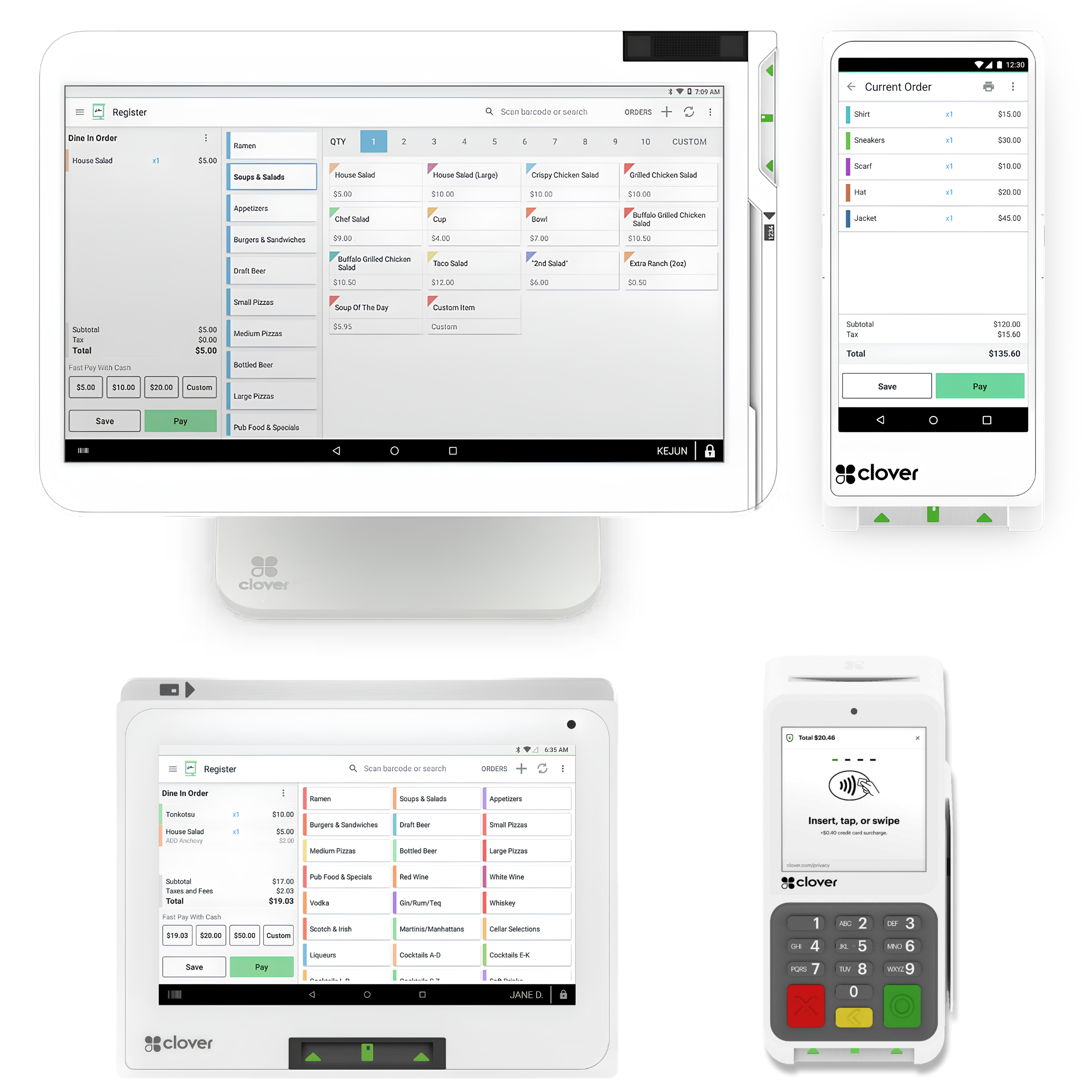
Free hardware. Easy setup. Real support after the sale.
Limelight Payments can place a Clover Flex, Mini, Station Solo, Station Duo, or Compact at your business with $0 upfront hardware cost when you open a new merchant account. You simply pay the one-time shipping and setup fee for the device you choose. If the account is not approved, that payment is refunded.
$0 upfront hardware cost
Choose from five Clover devices without buying the hardware upfront. Great for businesses that want to keep startup costs lower.
$35–$99 shipping & setup
Flex and Compact require a $35 one-time shipping/setup fee. Mini, Station Solo, and Station Duo require a $99 one-time shipping/setup fee.
Refund if not approved
If your merchant account application is not approved, your shipping and setup fee is fully refunded.
Setup help included
We help with menu items, inventory, employees, taxes, basic settings, and live onboarding so you can get up and running faster.
Lower processing options
Available pricing may include wholesale interchange-plus, flat-rate, or compliant cash discount options depending on your business.
Real support from Limelight
Call or text a real Clover POS expert for help with equipment, deposits, statements, setup questions, and ongoing support.
Choose the Clover that fits your business best.
Every option below is available through the Limelight Payments placement program. Click a device to learn more, or talk to a Clover expert if you want help deciding. One Clover POS placement per new merchant account. Additional units must be purchased. Higher volume businesses may qualify for multiple free devices - contact us to learn more.
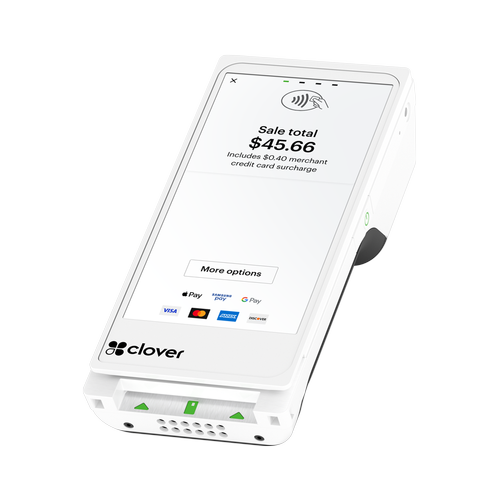
Clover Flex
Best for food trucks, mobile businesses, tableside service, events, and anyone who wants a handheld all-in-one POS.
Free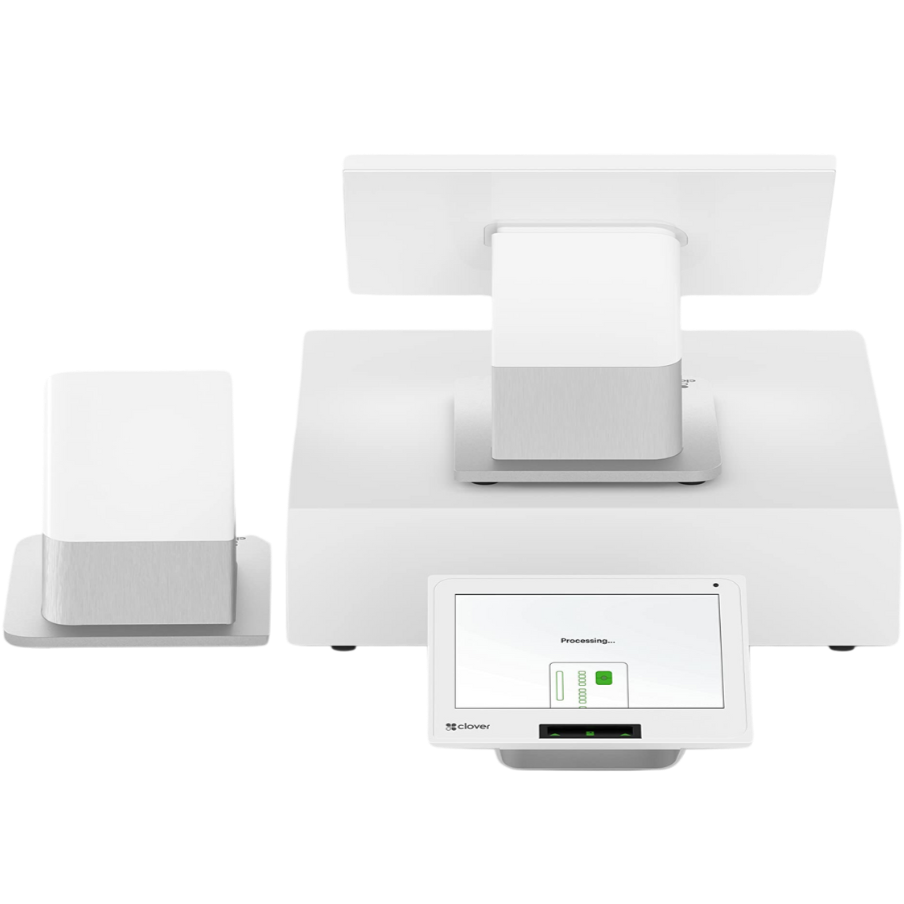
Clover Station Duo
Best for restaurants and high-volume counters that want both a merchant display and customer-facing display.
Free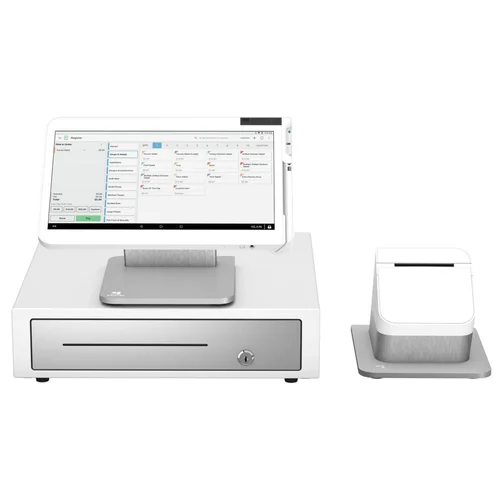
Clover Station Solo
Ideal for restaurants and busy retailers that want a large 14" screen countertop system with a full-size separate receipt printer.
Free
Clover Mini
Great for cafés, salons, retail, and offices that want a capable countertop POS with receipt printing.
Free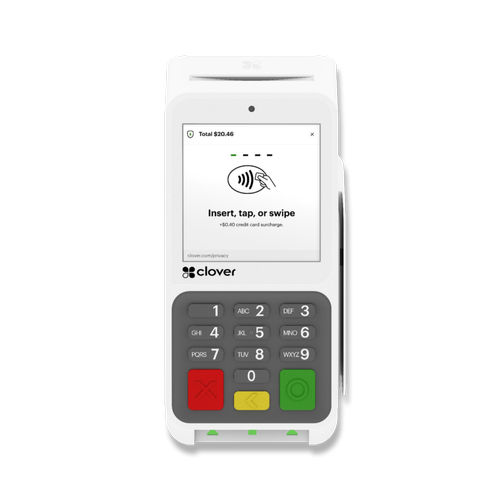
Clover Compact
A simple countertop payment terminal for lower-volume merchants that do not need a full point-of-sale setup.
Free
Talk to a Clover Expert
Not sure which Clover is right for your business? Tell us what you sell and how you take payments, and we’ll recommend the best fit.
Anyone can sell you Clover. Limelight includes a real Clover Expert — for FREE!
The equipment may be the same, but the setup, pricing guidance, and support experience can be completely different.
Limelight sells a complete Clover service — not just the equipment.
From application to live in just a few days.
The process is simple. We help you pick the right Clover, get your merchant account approved, ship the equipment, and walk you through setup.
Apply in minutes
Fill out a short form with your business details and estimated monthly card volume. Most applications only take a few minutes.
Get approved
Standard merchant underwriting typically takes about one business day. We confirm which Clover makes the most sense for your business.
Receive your Clover
Your chosen Clover hardware ships out quickly after approval so you can get started without a long wait.
Free setup & go live
We help with setup, basic configuration, and live onboarding so you can start taking payments with confidence.
Built for almost every type of small business.
The placement program works for restaurants, retail, service businesses, offices, and more. If you do not see your industry below, just ask.
Free Clover from Limelight vs. Clover Direct, banks, or Square.
All four sell or service point-of-sale equipment. Here’s the side-by-side.
| Limelight Payments | Clover Direct | PNC / Wells Fargo | Square | |
|---|---|---|---|---|
| Clover hardware cost | ✓ Free placement ($35–$99 shipping/setup) | ✗ Retail hardware cost | ✗ Varies | ✗ Not Clover |
| Processing Fees |
Choose from: • Flat rate starting at 1.55% • Pay 0% with Cash Discount • Wholesale Interchange-Plus pricing |
Flat Rate 2.6% + 10¢ | Tiered Pricing Less transparent |
Flat 2.5% + 15¢ |
| Free menu & inventory setup | ✓ Yes | ✗ DIY or paid | ✗ Limited | ✗ DIY |
| Direct line to your account manager | ✓ Direct phone support | Call center | Branch + call center | Email/chat |
| USA-based support | ✓ Yes | Mixed | Yes | Mixed |
| Approval speed | ~1 business day | 1–3 days | 1–2 weeks | Instant (limits apply) |
| Risk of frozen funds | Low (real merchant account) | Low | Low | High (aggregator model) |
Frequently asked questions
Learn how the Limelight Payments Clover POS Equipment Placement Program works, including shipping/setup charges, monthly placement fees, ownership, approval, and cancellation.
What is the Limelight Payments Clover POS Equipment Placement Program?
The program provides an eligible Clover Flex, Compact, Mini, Station Solo, or Station Duo for use with an approved new Limelight Payments merchant account. Instead of purchasing the hardware upfront, you pay the device’s one-time shipping/setup charge and any applicable monthly placement fee.
Is the Clover hardware really free?
The Clover hardware is provided at no upfront hardware cost while you actively process payments through Limelight Payments. It is a placement program, not a hardware giveaway or purchase. You pay a one-time shipping/setup charge, normal Clover software costs, merchant processing costs, and any monthly placement fee that applies to the device you select.
What are the monthly placement fees for Clover Mini, Station Solo, and Station Duo, and when are they waived?
Clover Flex and Clover Compact have no monthly placement fee. Clover Mini, Station Solo, and Station Duo have monthly placement fees unless your business meets the applicable monthly processing minimum:
| Device | One-time shipping/setup | Monthly placement fee | When the monthly fee is waived |
|---|---|---|---|
| Clover Flex | $35 | $0 | No monthly placement fee |
| Clover Compact | $35 | $0 | No monthly placement fee |
| Clover Mini | $99 | $19 per month | Waived when monthly processing exceeds $10,000 |
| Clover Station Solo | $99 | $39 per month | Waived when monthly processing exceeds $20,000 |
| Clover Station Duo | $99 | $39 per month | Waived when monthly processing exceeds $20,000 |
For Mini, Solo, and Duo placements, three consecutive months above the applicable processing threshold removes the monthly placement fee. Three consecutive months below the threshold may cause the fee to be added again.
Why is there a $35 or $99 charge if the hardware is free?
The $35 or $99 charge covers shipping and standard setup. Flex and Compact have a $35 one-time shipping/setup charge. Mini, Station Solo, and Station Duo have a $99 one-time shipping/setup charge. The payment is refunded if your merchant account is not approved.
Can I buy the Clover for $35 or $99 without opening a merchant account?
No. The $35 or $99 offer is part of the Limelight Payments POS Equipment Placement Program. It is not the purchase price of the hardware. The Clover is provided for use with an approved Limelight Payments merchant services account.
Who owns the Clover equipment?
The equipment remains the property of Limelight Payments. You may use it while actively enrolled in the POS Equipment Placement Program and processing through Limelight Payments. Ownership does not transfer to the merchant.
What happens if I cancel service?
Limelight Payments will provide a return shipping label for the placed Clover equipment. The device must be returned within 10 days of receiving the label. If the equipment is not returned, you may be charged its full retail value.
Can I purchase the Clover equipment instead of using the placement program?
Yes. Clover devices may also be purchased outright. Current reference prices include $699 for Clover Flex, $795 for Clover Mini, and $1,700 for Clover Station Solo. Contact Limelight Payments for current pricing on Clover Station Duo, Compact, accessories, and additional equipment.
How long does merchant account approval take?
Standard merchant underwriting typically takes about one business day after all required application information and documents are received. Some applications may require additional review.
What happens if my merchant account is not approved?
If the merchant account is not approved, the one-time shipping/setup payment is refunded. No Clover equipment will be shipped until the account is approved and the required paperwork is completed.
Does the program include Clover software?
The placement covers the eligible Clover hardware. Clover software plans are billed separately and depend on the device, business type, and features selected. We review the available software plans with you before the account is finalized.
What processing fees does Limelight Payments charge?
Limelight Payments offers multiple processing options, including flat-rate pricing starting at 1.55%, compliant cash discount programs where eligible, and wholesale interchange-plus pricing. Exact pricing depends on your industry, card mix, average ticket, monthly processing volume, and underwriting approval.
Is setup and training included?
Yes. Limelight Payments provides setup guidance and onboarding assistance. Depending on the business and Clover configuration, this may include help with menu items, inventory, employee permissions, taxes, receipt settings, and basic training.
What happens if the Clover equipment becomes defective?
A merchant may be eligible for up to one replacement per year for defective placed equipment while enrolled in the program. Lost, stolen, or physically damaged equipment is not covered as a defective replacement.
Can I use a Clover purchased from another processor with Limelight Payments?
Usually not. Clover devices are generally provisioned and tied to the merchant processor that sold or placed them. In most cases, a Clover obtained from another processor cannot simply be transferred to a new processing account.
Which Clover device is best for my business?
Clover Flex is best for portable and mobile use. Clover Compact is best for simple payment acceptance. Clover Mini is a compact countertop POS. Station Solo is a full-size single-screen system, and Station Duo adds a customer-facing display. A Clover expert can review your business and recommend the right option.
Not ready to order? Talk to a POS expert.
Most people just add to cart and the POS expert calls them. But if you'd rather talk through your business first, fill this out and we'll call you within one business day.
No commitment at this stage. We'll send pricing in writing before you sign anything.
Prefer to talk to a human?
Call Now: (888) 415-7020