

The dual-screen POS built for faster checkout and better service.
One screen for your staff. One screen for your customers. Clover Station Duo gives restaurants, retailers, salons, and service businesses a countertop POS with payments, receipts, tips, inventory, reporting, online tools, and customer engagement in one system.
Limited-time Limelight Payments promotion. Buy the Clover Station Duo Gen 2 hardware for $1,095 instead of the regular $1,895 price.

🧩 Flexible Software Plans Starting @ $29.95 / mo.
🍀 See All Clover Software Plans
⭐ 5-Star Trust, Backed by Real Reviews
👨💼 Expert Setup & Training Included — Meet Your Expert
📞 Call/Text a Real Person in the U.S.
💳 Financing Available
✅ Sale pricing applies to one POS system only; additional machines must be purchased separately at regular price.
The Duo hardware is easy. The hard part is choosing the right system around it.
A Clover Station Duo is not just a register. It becomes your checkout workflow, staff workflow, reporting tool, tip screen, online ordering hub, inventory system, and customer database. Limelight helps you build that system before the box arrives.
A real POS advisor, not just a cart page
We ask how your business sells, where bottlenecks happen, how staff use the register, and whether you need restaurant, retail, or service tools before recommending a plan.
Setup before your first transaction
Menus, inventory, modifiers, taxes, employees, permissions, tips, receipt settings, printer routing, and training can be configured before your opening day.
Processing options with context
Interchange-Plus, flat rate, and Cash Discount / Consumer Pay can all make sense in different situations. We help you compare the real monthly impact, not just the headline rate.
Direct support after the sale
Call or text a real person who knows your account. When a printer, employee permission, menu item, or batch question comes up, you are not starting over with a generic call center.
Honest device matching
If the Duo is too much, we will point you toward Mini, Solo, Compact, or Flex. If you need Duo + Flex for a counter and mobile workflow, we will explain why.
Built for long-term fit
The cheapest POS is expensive if your staff hate using it. We design the setup around speed, staff adoption, customer experience, and future growth.
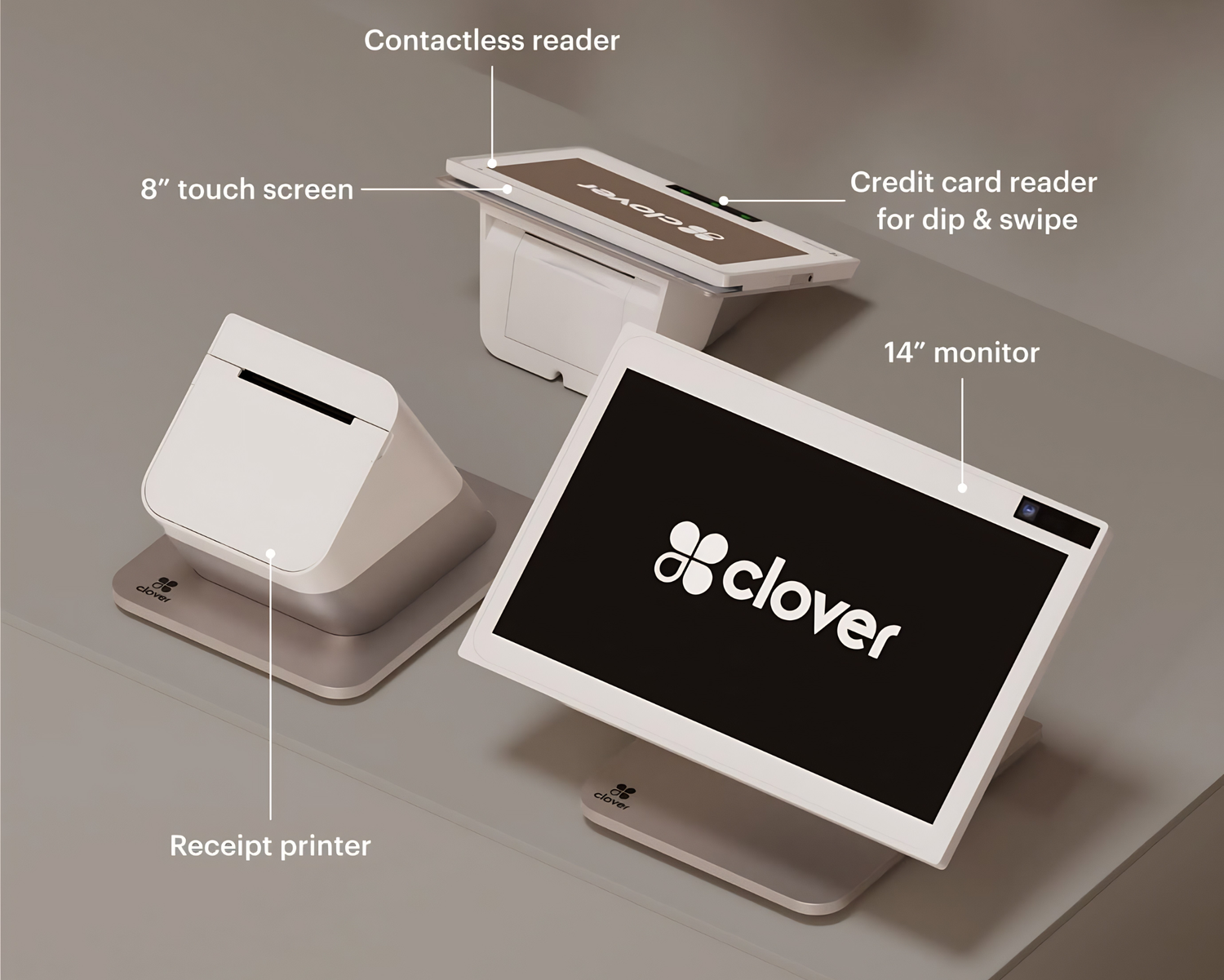
A real checkout station with one screen for staff and one screen for customers.
Clover Station Duo Gen 2 combines a large 14-inch merchant-facing display, a customer-facing touchscreen, integrated payment acceptance, and a high-speed receipt printer. Staff use the main screen to build orders, edit items, apply discounts, manage tabs, and run reports. Customers use the second screen to confirm the order, add a tip, sign, enter PIN when needed, and complete payment.
That two-screen workflow is the main reason businesses choose the Duo over smaller devices. It feels like a professional checkout station, reduces staff handoff awkwardness, and gives the customer a clear payment experience.
Clover Station Duo Gen 2 — hardware details that matter.
The Duo is best understood as a countertop POS bundle: staff screen, customer screen, payment acceptance, printer, scanner/camera capability, and accessory support.
Why the customer screen matters
Customers can see the order, confirm the total, select a tip, and complete payment without staff turning the screen around. This improves trust and speeds checkout.
Why the big staff screen matters
Large menus, retail catalogs, modifiers, tabs, discounts, and employee actions are easier on the 14-inch display than on a handheld terminal.
Why accessories matter
Restaurants may need kitchen printers or KDS. Retail stores may need scanners, label printers, scales, and cash drawers. Duo is the station that can anchor those tools.
Start with the checkout job, then pick the device.
The Clover Station Duo is best for businesses where the register does more than accept cards. It is for checkout counters that need speed, a professional customer-facing screen, staff controls, receipts, reporting, and a clean front-of-house workflow.
Choose the Duo when these are true.
- You have a real checkout counter, bar, host stand, reception desk, or retail register.
- Staff need a large screen for menu items, modifiers, tabs, discounts, returns, employee logins, or reporting.
- Customers should see totals, tips, signatures, PIN entry, and payment prompts on their own screen.
- You want a built-in receipt printer instead of a tablet, card reader, and separate printer setup.
- You may add scanners, cash drawers, kitchen printers, KDS, online ordering, eCommerce, or appointment tools later.
Consider another Clover device when these are true.
- You mainly take payments away from the counter, at tables, curbside, or in the field.
- You only need a simple mobile terminal for occasional card payments.
- Your counter space is extremely limited and a Clover Mini or Compact is enough.
- You do not need inventory, employee tools, customer prompts, tips, or deeper reporting.
- You want the lowest upfront hardware cost and do not need a dual-screen checkout station.
The Duo is built for businesses that need a real checkout station.
Use the Duo when the main counter matters: order entry, payments, tips, receipts, staff permissions, inventory, reports, and customer-facing checkout all happen in one place.
Use the Duo for table mapping, splitting checks, open tabs, order entry, tip prompts, kitchen routing, online ordering, and delivery integrations. Servers can carry a Flex for tableside payment while the Duo anchors the host stand or bar.
- Open, split, and merge tabs from the restaurant workflow
- Auto-route kitchen tickets to printers or KDS when configured
- Built-in tipping screens with preset percentages and custom tips
- Faster table turns because checkout does not depend on one fixed terminal
Great for coffee shops, bakeries, sandwich shops, ice cream shops, fast-casual concepts, and counter service where speed, modifiers, tips, and order accuracy matter.
- Fast item buttons for high-volume rushes
- Modifier prompts for sizes, flavors, toppings, and add-ons
- Customer-facing tip screen without awkward staff prompts
- Online ordering menu for pickup workflows when configured
Run tabs, close out quickly, collect tips, track employee sales, restrict discounts/refunds, and keep the bar moving during busy periods.
- Open tabs and closeouts for bar workflows
- Tip prompts and tip reporting
- Employee permissions for discounts, refunds, no-sales, and reports
- Cash drawer and receipt printer support for real register workflows
Use Duo as the main register for item sales, inventory, discounts, barcode scanning, returns, gift cards, customer tracking, and online catalog options.
- Advanced inventory for products, categories, and variants
- Barcode scanning and label workflows with compatible accessories
- Low-stock alerts and item-level reporting
- Customer records, rewards, and gift cards for repeat buyers
The Duo gives salons a professional front desk station for appointments, customer profiles, reminders, service checkout, product add-ons, tips, and gift cards.
- Service checkout with product add-ons
- Customer profiles for visit history and repeat clients
- Tip prompts on the customer-facing screen
- Online booking and reminders when using the services plan
Pair Duo with scanners, cash drawers, and label tools where appropriate. Best for stores that need a real register and more item control than a small terminal.
- Barcode-first checkout for many SKUs
- Tax categories and departments for mixed products
- Inventory counts and receiving workflows
- Accessory planning before ordering matters for these stores
Duo can work well at a front desk for copays, balances, deposits, invoices, receipts, and customer-facing payment prompts. Virtual Terminal and card-on-file workflows may also matter.
- Front-desk checkout for balances, copays, and deposits
- Receipts and reporting for office staff
- Virtual Terminal for phone payments when enabled
- Software compatibility check before replacing an existing practice system
Good for offices with a reception desk, deposits, retainers, invoices, receipts, and repeat customer payments. If you never use a counter, a simpler terminal may be better.
- Reception desk payments and receipts
- Invoices and recurring payments when enabled
- Customer records for repeat clients
- Professional checkout station for walk-in payments
Choose the Clover software plan around your business type.
The Clover Station Duo hardware is the register. The software plan controls what the register can actually do: restaurant tables, retail inventory, appointments, online ordering, eCommerce, customer records, tips, rewards, and reporting.
- Core POS features, payments, receipts, and reporting
- Inventory management, categories, and item modifiers
- Employee management and permissions
- Customer tracking, rewards, and gift cards
- Everything in Essentials
- Table mapping, open tabs, order types, and tableside workflows
- Kitchen printer or KDS routing
- Online ordering and delivery integrations
- Everything in Essentials
- Advanced inventory and barcode tools
- Product variants, cost tracking, and low-stock visibility
- eCommerce and online store integration options
- Everything in Essentials
- Appointment scheduling and calendar workflows
- Online booking and automated reminders
- Service-based checkout and client management
$29.95/mo
$89.95/mo
$84.95/mo
$84.95/mo
How Limelight Payments usually recommends plans
Restaurants, bars, cafés, and QSRs should usually compare Restaurant Growth because the valuable features are table mapping, kitchen routing, online ordering, delivery integrations, KDS support, tabs, tips, and order types. Retail stores, boutiques, smoke shops, gift shops, and specialty stores should usually compare Retail Growth because inventory, variants, barcode tools, label printing, cost tracking, and eCommerce are usually the deciding factors. Salons, spas, med spas, barbers, and appointment businesses should usually compare Services Growth because online booking, reminders, services, staff calendars, and client history matter more than restaurant tools. If you only need general checkout, reporting, inventory, employees, tips, rewards, and gift cards, Essentials is the simplest starting point.
Software pricing is set by Clover Network, LLC. Limelight Payments does not mark up Clover software fees. Processing rates and required account fees can vary by business type, volume, average ticket, card mix, and approval.
The Duo is your front-counter command center.
The Clover Station Duo can run checkout, customer tipping, staff tools, reporting, customer rewards, gift cards, restaurant operations, retail inventory, online ordering, eCommerce, appointment-based services, and connected accessories — depending on the software plan you choose.
Boost tips with a cleaner customer-facing checkout.
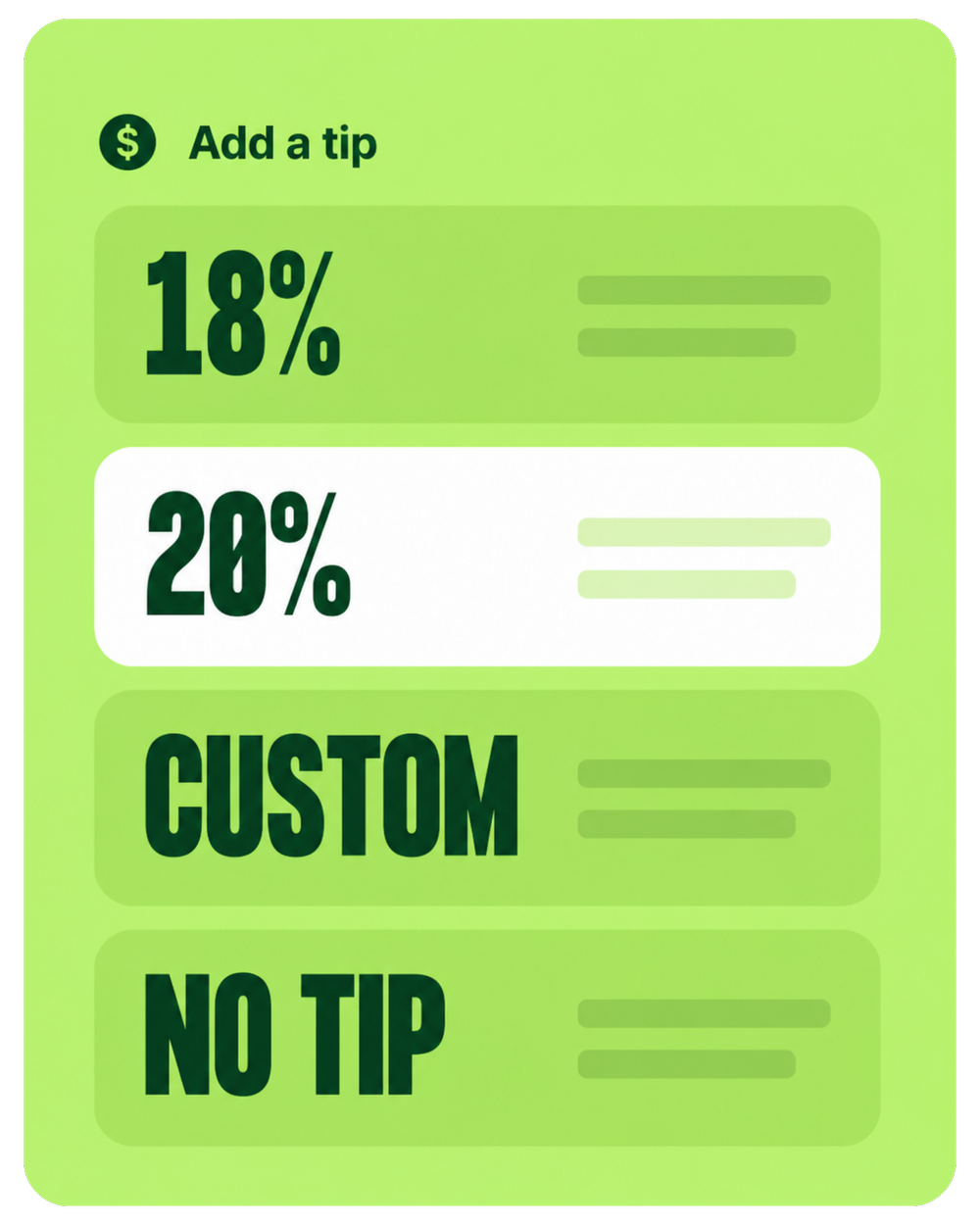
The Duo gives the customer a dedicated screen for tips and payment. That matters because tip prompts are visible, consistent, and less awkward than staff asking out loud or turning a screen around.
- Preset tip percentages with custom tip option
- Customer-facing payment flow for restaurants, cafés, bars, salons, and service counters
- Clear total confirmation before payment
- Better staff experience because the prompt happens on screen
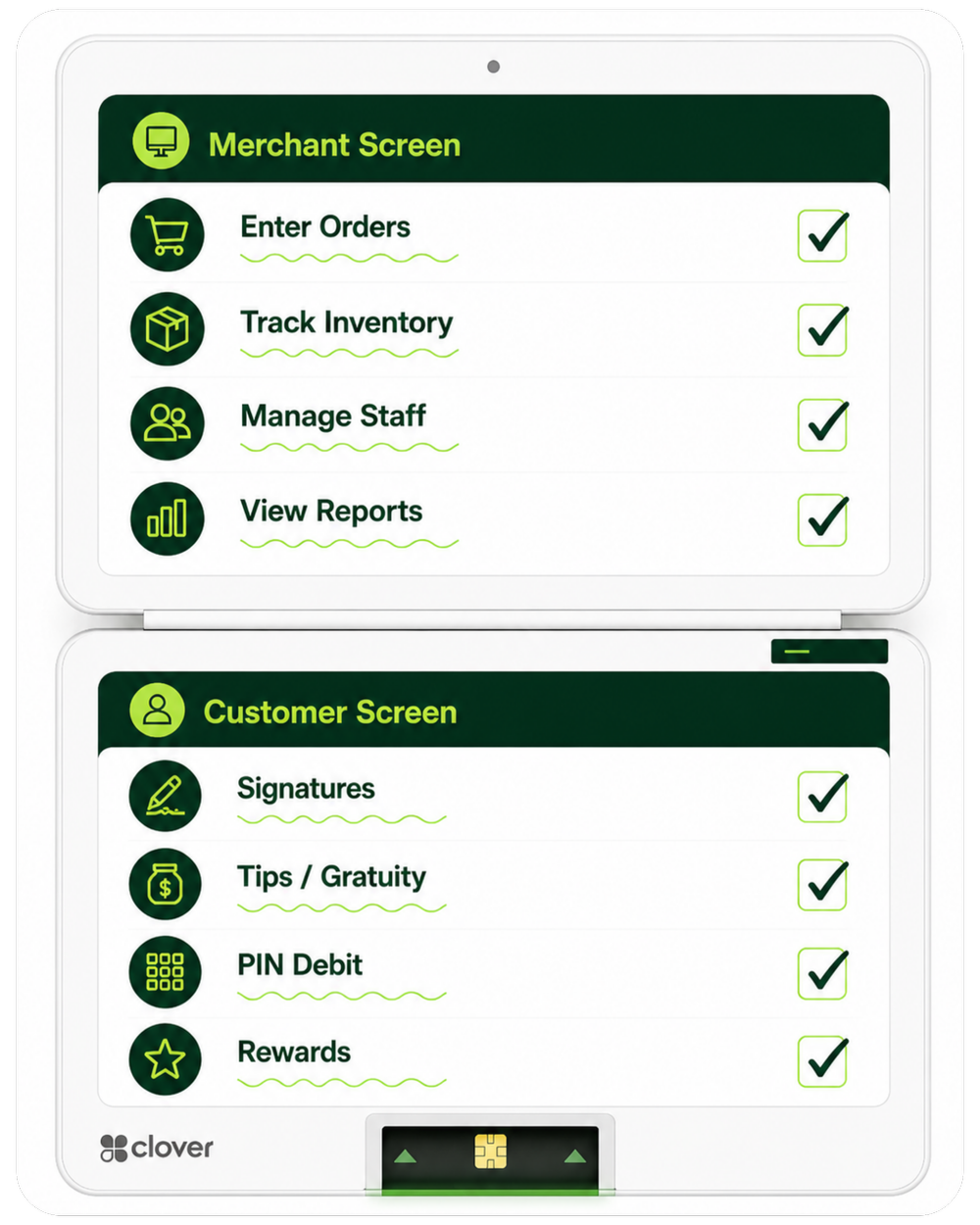
Serve faster with one screen for staff and one for customers.
Staff can keep the order workflow on the main display while customers confirm totals, add tips, sign, enter PIN when needed, and complete payment on the customer display.
- 14-inch merchant screen for fast order entry and item management
- Nearly 8-inch customer screen for checkout prompts
- Order confirmation helps reduce wrong-item disputes
- Professional checkout experience compared with tablet-and-reader setups
Built-in security for modern payments.
Clover supports encrypted payment acceptance and compliance-focused tools that help protect transactions and customer card data.
- EMV chip, swipe, and contactless payment acceptance
- Apple Pay, Google Pay, Samsung Pay and contactless cards
- Clover Security tools including encryption and tokenization
- PCI-focused workflows for safer payment acceptance
Manage employees from the POS instead of a clipboard.
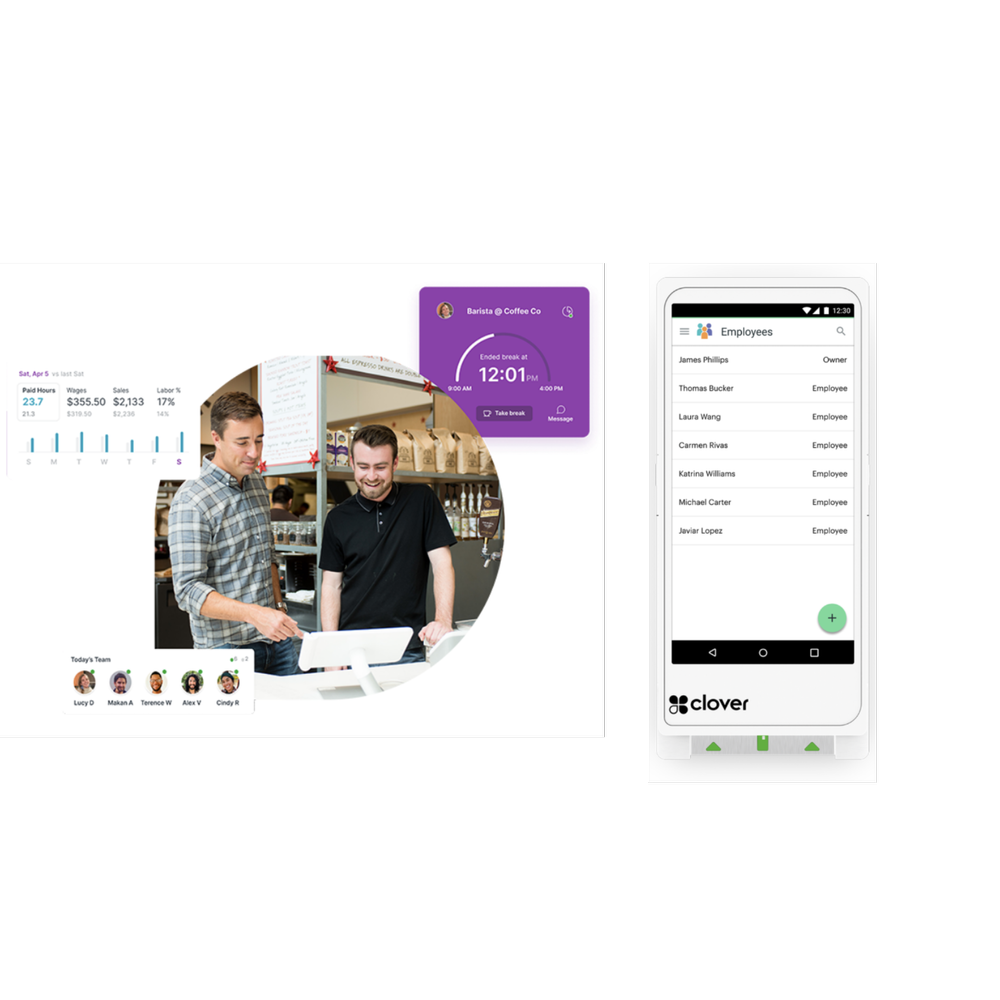
Use Clover for employee permissions, time clock workflows, sales by employee, and payroll-adjacent reporting. This is important for restaurants, bars, retail stores, and salons where multiple employees use the same register.
- Employee logins and permissions for discounts, refunds, reports, and register functions
- Clock-in / clock-out workflows for staff visibility
- Sales by employee reporting
- Payroll integrations through Clover App Market tools such as ADP and others
See sales, staff, items, cash, and product mix without guessing.
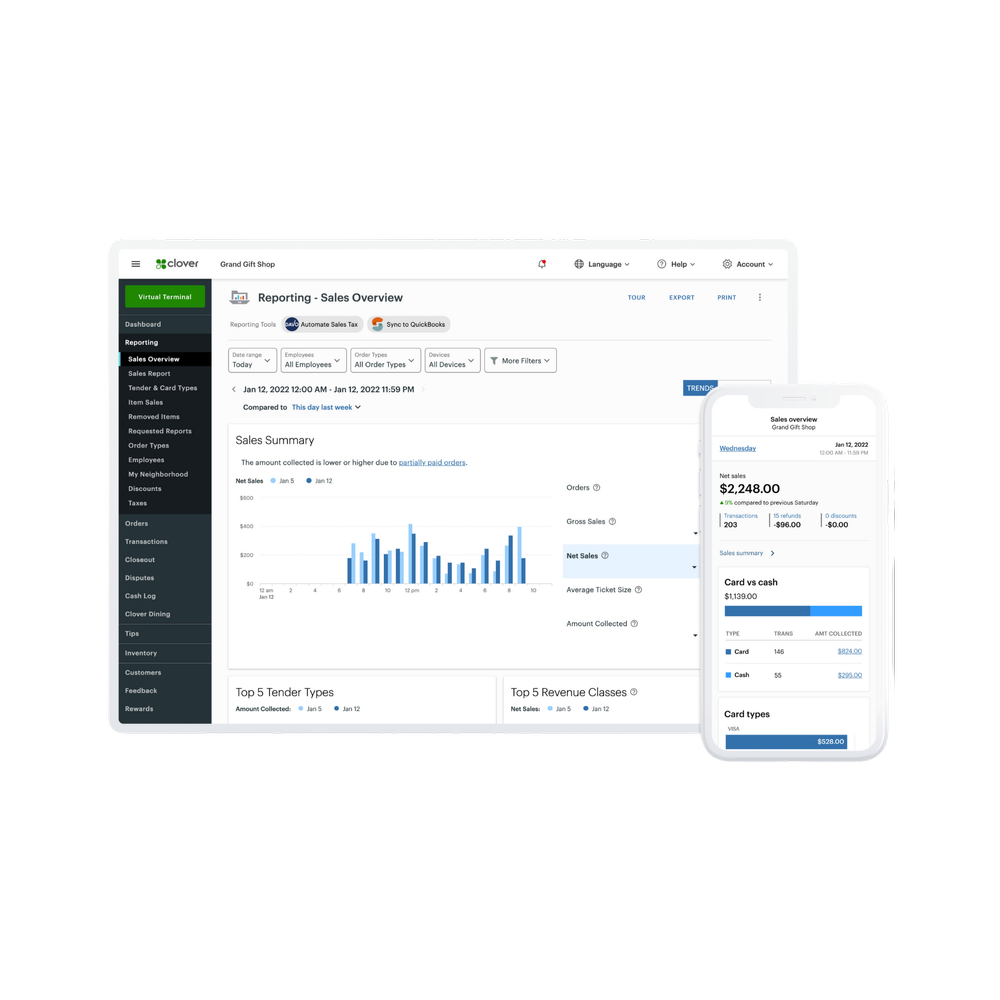
The value of a real POS is not just payment acceptance. It is seeing what sold, when it sold, who sold it, which items are profitable, and what needs attention.
- Sales reporting by day, hour, employee, item, and category
- Product mix reporting for menu and inventory decisions
- Cash reporting and closeout support
- Clover Dashboard access from web and mobile
Build customer loyalty from checkout.
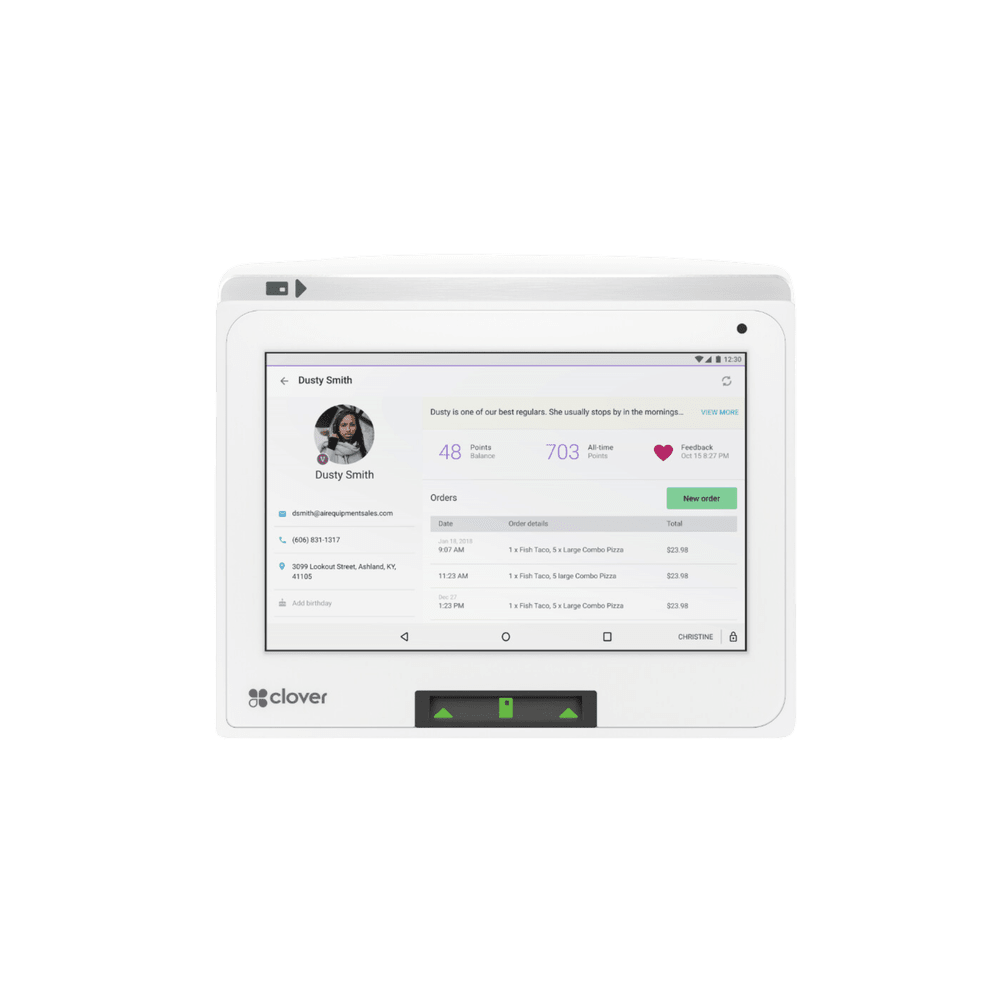
Clover can tie customer records to transactions, which makes it easier to track repeat customers, run rewards, send promotions, and collect feedback.
- Customer profiles tied to purchases
- Rewards and loyalty options
- Promotions and feedback tools
- Gift card support for physical and digital gift card programs
Sell digital and physical gift cards from the same checkout system.
Gift cards can create cash flow upfront, encourage repeat visits, and give customers an easy way to share your business with friends and family.
- Physical and digital gift cards
- Redeem at checkout through Clover
- Useful for restaurants, salons, spas, retail, and services
- Great seasonal revenue tool for holidays and promotions
Run tables, tabs, kitchen routing, online ordering, and delivery.
Restaurant Growth turns the Duo into a restaurant operations station. It can support table mapping, tabs, kitchen printing or KDS, online ordering, QR-style ordering, and delivery app integrations.
- Table mapping and floor plans
- Open tabs and order types for dine-in, takeout, delivery
- Kitchen printers or KDS routing
- Uber Eats, DoorDash, Grubhub, and Google integrations

Create an online ordering menu and receive orders into your workflow.
Restaurants and cafés can use online ordering to reduce phone orders, simplify takeout, and keep orders tied to the same menu and reporting system.
- Build an online menu with fewer disconnected tools
- Take direct online orders for pickup or delivery workflows
- Route orders to kitchen printers or KDS when configured
- Reduce manual re-entry compared with separate tablets
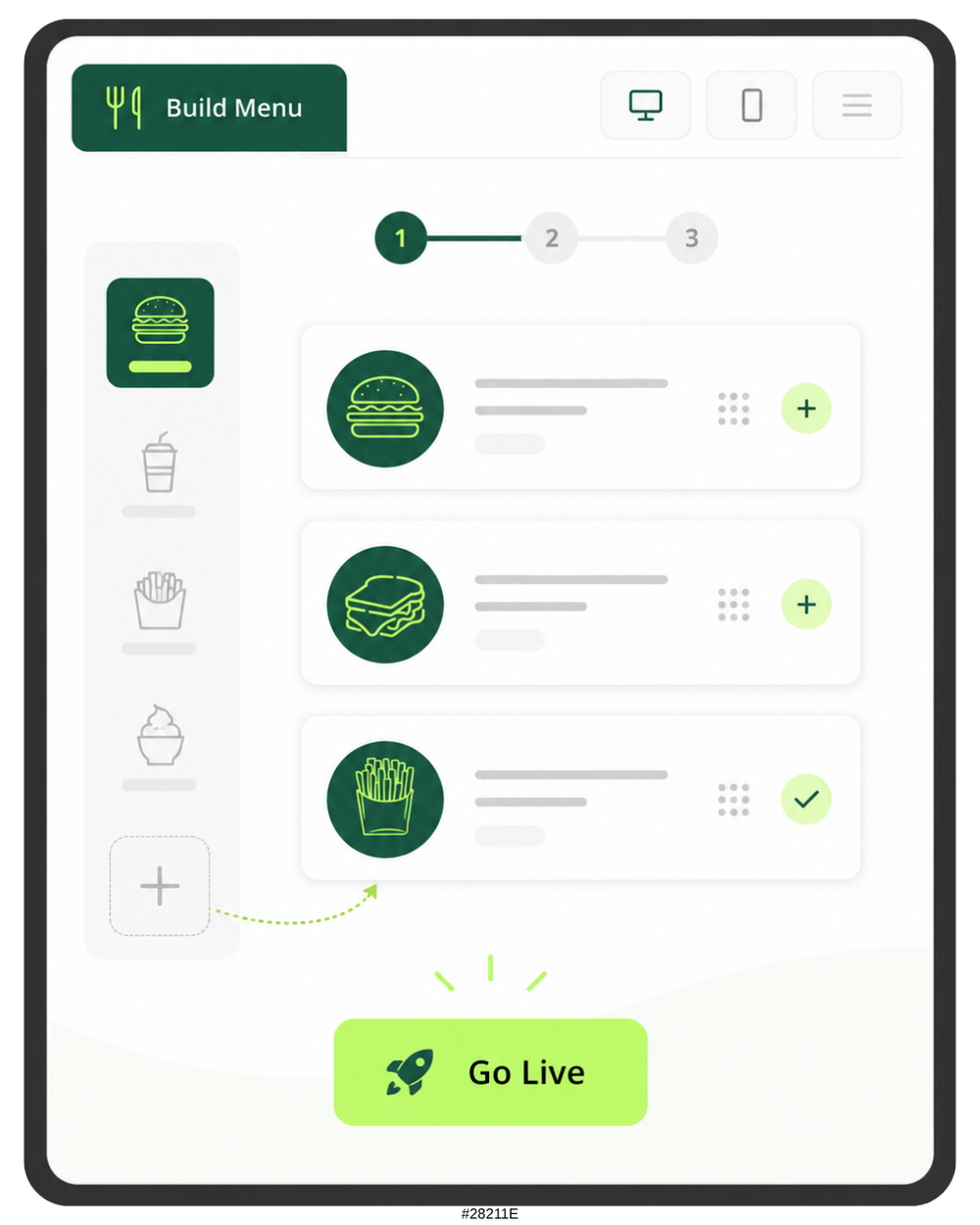
Track inventory, variants, low stock, and product performance.
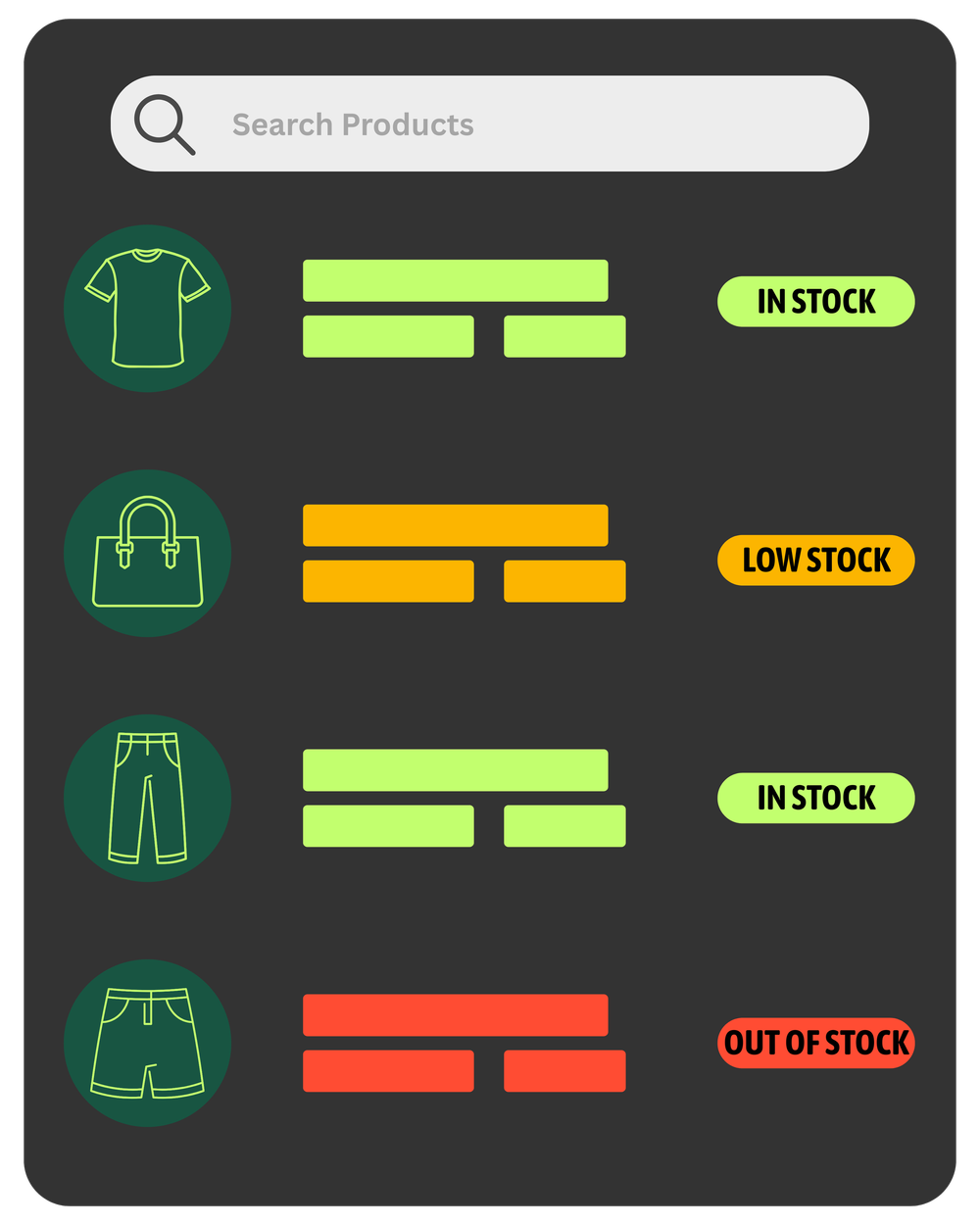
Retail Growth is built for stores that need more than simple item buttons. It supports advanced inventory workflows, product variants, cost tracking, barcode workflows, and online store options.
- Real-time inventory updates
- Variants and modifiers for sizes, colors, flavors, and product options
- Cost tracking and item-level reporting
- Low-stock alerts so you know before shelves go empty
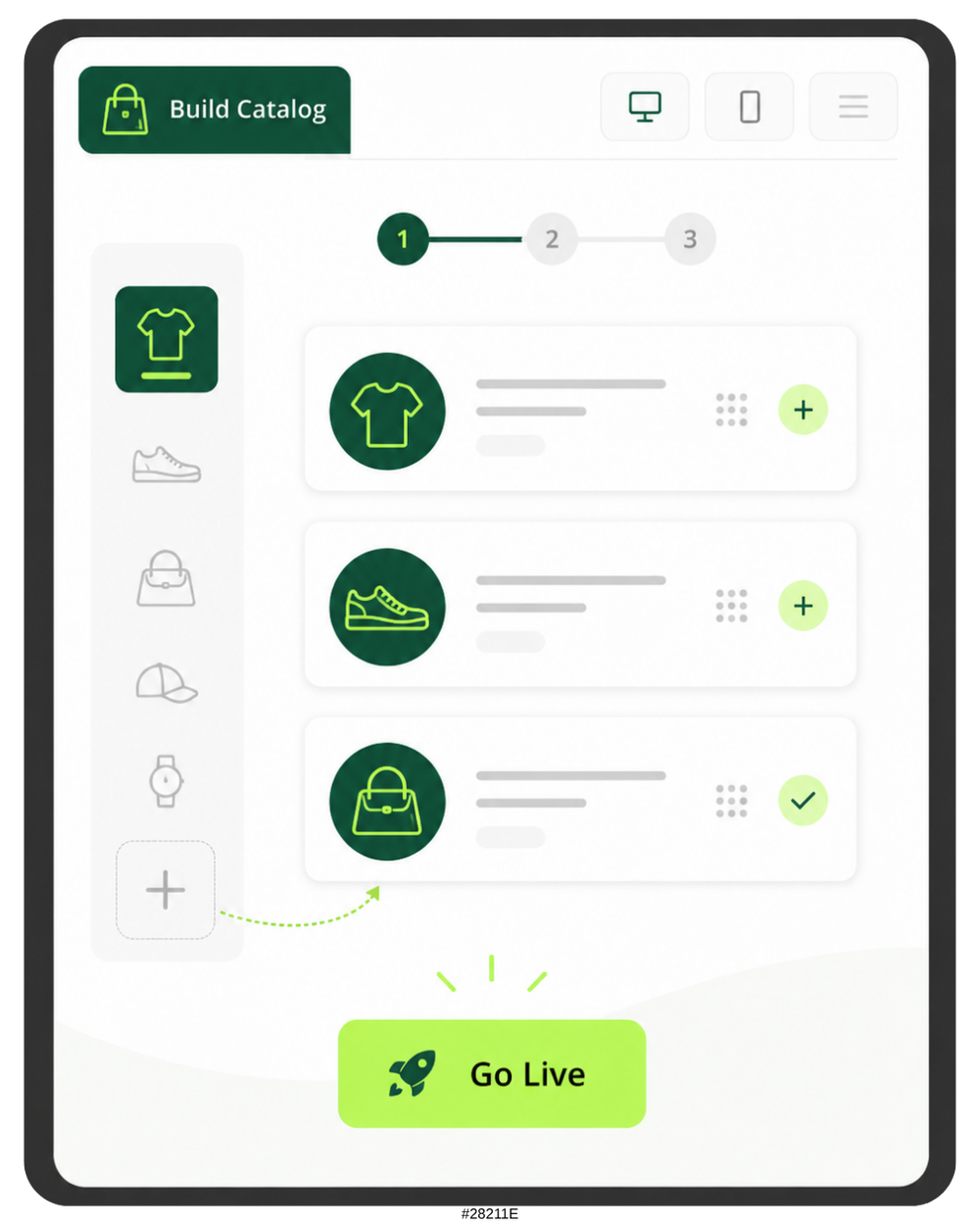
Turn in-store products into an online store or catalog.
Retail Growth can help connect in-store products to online selling workflows so inventory and product data can move beyond the physical counter.
- Online store and checkout
- Inventory sync with website/catalog workflows
- Buy online, pick up in store style workflows where supported
- No-code product publishing path for simple retail needs
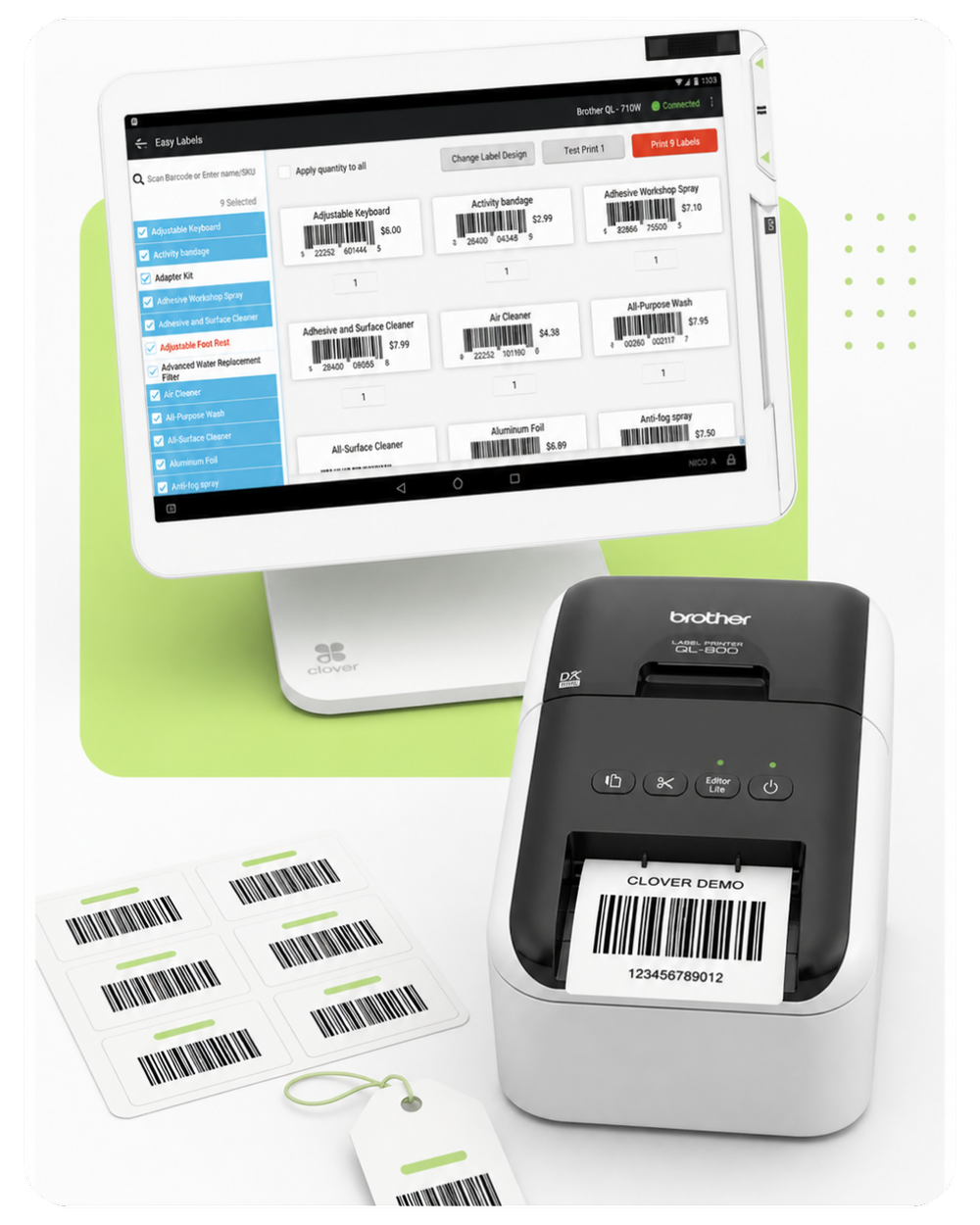
Print and scan your own barcodes.
For retail stores and specialty shops, barcode workflows are often the difference between a professional checkout and a slow manual register.
- Barcode scanning for faster checkout
- Label printing workflows with compatible hardware
- Better inventory receiving and item control
- Useful for boutiques, smoke shops, grocery, gifts, and specialty retail
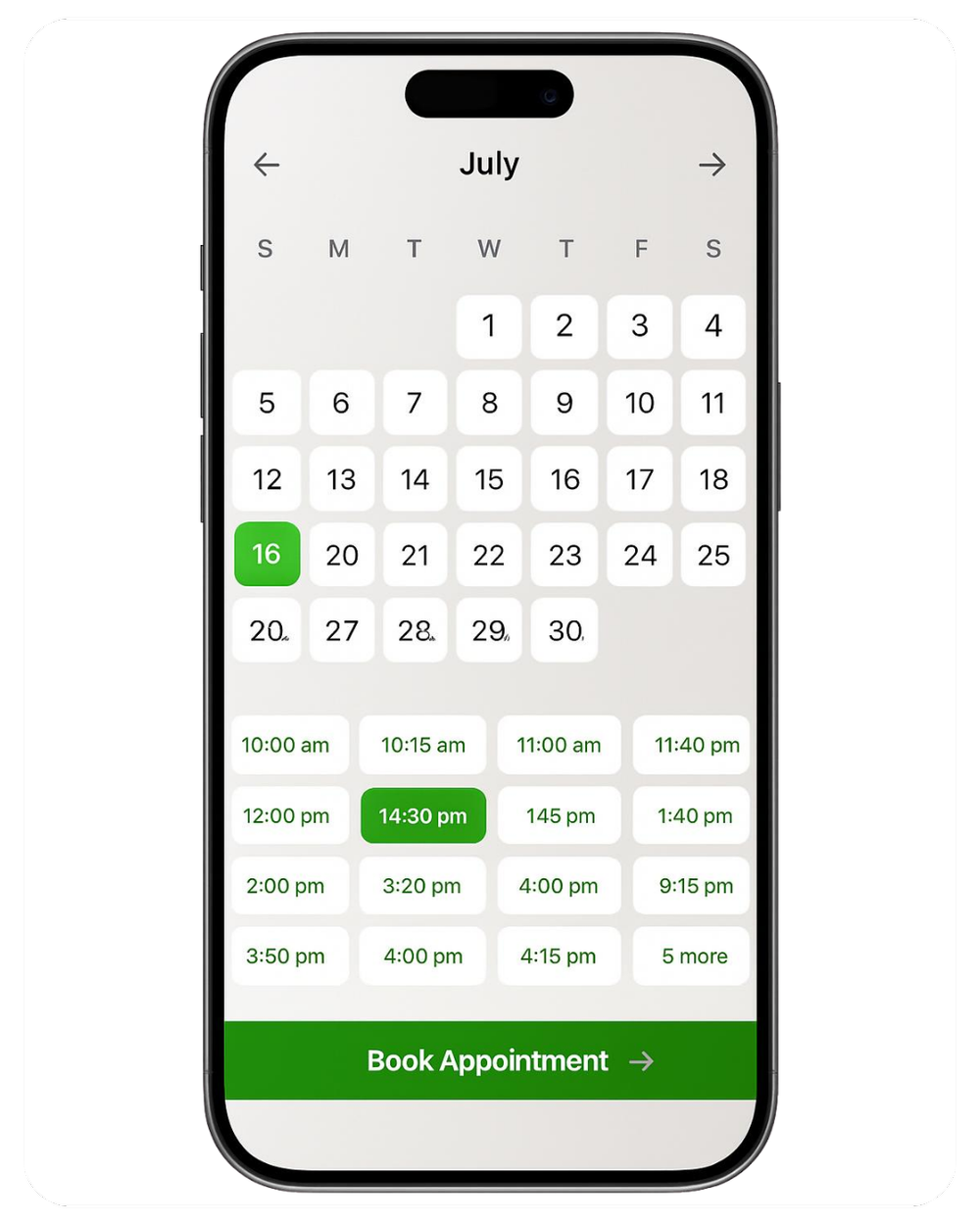
Let clients book online and connect appointments to checkout.
Services Growth is designed for appointment-based businesses like salons, spas, med spas, barbers, and service desks. The key is connecting booking, staff schedules, customer profiles, reminders, and checkout.
- Online appointment booking
- Services catalog and staff mapping
- Calendar and appointment management
- Checkout tied to customer history
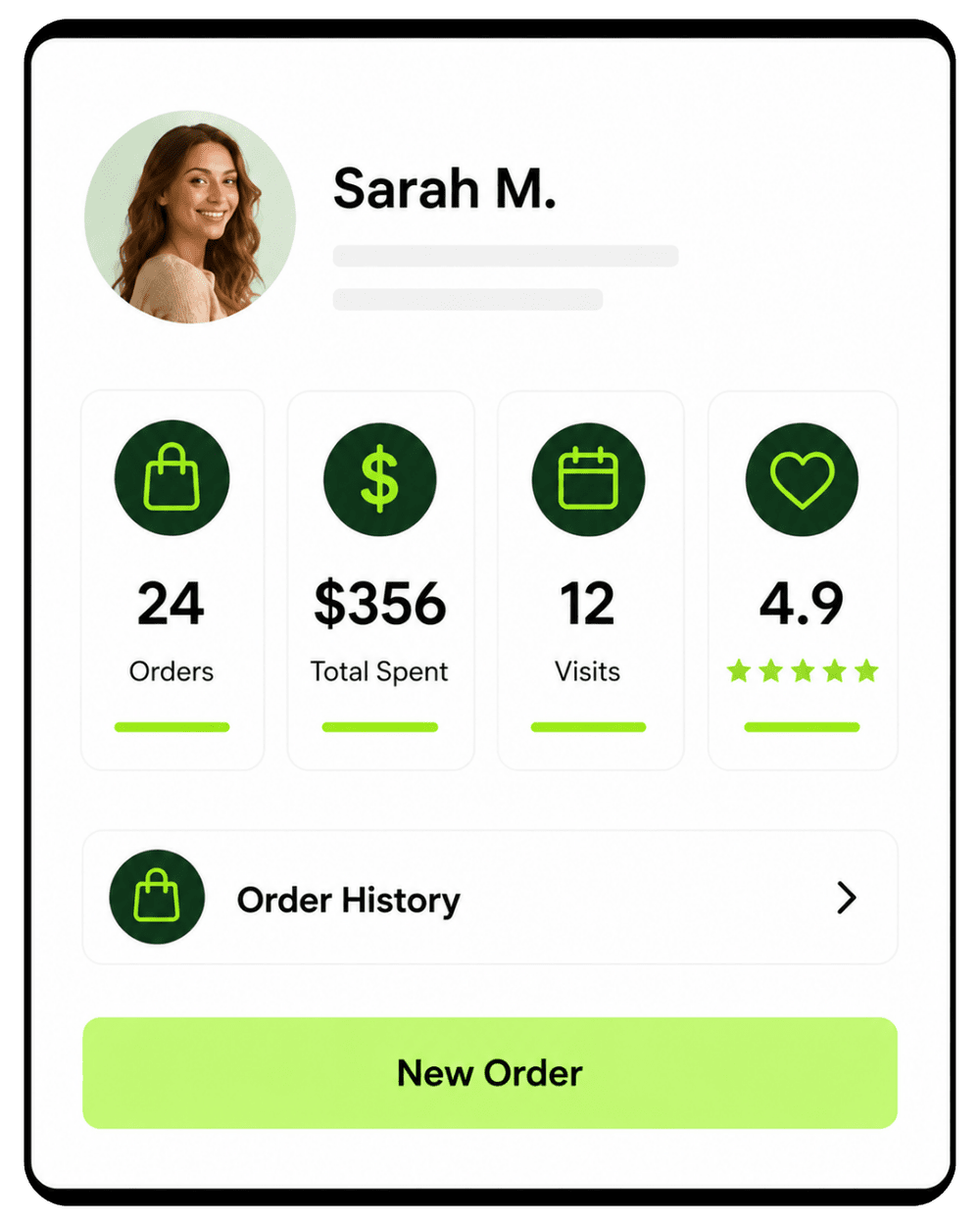
Reduce no-shows and make service feel more personal.
Customer profiles and automated reminders help your team remember history, visits, preferences, and upcoming appointments.
- Automated appointment reminders
- Customer history with spend and visit context
- Front desk visibility into schedules and services
- Better repeat-customer experience for salons, spas, and service businesses
Want the Duo configured for your actual business?
Limelight Payments can help build a sample restaurant menu, retail catalog, or salon service list so you can see the workflow before you buy.
Choose the path that fits your situation.
All three options get you the same Clover Station Duo Gen 2 hardware. The difference is what you pay upfront, how the hardware is provided, and whether you are ready to move forward now or still comparing options.
- One-time $1,095 for the Clover Station Duo hardware
- You own the hardware outright
- $29.00 discounted hardware monthly fee
Waived if processing over $20k per month - Merchant account with Limelight Payments required
- Clover software plans start at $29.95/mo and are billed separately
- Processing is quoted separately based on your business
- Best fit: you want to buy the Duo at the current sale price
- Get the Clover Station Duo through the placement program
- $99 covers shipping and setup
- $39 POS placement monthly fee
Waived if processing over $20k per month - One per new customer, subject to approval
- Hardware is placed for use with the merchant account, not sold
- If the account is cancelled or terminated, the equipment must be returned per program terms
- Best fit: you want lower upfront cost and prefer the equipment placement path
- A Limelight Payments advisor reviews your business
- We explain Duo vs. Flex vs. Mini vs. Solo in plain English
- We recommend the best software plan for your business type
- You receive a clearer next step without guessing
- Best fit: you are still researching and want expert guidance
Both hardware paths require a Limelight Payments merchant account. Clover software is billed separately by plan. Sale pricing applies to one POS system only. Placement program offers are subject to approval and program terms.
5.0 stars across 30+ Google reviews.
Limelight Payments’ value is not just Clover hardware. It is guidance, setup, training, and real support after the sale.
“Someone online told me that if I was going to get a Clover system, I should go through a trusted sales rep — and that was the best advice I could’ve received. Ryan helped with everything: setting up my menu, uploading my inventory, and even integrating my gift cards.”
“I’ve been in business for over 20 years using credit card processors and Ryan is by far the most knowledgeable, helpful individual I have ever used.”
“If I have a question, Ryan still answers the phone or returns my call. I don’t get tossed around with customer service reps.”
Detailed answers before you buy a Clover Station Duo.
Use this section to understand the hardware price, software plans, processing, accessories, setup, and which Clover device actually fits your business.
How much is the current Clover Station Duo promotion through Limelight Payments?
The current Limelight Payments promotion is $1,095 instead of the regular $1,895 hardware price. The promotion is for one Clover Station Duo Gen 2 POS system. Merchant account approval with Limelight Payments is required. Clover software, payment processing, accessories, taxes, shipping, and any other account-specific costs are quoted separately.
Is the $1,095 Clover Station Duo price the full cost to run the system?
No. The $1,095 promotion is the current hardware sale price. To actually run the Clover Station Duo, you also need a Clover software plan and a payment processing account. Depending on your business, you may also need accessories such as a cash drawer, barcode scanner, kitchen printer, KDS, label printer, scale compatibility review, or a Clover Flex for tableside or mobile checkout.
Why should I talk to Limelight Payments before ordering?
Because the hardware is only one part of the decision. The bigger questions are: which Clover software plan fits your business, what accessories you need, how your processing will be priced, whether your menu or inventory needs setup, and whether the Duo is the right device compared with a Flex, Mini, Solo, or bundle. Limelight Payments helps you choose the full setup before you buy.
What Clover software plan do I need for Clover Station Duo?
It depends on the job the POS needs to perform. Clover Essentials POS Software starts at $29.95/mo and is the simplest path for general checkout, inventory, employees, tips, rewards, and gift cards. Clover Restaurant Growth POS Software is $89.95/mo for restaurants, bars, cafés, QSRs, online ordering, delivery, kitchen routing, and table workflows. Clover Retail Growth POS Software is $84.95/mo for advanced inventory, variants, barcode tools, and eCommerce. Clover Services Growth POS Software is $84.95/mo for salons, spas, barbers, med spas, appointment scheduling, online booking, reminders, and service workflows.
What software plan should a full-service restaurant use with Clover Station Duo?
Most full-service restaurants should compare Clover Restaurant Growth because it unlocks restaurant workflows such as table mapping, floor plans, open tabs, check splitting, order types, kitchen printer or KDS routing, online ordering, delivery integrations, and QR-style ordering options. A common setup is a Clover Station Duo at the host stand or bar, a kitchen printer or KDS in back of house, and Clover Flex devices for tableside payment.
Can Clover Station Duo handle tableside ordering and payment?
The Station Duo is usually the fixed counter or host-stand device. For true tableside ordering and payment, many restaurants pair the Duo with Clover Flex handheld devices. The Duo anchors the restaurant workflow, while the Flex lets servers take orders, split checks, collect tips, and process payment at the table without walking back to the register.
What software plan should a café, bakery, coffee shop, or QSR use?
Some simple counter-service businesses can use Essentials if they mainly need item buttons, tips, receipts, basic inventory, employee permissions, and reporting. If the business needs kitchen routing, online ordering, delivery apps, order types, modifiers, KDS, or deeper restaurant reporting, Restaurant Growth is usually the better plan to compare.
What software plan should a retail store or boutique use?
Retail stores should compare Essentials and Retail Growth. Essentials can work for simpler retail checkout, but Retail Growth is usually better when you need advanced inventory, product variants, barcode scanning, barcode label workflows, cost tracking, item-level reporting, low-stock alerts, online catalog tools, eCommerce options, or a larger product catalog.
What software plan should a salon, spa, barber, or med spa use?
Salons, spas, barbers, med spas, and appointment-based businesses should compare Essentials and Services Growth. Essentials may be enough for simple checkout and tipping. Services Growth is usually the stronger fit when you need appointment scheduling, online booking, automated reminders, staff calendars, customer profiles, service history, and a front desk workflow tied to checkout.
Does Clover Station Duo help increase tips?
It can help tip-based businesses because the customer-facing screen makes the tip prompt visible and consistent. Customers can see the total, choose preset tip percentages, enter a custom tip, sign when needed, and complete payment on their own screen. This is useful for cafés, restaurants, bars, salons, spas, barbers, and service counters.
Can Clover Station Duo connect to online ordering and delivery apps?
Yes, with the right Clover software and integrations, restaurants can support online ordering and delivery workflows, including integrations such as Uber Eats, DoorDash, Grubhub, and Google. The important part is making sure orders route correctly to the POS, kitchen printer, KDS, menu, staff workflow, and reporting. Limelight Payments can review this before you order.
Can Clover Station Duo support retail barcode scanning and label printing?
Yes. The Duo can be a strong retail register when paired with the right software plan and accessories. Retail Growth is designed for advanced inventory, product variants, barcode tools, item labels, cost tracking, online catalog options, and stock visibility. Compatible scanners, label printers, cash drawers, and other accessories should be confirmed before ordering.
Can Clover Station Duo sell gift cards and manage customer rewards?
Yes. Clover can support gift cards, customer profiles, rewards, promotions, and feedback tools depending on your software and app setup. This is helpful for businesses that rely on repeat customers, including restaurants, cafés, salons, spas, boutiques, gift shops, and service businesses.
What accessories might I need with Clover Station Duo?
Common accessories include a cash drawer, barcode scanner, kitchen printer, receipt printer, label printer, KDS, scale compatibility review, Ethernet connection, or a Clover Flex for tableside or mobile checkout. Restaurants often need kitchen routing tools. Retail stores often need scanners and inventory tools. Salons may need appointment and customer profile workflows more than hardware accessories.
Can I use Clover Station Duo with my current credit card processor?
Usually no, not if you are buying it through Limelight Payments. Limelight Payments sells Clover hardware to merchants who process with Limelight Payments. Clover devices are activated through specific processing relationships, so do not buy Clover hardware expecting to use another processor unless the reseller confirms that compatibility in writing before purchase.
How long does setup usually take?
Many Clover setups can be completed in about 4–5 business days after the merchant account is approved and required information is received. Timing can vary depending on shipping, underwriting, business type, menu or inventory complexity, accessory needs, and whether the setup involves online ordering, kitchen routing, retail inventory, or appointment booking.
What does Limelight Payments help set up?
Setup depends on the business, but Limelight Payments can help with software plan selection, menu or inventory structure, categories, modifiers, taxes, employee permissions, tipping settings, receipt settings, basic training, and accessory planning. For restaurants, that may include kitchen printer or KDS routing discussions. For retail, that may include inventory and barcode planning. For salons, that may include services, staff, booking, and customer workflow guidance.
Should I choose Clover Station Duo, Clover Flex, Clover Mini, or Clover Solo?
Choose Clover Station Duo when you need a fixed checkout station with a large staff screen, customer-facing display, receipt printer, and strong counter workflow. Choose Clover Flex when payments happen at the table, curbside, in the field, or away from the counter. Choose Clover Mini or Compact when counter space is limited and you do not need a larger dual-screen station. Choose Clover Solo when you want a single-screen station without the customer-facing Duo display.
Is Clover Station Duo better for restaurants or retail?
It can work well for both, but the software plan changes the value. Restaurants usually care about tables, tabs, tips, kitchen routing, online ordering, and delivery. Retail stores usually care about inventory, variants, barcode scanning, labels, returns, customer records, and product reporting. The same Duo hardware can run different Clover software depending on the business type.
Can I get a written quote before I order?
Yes. That is recommended. A written quote should separate hardware, software, processing, accessories, setup expectations, and any special terms. This helps you compare the true cost of the Clover Station Duo setup instead of only looking at the hardware sale price.
What happens after I submit the form?
A Limelight Payments POS advisor reviews your business type, current processor, current POS, checkout flow, software needs, accessory needs, and timeline. Then we recommend whether Clover Station Duo, Flex, Mini, Solo, Compact, or a bundle makes the most sense and send a clear quote for the hardware, software, processing, and setup path.