

Every Clover, side by side — and how to pick the right one.
Here's the thing most comparison pages bury: every Clover device runs the exact same software platform and App Market. Inventory, menus, reporting, employees, loyalty, online ordering — identical on all of them. So choosing a Clover isn't really a software decision. It comes down to one physical question: where does the payment happen — at a counter, or wherever your customer is? This page compares the Station Duo, Station Solo, Mini, Flex, Compact, and Kiosk on exactly that, so you buy the right device the first time.
The 20-second answer
- Customers come to a counter → Station Duo (full station + customer screen) or Mini (compact, all-in-one).
- You go to the customer → Flex (handheld: tableside, curbside, on the truck, in the chair).
- Staff-controlled register (bar, server station) → Station Solo (single-screen; no customer tap).
- Lowest-cost simple terminal → Compact (5″). Self-service ordering → Kiosk.
- Most businesses grow into a combo — e.g. Duo at the counter + a Flex for the floor. Same software, so nothing is relearned.
The current Clover devices at a glance
These are Clover's current-generation devices (2026). Older generations still work but are phasing out of app updates — we only place current hardware. Tap any device for full specs and pricing.

Station Duo
Clover's flagship: a 14″ merchant screen plus an 8″ customer-facing display, built-in receipt printer, and support for cash drawer, scanner, and kitchen printers. The most complete Clover experience for busy counters.

Station Solo
The Duo's single-screen sibling: the same 14″ powerhouse station and built-in printer, built for staff-controlled checkout behind a bar, host stand, or server station. Note: the Solo is staff-facing and doesn't accept NFC "tap" — pair it with a Flex if customers need to tap.
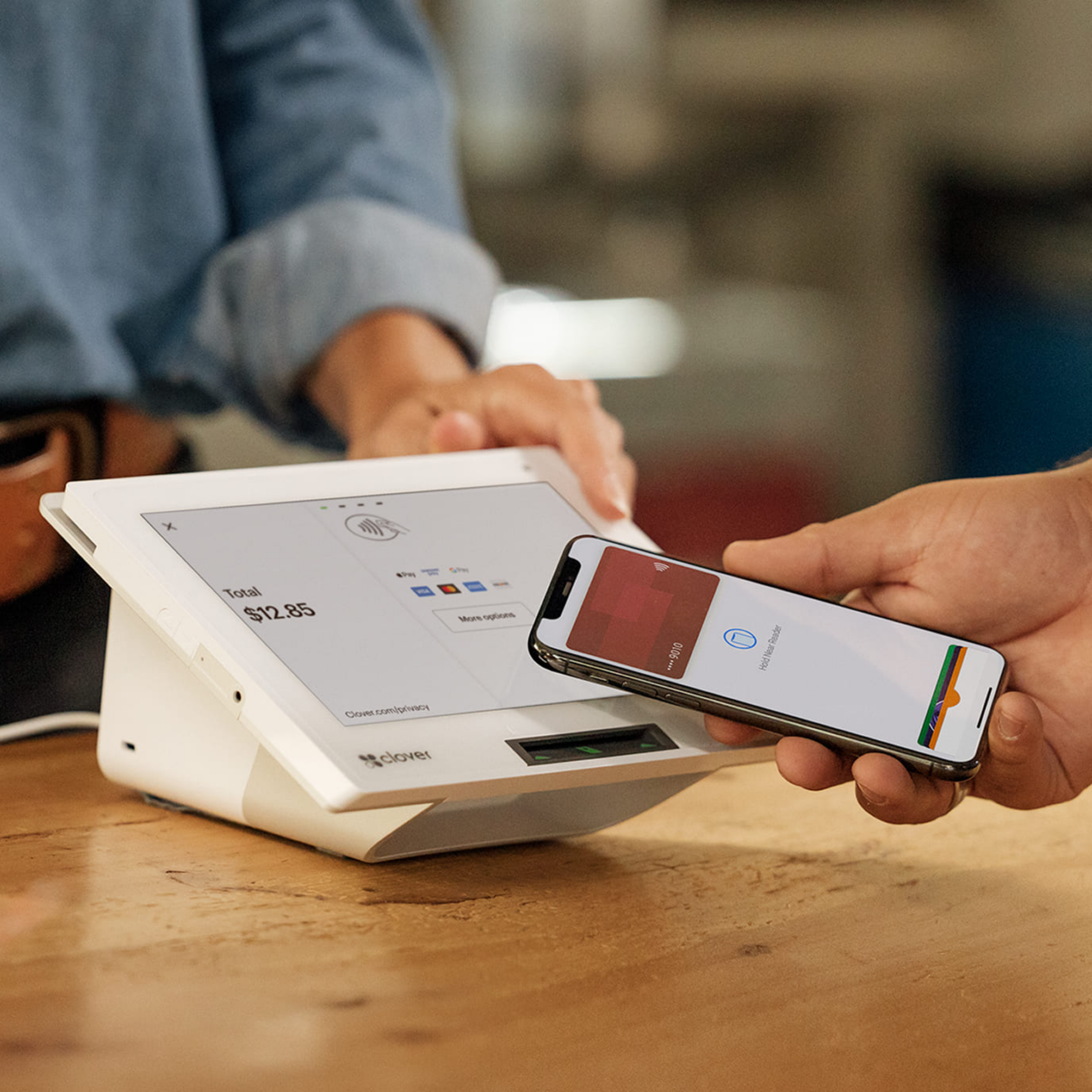
Mini
A full Clover POS in an 8″ countertop footprint with a built-in printer. Does everything the big stations do — inventory, menus, receipts — but fits where space is tight. Can also serve as a customer-facing screen.

Flex
A ~6″ handheld with built-in printer, barcode scanner, Wi-Fi + LTE, and all-day battery. Takes payment wherever the customer is — tableside, curbside, on the truck, in the chair, at the door. The best mobile Clover.

Compact
Clover's most affordable device: a 5″ touchscreen pay terminal with built-in card reader, receipt printer, barcode scanner, and Wi-Fi + optional LTE. Same Clover OS as the rest — a low-cost way to start taking payments at a small counter.

Kiosk
A customer-facing self-order station with a 24″ ordering screen and an 8″ payment screen: guests browse, customize, and pay without a cashier. Self-order screens consistently lift average tickets (commonly 10–30%) because they never forget the upsell — and they absorb the lunch rush.
Also in the family for restaurants: the Kitchen Display System (KDS), which replaces paper kitchen tickets with a screen once ticket volume grows. Ask us if that fits your kitchen.
Clover comparison table
| Device | Screen | Form factor | Customer-facing screen | Built-in printer | Barcode scan | Best for |
|---|---|---|---|---|---|---|
| Station Duo | 14″ + 8″ | Countertop station | Yes (dedicated 8″) | Yes | Optional camera / scanner | High-volume counters, full-service dining, retail |
| Station Solo | 14″ | Countertop station | No (staff-facing; no NFC tap) | Yes | Optional camera / scanner | Staff-controlled register — bars, server stations |
| Mini | 8″ | Compact countertop | Can flip to face customer | Yes | Built-in camera scan | Cafés, boutiques, salons, tight counters |
| Flex | ~6″ | Handheld / mobile | Handed to customer | Yes | Built-in scanner | Tableside, curbside, trucks, field service |
| Compact | 5″ | Compact terminal | Faces customer | Yes | Built-in scanner | Simple checkout, tight space, lowest upfront cost |
| Kiosk | 24″ + 8″ | Counter / wall / floor stand | Is the customer screen | Built-in | Built-in camera scan | Self-order QSR & fast-casual |
Same on every device: the Clover software platform and App Market — inventory, menus & modifiers, reporting, employee management, tips, discounts, loyalty, gift cards, and (on the right plan) commission-free online ordering. Screens and specs reflect current-generation models (Station Duo 2, Mini 3, Flex 4); details can change — we confirm your exact configuration in writing.
The one question that picks your Clover
Skip the spec sheets. Answer this and the device chooses itself: where does the transaction happen?
🧾 At a counter
Customers come to you and pay at a fixed spot. Want a customer-facing screen for tips and tap payment? Station Duo. Staff-controlled register behind a bar or counter (no customer tap needed)? Station Solo. Tight on space? Mini.
🚶 Wherever the customer is
You bring payment to the table, the curb, the truck, the chair, or the customer's door. That's the Flex — often added as a second device alongside a counter station.
🙋 The customer serves themselves
A line forms and you want to absorb it without adding staff. A Kiosk lets guests order and pay themselves, and typically lifts average ticket 10–30%.
The buyer-regret checklist (the questions that prevent buying the wrong device): Where do most payments happen — counter or away from it? Do you need a customer-facing screen for tips/signature? Do lines form at peak? How many staff will use it daily? Will you add locations or devices later? Answer those and the hardware is obvious — and it's exactly what a free recommendation walks through with you.
What most businesses actually run
| Business | Typical Clover setup | Why |
|---|---|---|
| Coffee shop / QSR / deli | Mini at the register (+ Kiosk if lines form) | Compact footprint handles the whole flow; a kiosk absorbs the rush and lifts tickets. |
| Full-service restaurant / bar | Station Duo + one or two Flex handhelds | Duo runs checks, tabs & reporting; Flex takes orders and payment tableside and on the patio. |
| Retail shop / boutique | Station Duo or Mini (+ scanner) | Barcode inventory and a customer screen at the counter; Mini where space is tight. |
| Salon / spa / services | Mini at front desk (+ Flex for chairs) | Appointments and checkout up front; Flex lets stylists take payment at the chair. |
| Food truck / mobile | Flex (one per truck/vendor) | Wireless, durable, prints receipts, runs on LTE — the whole POS in your hand. |
| Auto, trades & field service | Mini at the desk + Flex in the field | Front-desk checkout plus payment in the bay, the lot, or the customer's driveway. |
| Convenience / liquor / grocery | Station Duo (+ scanner, scale) | High transaction volume with scanners, age verification, and peripherals. |
Not sure which row is you? Tell us how you sell and we'll recommend the exact device combo — free, no pitch, pricing in writing.
Start with one, add devices later — nothing relearned
Because every Clover shares one platform and one cloud dashboard, adding hardware is a plug-in, not a rebuild. A café that starts with a Mini can add a Kiosk when lunch lines grow, then a Flex for a new patio — all syncing to the same inventory, menu, and reporting. A restaurant can grow from a Duo into a Duo + multiple Flex handhelds + a Kitchen Display System without retraining staff on new software. Buy for where you are now; the system grows with you.
What Clover devices cost — and how to buy them right
Hardware is a one-time cost; the ongoing cost is your Clover software plan (set by Clover, not marked up by us) plus payment processing. As a rough guide from our current sale pricing: the Compact is the lowest entry point, the Flex and Mini sit in the mid-hundreds, the Station Solo and Station Duo around a full-station price, and the self-service Kiosk is the premium device. Exact current pricing depends on generation and any active promotions, so we confirm it in writing — no mystery, no markup games.
- Buy it outright for the lowest total cost and the most rate leverage — our recommended path when you can.
- Or place it for $0 upfront through our equipment placement program if you process with us and qualify — a genuine placement, never a 48-month lease.
- Setup, menu/inventory build, and staff training are included either way — the work other sellers bill for or skip.
Watch the "free terminal" trap: a suspiciously cheap or "free" Clover is often a discontinued generation (no more updates) or a predatory equipment lease. We place only current-generation hardware, purchased or on transparent placement terms — and we'll tell you to walk away from any lease, including one that would pay us. See more in our Clover POS guides.
Why get your Clover from Limelight Payments
The hardware is identical wherever you buy it — a Flex is a Flex. What changes is everything around it: the price, the processing rate, whether it arrives configured, and who answers when you call. With Limelight Payments you get wholesale interchange-plus rates (or a dual pricing program that eliminates most card fees), your system configured and your staff trained before you go live, month-to-month terms on most plans, and a named POS expert — not a call center — for the life of your account. See everything included →
Clover comparison questions, answered
What's the difference between the Clover Station Duo, Mini, and Flex?
They run identical Clover software; the difference is physical. The Station Duo is a full countertop station with a 14″ merchant screen and an 8″ customer-facing display — best for high-volume counters. The Mini is a compact 8″ all-in-one for tighter counters. The Flex is a ~6″ handheld that takes payment wherever the customer is — tableside, curbside, or mobile. Counter businesses lean Duo or Mini; mobile or tableside businesses need the Flex, often alongside a counter station.
Do all Clover devices use the same software?
Yes. Every Clover device runs the same Clover platform and App Market — inventory, menus and modifiers, reporting, employee management, tips, discounts, loyalty, gift cards, and (on the right plan) commission-free online ordering. That's why choosing a Clover is a hardware decision about where you take payment, not a software decision, and why adding devices later requires no retraining.
What's the difference between the Station Duo and Station Solo?
Both are full 14″ countertop stations with built-in printers. The Duo adds a dedicated 8″ customer-facing screen for payment, tips, signature, and NFC tap. The Solo is the staff-facing single-screen version, built for staff-controlled checkout behind a bar, host stand, or server station — it doesn't accept customer NFC "tap" on its own, so it's often paired with a Flex for tap-to-pay. If customers need to tap, tip, or sign on their own screen — most restaurants and retailers — choose the Duo.
Which Clover is best for a small restaurant?
For most small full-service restaurants: a Station Duo as the command center plus one or two Flex handhelds for tableside orders and payment. Counter-service spots (cafés, QSR, delis) often run a Mini, adding a Kiosk when lines form. Every device shares the menu and routing, so you can start small and grow.
Which Clover is best for retail?
A Station Duo at the counter (with a barcode scanner and customer-facing screen) suits most retail shops; a Mini fits where counter space is tight. Add a Flex if staff sometimes check customers out on the floor. All of them handle barcode inventory through the same Clover dashboard.
Can I use more than one Clover device together?
Yes — that's the common setup. Multiple devices sync to one cloud dashboard and share inventory, menus, and reporting, so a counter station and several Flex handhelds (or a Kiosk, or a Kitchen Display System) all work as one system. You can start with a single device and add more as you grow without relearning anything.
Do I have to buy the hardware, or can I get it for $0 upfront?
Both options exist. Buying outright gives the lowest total cost and the most processing-rate leverage. Qualifying businesses that process with us can also get current-generation hardware for $0 upfront through our equipment placement program — a genuine placement, never a multi-year lease. Either way, setup, configuration, and training are included.
Is the Clover hardware different depending on where I buy it?
No — a Clover Flex, Mini, or Station Duo is the same manufacturer hardware everywhere, with the same Clover warranty. What differs by seller is your price, your processing rate, whether it arrives configured and your staff trained, contract terms, and whether you get a named expert or a call center. That's where Limelight Payments is different.