

The simple Clover terminal for payments, receipts, and small counters.
Clover Compact is the entry-level Clover payment terminal: built-in card reader, receipt printer, payment touchscreen, Wi-Fi, optional LTE, and simple payment acceptance without paying for POS features you do not need.
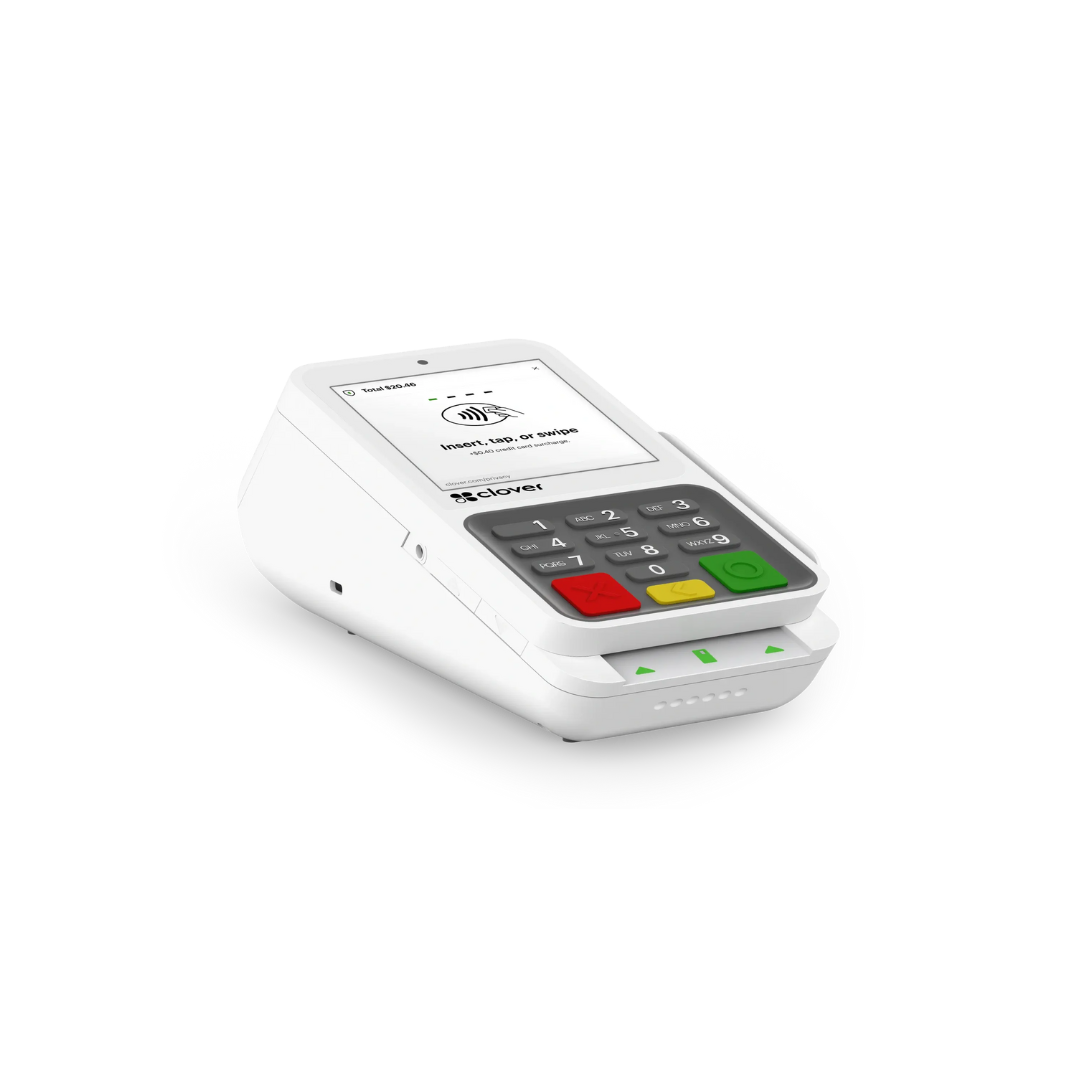
Buy the Clover Compact for $49 instead of $299, or ask if your business qualifies for the $35 Free Clover Compact placement program.

🍀 No Clover Software Fees. You Pay $0.00 / mo.
👨💼 Expert Setup & Training Included — Meet Your Expert
📞 Call/Text a Real Person in the U.S.
⭐ 5-Star Trust, Backed by Real Reviews
💳 Financing Available
✅ Sale pricing applies to one POS terminal only; additional machines must be purchased separately at regular price.
Anyone can sell you a small terminal. We help you choose the right one — and avoid paying for features you do not need.
The Clover Compact is not a full restaurant station or inventory register. It is a simple, affordable Clover payment terminal. Limelight Payments helps you decide if Compact is enough, or whether Flex, Mini, Solo, Duo, or Clover Go is a better fit.
A real merchant account, not an aggregator
You get a true merchant account through Limelight Payments with clear processing options and a real onboarding path — not a one-size-fits-all setup.
Payments-first device guidance
Compact is best when you need card payments, receipts, tips, taxes, and basic sales visibility. We will tell you when you need more than that.
No Clover software fee for simple payments
For payment acceptance, the Compact can stay simple with $0/month Clover software. If you need menu, loyalty, employees, or deeper tools, we explain the upgrade path.
Two ways to get the terminal
Buy the Compact at the current $49 sale price, or apply for the Free Clover Compact placement path with $35 shipping and setup if eligible.
Free setup and training help
We help set up the basics, review payment flow, explain receipt settings, tips, taxes, and train you over the phone so you are not guessing.
Honest advice if Compact is too small
If you need a larger screen, inventory, table service, barcode scanner, app workflows, or mobile checkout, we will recommend Flex, Mini, Solo, or Duo instead.
A compact Clover payment terminal — not a full POS station.
Clover Compact is built for businesses that want simple card payment acceptance, printed receipts, a small payment touchscreen, Wi-Fi, optional LTE, and Clover Security — without buying a larger POS they may not need.
It is ideal for small counters, professional offices, simple retail/service desks, cafés, food trucks, medical offices, salons, and businesses that primarily need to take payments. If you need advanced inventory, restaurant routing, barcode scanning, or tableside workflows, compare Clover Mini or Flex.
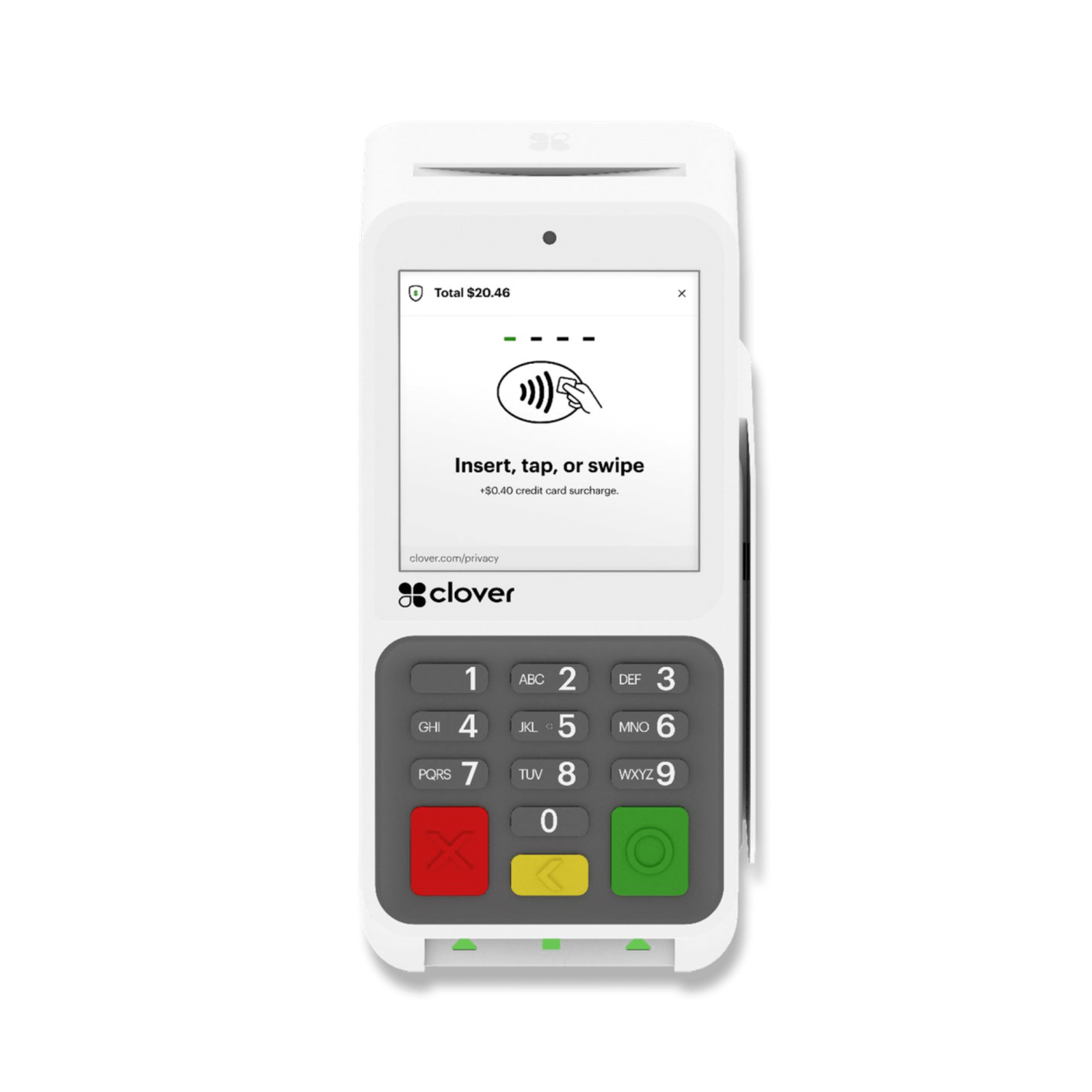
Clover Compact — full specs.
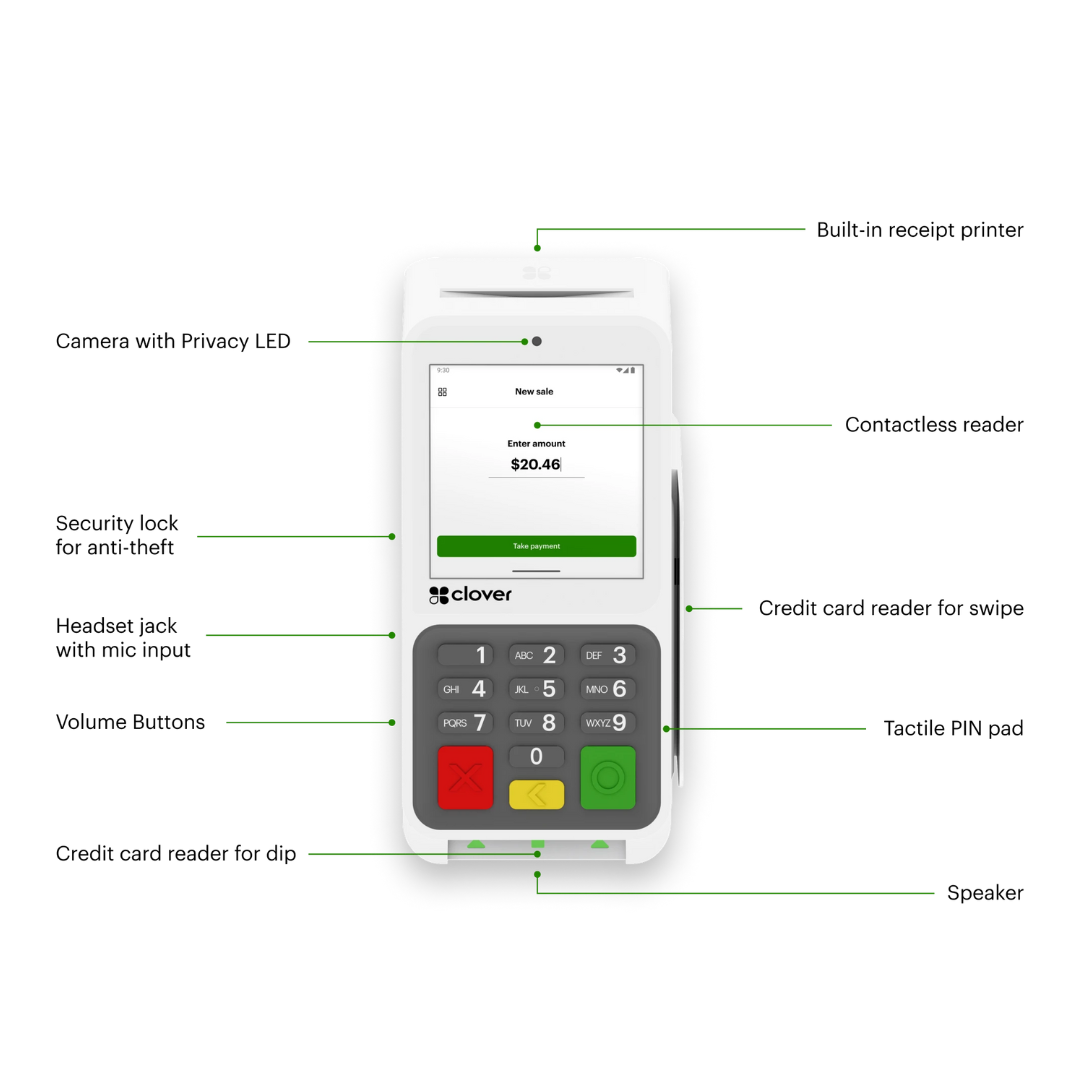
Everything inside the small terminal: payment screen, PIN pad, receipt printer, connectivity, and secure card acceptance.
Choose the device around the job — not just the price.
Clover Compact, Clover Go, Clover Flex, and Clover Mini can all accept payments. The difference is screen size, printer, mobility, software depth, and how much POS workflow your business needs.
The Compact is perfect when the job is simple — and wrong when the job is bigger.
Choose Compact when these are true.
- You mostly need to accept card payments and print receipts.
- You want a small countertop terminal with a PIN pad and built-in printer.
- You want $0/month Clover software for simple payment acceptance.
- You do not need advanced inventory, kitchen routing, or appointment booking.
- You want the most affordable Clover hardware path.
Consider another Clover device when these are true.
- You need a real POS screen for staff order entry — compare Mini or Solo.
- You need tableside, mobile, or barcode scanner workflows — compare Flex.
- You want online ordering, advanced inventory, or many employees — compare Mini, Solo, or Duo.
- You only need a tiny reader paired to a phone — compare Clover Go.
Want us to confirm Compact is enough?
Tell us how you take payments now. We will tell you if Compact, Go, Flex, Mini, Solo, or Duo makes the most sense before you order.
A payment terminal for almost any small business that does not need a full POS station.
Compact is strongest where the business needs card payments, receipts, tip/tax support, and simple sales visibility — not deep inventory or restaurant operations.
Use Compact for straightforward card payments, tips, receipts, and simple sales reporting at a small counter.
- Tap, chip, swipe, PIN debit
- Built-in receipts
- Tips, taxes, and sales reports
- Upgrade to Mini if menu/order depth grows
Use Compact when you need payment acceptance and printed receipts but not advanced inventory or barcode workflows.
- Receipt printer built in
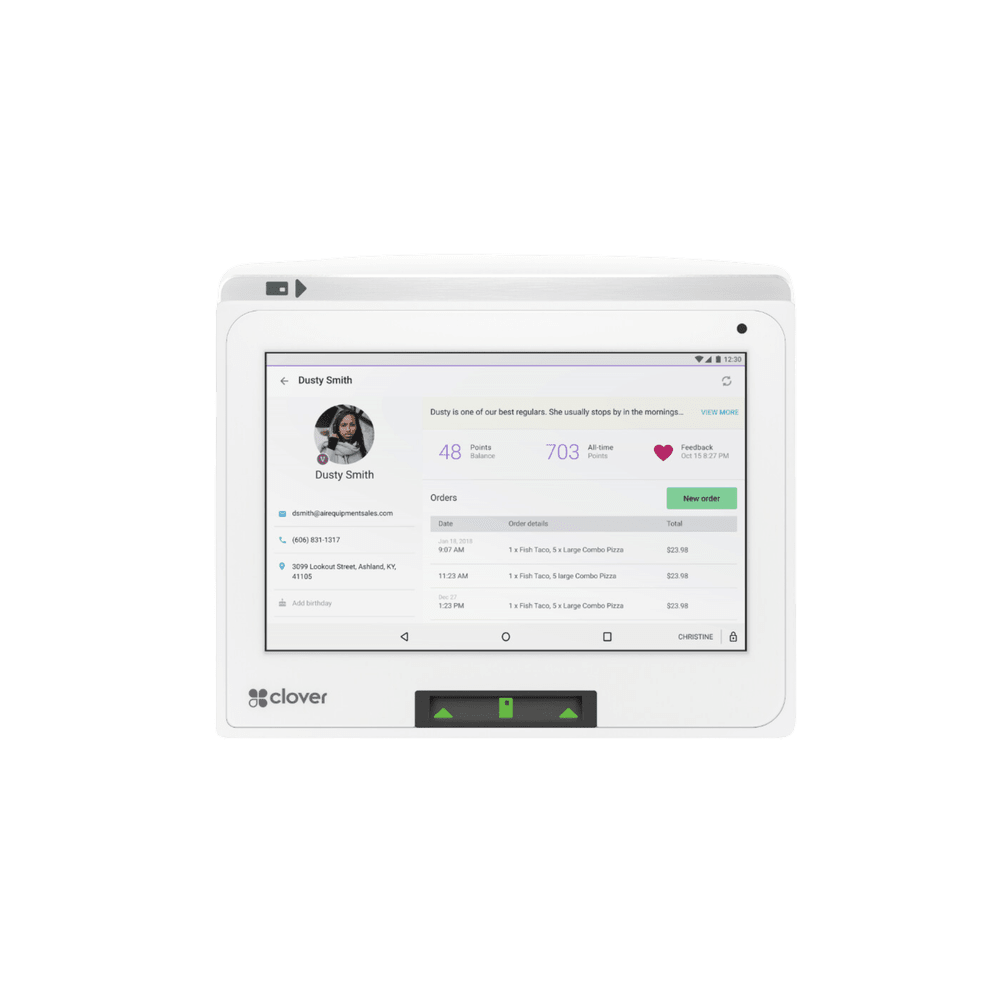
- Gift cards and customer tools possible
- Simple item/menu setup possible
- Upgrade to Mini for advanced inventory
Use Compact for card payments, tips, receipts, and basic checkout at a front desk.
- Tip prompts and receipts
- Simple front desk payment flow
- Upgrade to Mini/Flex if booking and chair-side checkout matter
- Good for smaller service providers
Use Compact for front desk balances, deposits, copays, receipts, and simple card payments.
- Professional card terminal
- Printed receipts
- Simple sales reporting
- Virtual terminal can be reviewed separately
Use Compact if the truck mainly needs card payments and receipts. Compare Flex or Mini if you need richer menu or mobile ordering workflows.
- Small footprint
- Wi-Fi + optional LTE
- Built-in receipt printer
- Upgrade to Flex for more mobility
Use Compact for office or service-counter card payments where you do not need a full POS register.
- Card payments and receipts
- Simple sales visibility
- Low upfront hardware cost
- Upgrade to Flex for field or bay-side payments
Start simple with $0/month software, then upgrade only if the workflow needs it.
The Compact is usually a payments-first terminal. That is the point. Do not pay for a bigger Clover software workflow unless your business needs it.
Best for simple card payments, receipts, tips, taxes, and basic sales visibility.
- Accept payments
- Print receipts
- Track tips, taxes, and sales
- No Clover software fee for simple use
Best when you want more than payment acceptance, such as menu/items, loyalty, gift cards, employees, and scheduling tools.
- Add menu or items
- Loyalty and gift cards
- Employee hours and scheduling through Homebase-style tools
- Better if Compact becomes a small POS
The Compact is your simple payment command center.
Clover Compact is for payments, receipts, tips, taxes, basic reports, secure checkout, and fast setup. It is not meant to replace a full Clover Station when you need deep POS operations.
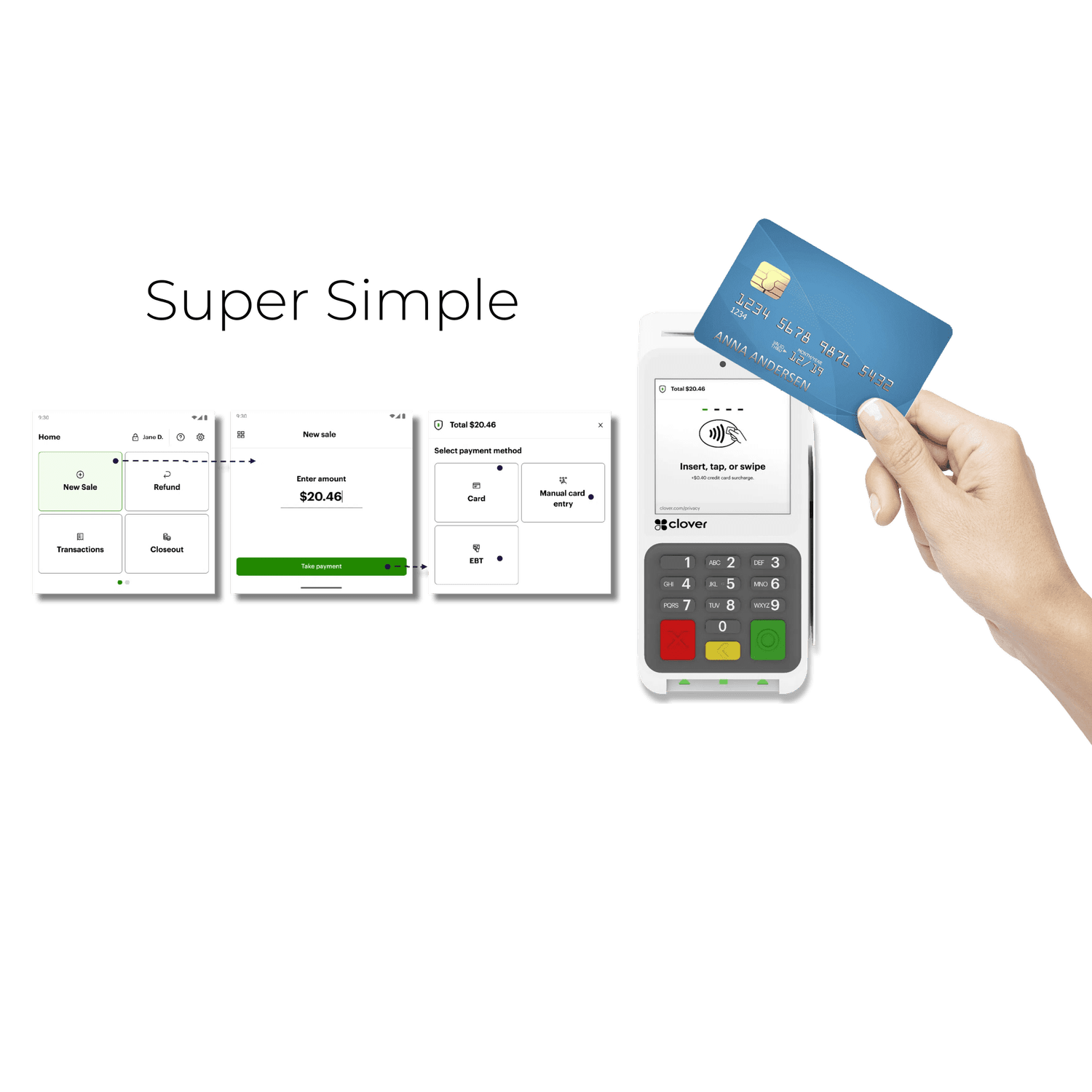
Take chip, swipe, PIN debit, tap, EBT, and gift card payments.
The Compact is built to accelerate checkout with rapid debit, credit, and contactless payments without a full POS station.
- Chip, swipe, PIN debit, and contactless
- Apple Pay and Google Pay
- EBT and gift card transactions where configured
- Simple, fast payment flow
Print receipts without adding a separate printer.
The thermal printer is built into the terminal, which keeps the counter cleaner and makes the Compact more complete than a basic card reader.
- No separate receipt printer required
- Standard paper rolls
- Cleaner counter setup
- Useful for professional offices and small counters
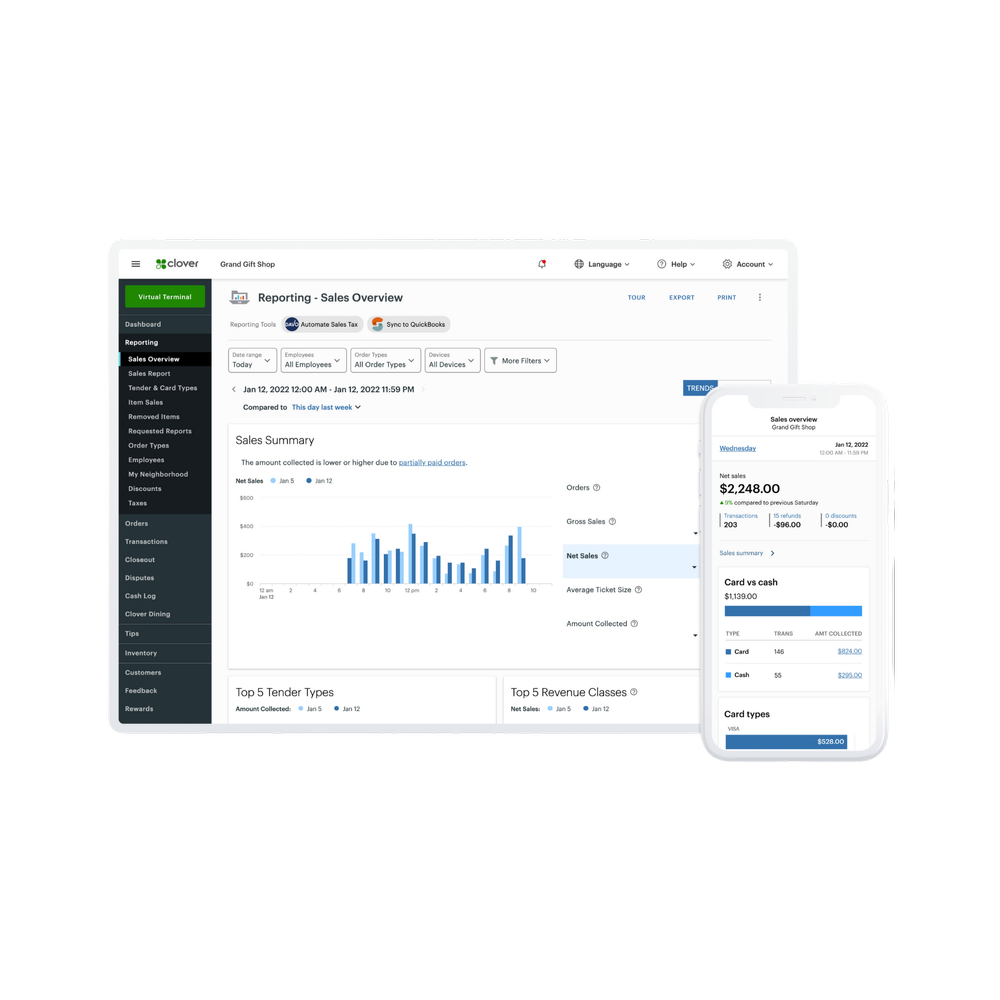
Track the basics without a big POS system.
The Compact can handle tips, sales tax, and daily sales reporting for businesses that want basic visibility without a full register.
- Tip tracking
- Sales tax support
- Daily sales reporting
- Simple payment visibility
Keep payments moving even when the internet is not perfect.
Process on Wi-Fi at your storefront, or ask about 4G/LTE backup when reliability matters.
- Wi-Fi connectivity
- Ethernet support
- Optional 4G/LTE
- Good backup path for simple payments
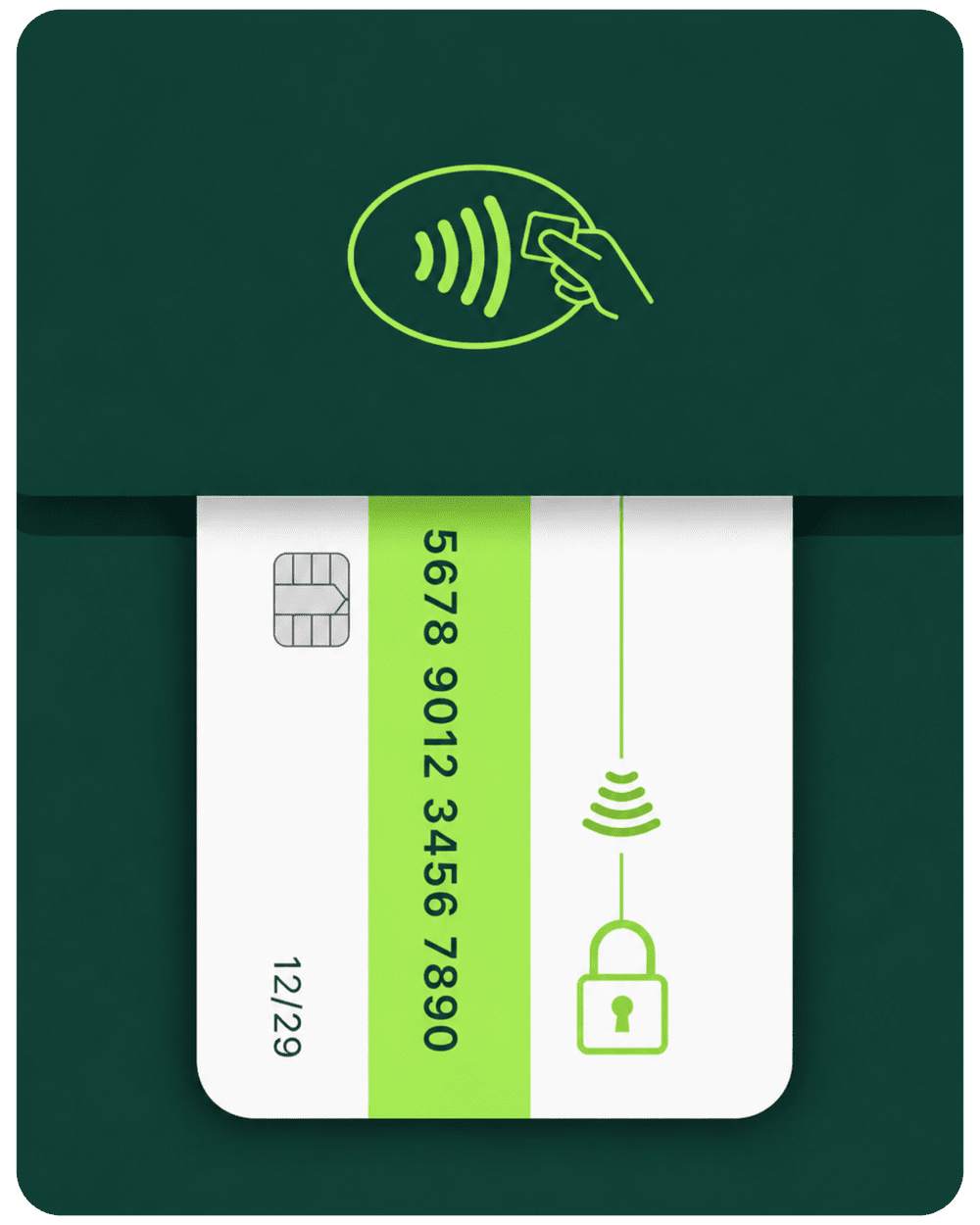
Protect card data with Clover Security tools.
Clover Security includes end-to-end encryption and secure payment workflows to help protect transactions and customer data.
- End-to-end encryption
- Secure chip and contactless acceptance
- Anti-theft security lock support
- PCI-focused payment workflows
A real POS expert calls before the device ships.
With the placement path, a POS expert calls within about one business day, verifies the business, and helps get the device live in roughly 4–5 business days if approved.
- POS expert call after checkout
- Shipping in 2–3 days after approval
- Setup and training over the phone
- Full refund if not approved on placement path
Want to know if Compact is enough?
Limelight Payments can compare Compact, Go, Flex, Mini, Solo, and Duo for your exact business so you do not overbuy or underbuy.
Choose the path that fits your situation.
The Clover Compact is the lowest-cost Clover hardware path. The main choice is whether you want to buy it, apply for placement, or talk to an advisor before ordering.
- One-time $49 for the Clover Compact terminal
- You own the hardware outright
- Merchant account with Limelight Payments required
- $0/mo Clover software path for simple payments
- Sale pricing applies to one terminal only
- Best fit: you want the lowest buy-now Clover terminal price
- Hardware is provided for use with approved account
- $35 covers shipping and setup
- POS expert calls to confirm fit
- If not approved, full $35 refund
- Equipment must be returned if service is cancelled or terminated
- Best fit: you want the lowest upfront cost
- A Limelight Payments advisor reviews your business
- We compare Compact vs Go vs Flex vs Mini
- We confirm if $0/mo software is enough
- We explain sale vs placement terms clearly
- Best fit: you want to avoid buying the wrong Clover
Both hardware paths require a Limelight Payments merchant account. Placement program offers are subject to approval and program terms. Processing rates vary by business type, card mix, volume, and transaction method.
5.0 stars across 30+ Google reviews.
Limelight Payments’ value is not just Clover hardware. It is guidance, setup, training, and real support after the sale.
“Someone online told me that if I was going to get a Clover system, I should go through a trusted sales rep — and that was the best advice I could’ve received. Ryan helped with everything: setting up my menu, uploading my inventory, and even integrating my gift cards.”
“I’ve been in business for over 20 years using credit card processors and Ryan is by far the most knowledgeable, helpful individual I have ever used.”
“I used Limelight Payments for my pressure washing business. If I have a question, Ryan still answers the phone or returns my call. I don’t get tossed around with customer service reps.”
Detailed answers before you buy a Clover Compact.
Use this section to understand sale price, placement, $0/month software, payment features, device comparisons, setup timing, and whether Compact is enough for your business.
How much does the Clover Compact cost through Limelight Payments?
The current buy-now sale price on the Clover Compact is $49 instead of the regular $299 retail price. The sale applies to one terminal only. Merchant account approval with Limelight Payments is required, and payment processing is separate.
What is the Free Clover Compact Placement Program?
Eligible new merchants can get the Clover Compact hardware for use with a Limelight Payments merchant account for a $35 one-time shipping and setup charge. The hardware is provided for use with the service, ownership does not transfer, and the equipment must be returned if the service is cancelled or terminated.
Is the Clover Compact really free through the placement program?
The hardware is free to use with an approved Limelight Payments merchant account. The $35 charge covers shipping and setup. If the business is not approved, the $35 is refunded.
Does the Clover Compact have monthly software fees?
For simple payment acceptance, the Clover Compact can be used with $0/month Clover software. If you want more POS-style functions such as menu items, loyalty, gift cards, employee tools, or scheduling, ask Limelight Payments which Clover software path fits your business.
What is the Clover Compact best for?
Clover Compact is best for businesses that need simple, professional card payment acceptance with a built-in receipt printer and small footprint. It fits small counters, service desks, cafés, retail checkout counters, professional offices, medical offices, food trucks, pop-ups, and businesses that do not need a full POS station.
What does the Clover Compact include?
The Compact includes a payment touchscreen, built-in receipt printer, EMV chip reader, NFC contactless payments, magnetic stripe reader, Clover Security, Wi-Fi, Ethernet, and optional 4G/LTE connectivity depending on configuration.
Can Clover Compact accept Apple Pay and Google Pay?
Yes. Clover Compact can accept contactless payments including Apple Pay and Google Pay, along with chip, swipe, PIN debit, and gift card transactions depending on the account setup.
Can Clover Compact print receipts?
Yes. The Compact has a built-in thermal receipt printer, so you do not need to connect a separate printer for basic customer receipts.
Can Clover Compact track tips, taxes, and sales?
Yes. Clover Compact can support tip tracking, sales tax, and sales reporting. It is best for simple reporting and payment visibility rather than advanced restaurant, retail, or appointment workflows.
Can Clover Compact run a full restaurant or retail POS?
It depends on the business. Clover Compact can handle simple payments, receipts, tips, taxes, and basic menu or item setup. If you need advanced inventory, barcode scanning, kitchen routing, table service, online ordering, or a large staff screen, compare Clover Mini, Flex, Solo, or Duo.
Should I choose Clover Compact or Clover Go?
Choose Clover Compact when you want a standalone payment terminal with a screen, PIN pad, and built-in receipt printer. Choose Clover Go when you only need a small mobile card reader that works with a phone or tablet and do not need an integrated printer.
Should I choose Clover Compact or Clover Flex?
Choose Clover Compact for simple countertop payment acceptance and low monthly software cost. Choose Clover Flex when you need a more complete handheld POS with a larger screen, stronger app workflow, tableside/mobile use, barcode scanning, and more POS functions.
Should I choose Clover Compact or Clover Mini?
Choose Clover Compact for payments-first checkout in a small footprint. Choose Clover Mini when you need a stronger countertop POS for inventory, menu management, customer tools, staff workflows, and more robust business operations.
How fast can I get set up?
The Free Clover Compact page describes a 4–5 business day path: order, POS expert call within about one business day, shipping in 2–3 days after approval, and setup/training over the phone.
What happens after I submit the form?
A Limelight Payments POS advisor reviews your business type, current processor, checkout needs, software needs, and whether Compact, Go, Flex, Mini, Solo, or Duo is the best fit. Then you receive a clear recommendation and quote.