

 Image 1 of 14
 Image 2 of 14
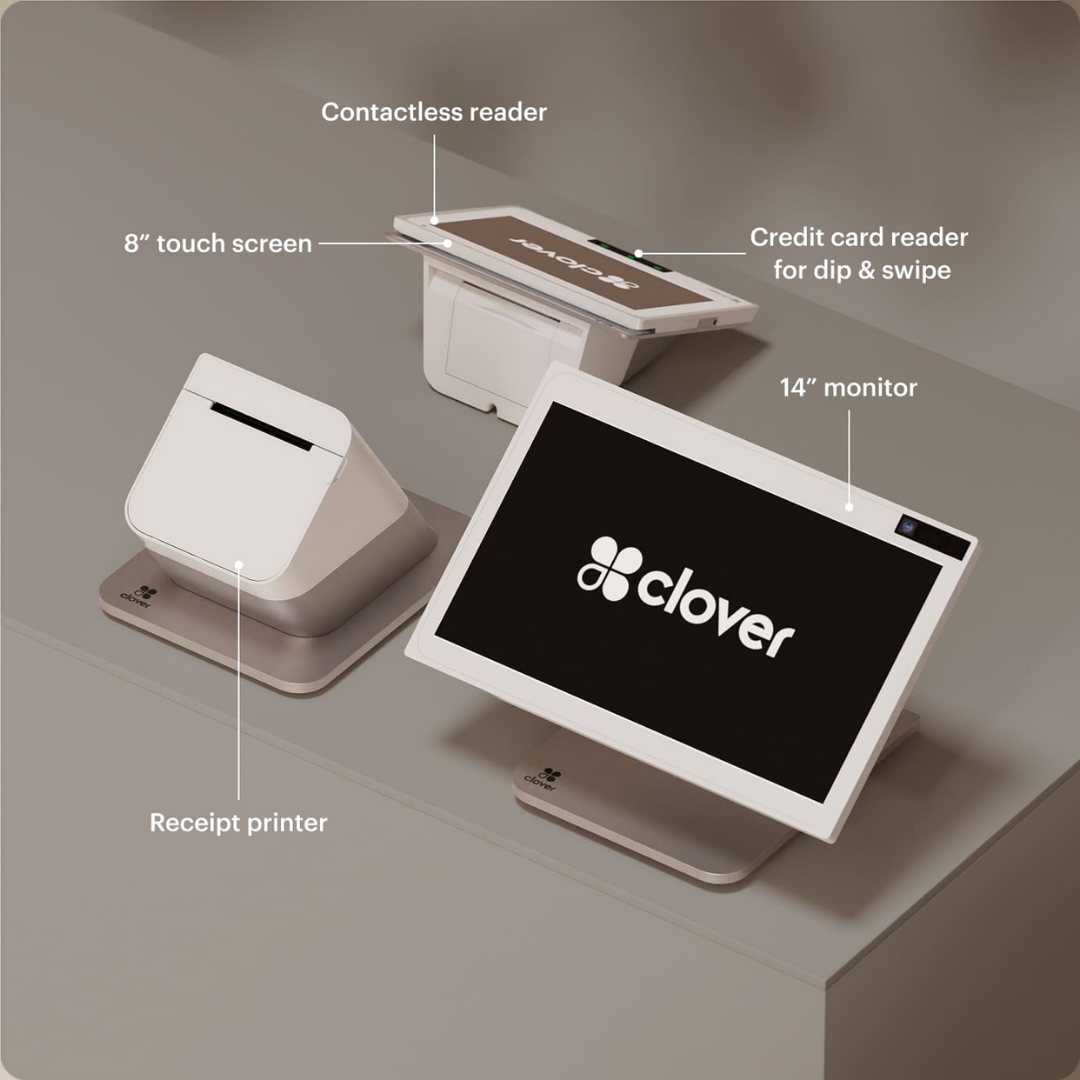 Image 3 of 14
 Image 4 of 14
 Image 5 of 14
 Image 6 of 14
 Image 7 of 14
 Image 8 of 14
 Image 9 of 14
 Image 10 of 14
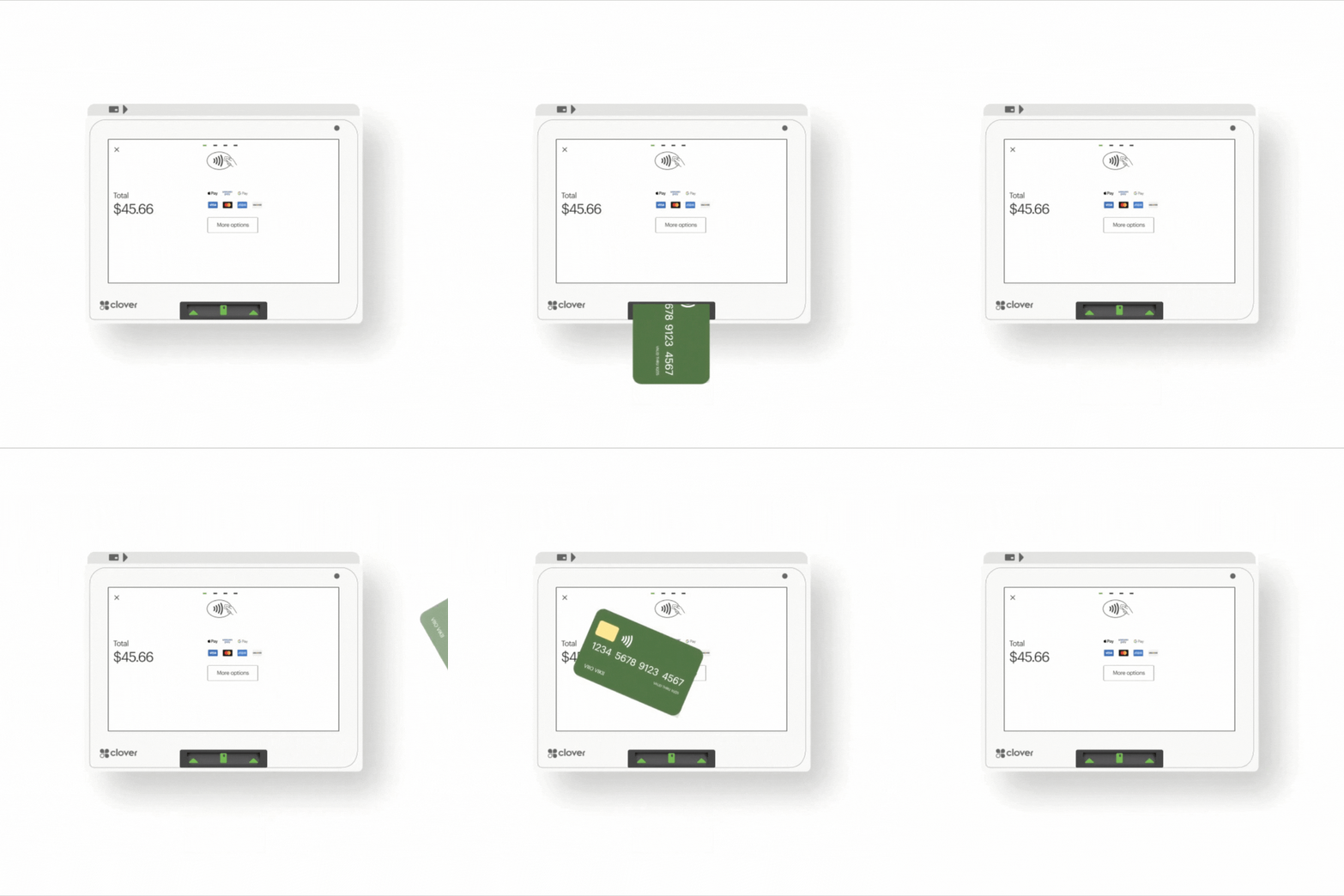 Image 11 of 14
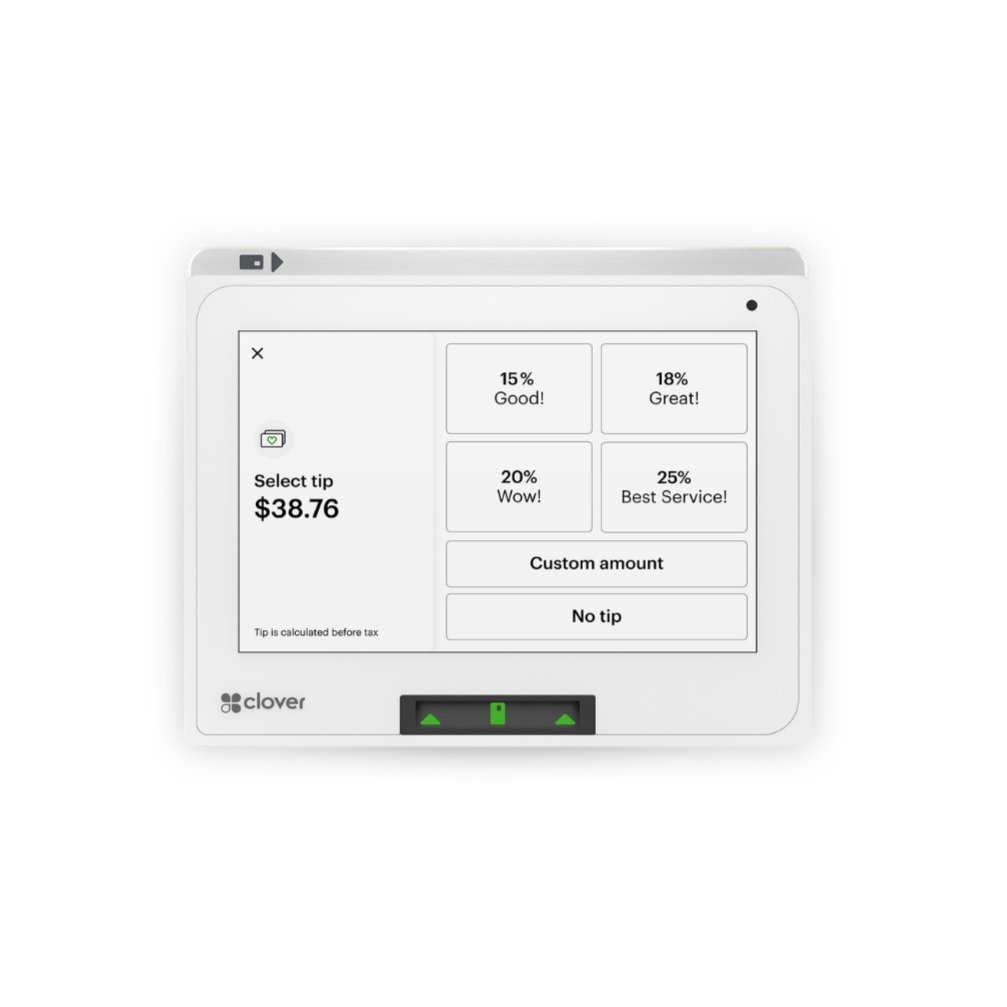 Image 12 of 14
 Image 13 of 14
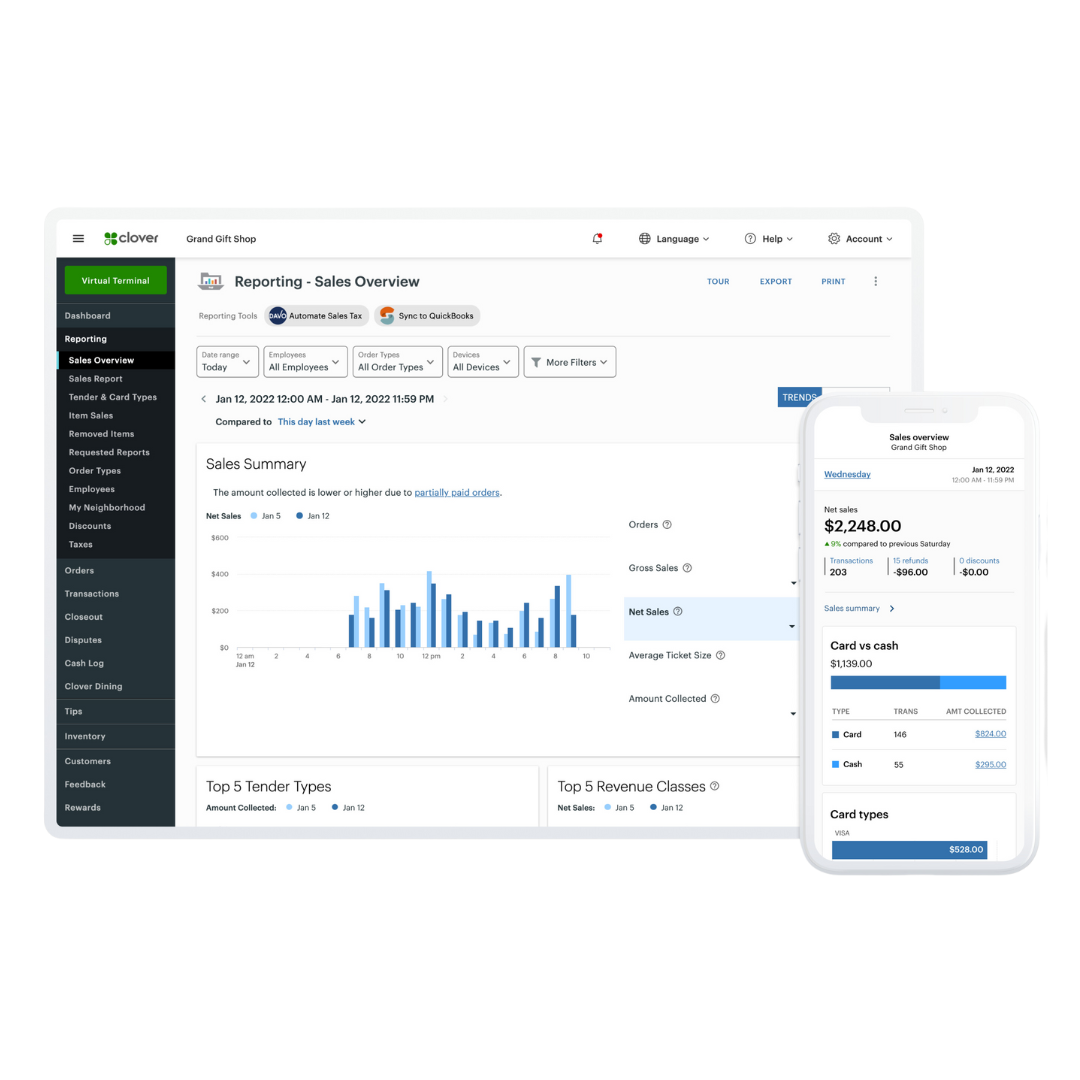 Image 14 of 14
Why is it $99 and not $1,995?
Because you're not purchasing or leasing the Clover hardware. Through Limelight Payments’ POS Placement program, the Clover Station Duo is provided for use with your approved merchant account. The $99 paid today covers shipping and setup.
As long as your account remains active and meets the program requirements, the Clover stays with your business. If the merchant account is closed, the equipment is returned under the program terms.
A real checkout station with one screen for staff and one screen for customers.
Clover Station Duo Gen 2 combines a large 14-inch merchant-facing display, a customer-facing touchscreen, integrated payment acceptance, and a high-speed receipt printer. It is built for businesses that need a polished front-counter checkout workflow — not just a small card reader.
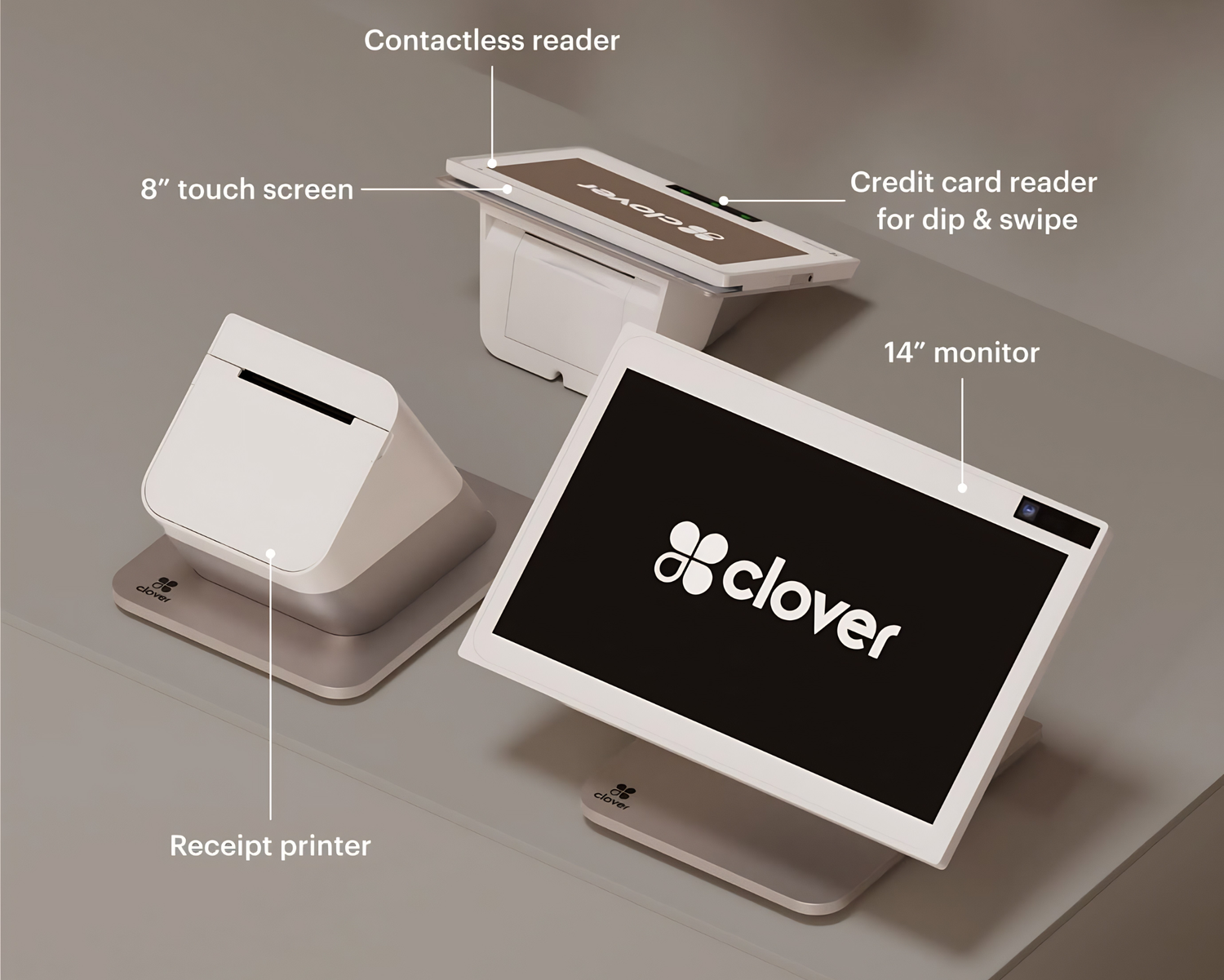
Customers see the total, tip, sign, and pay on their own screen.
Staff use the main screen to build orders, edit items, apply discounts, manage tabs, run reports, and keep the line moving. Customers use the second screen to confirm the order, add a tip, sign, enter PIN when needed, and complete payment.
From application to live in just a few days.
The process is simple. We help you pick the right Clover, get your merchant account approved, ship the equipment, and walk you through setup.
Apply in minutes
Fill out a short form with your business details and estimated monthly card volume. Most applications only take a few minutes.
Get approved
Standard merchant underwriting typically takes about one business day. We confirm which Clover makes the most sense for your business.
Receive your Clover
Your chosen Clover hardware ships out quickly after approval so you can get started without a long wait.
Free setup & go live
We help with setup, basic configuration, and live onboarding so you can start taking payments with confidence.
Find the right Clover setup for your business.
Clover can be configured differently depending on how your business operates. Explore our guides for restaurants, quick-service businesses, retailers, salons, and Clover software plans.
Anyone can sell you Clover. Limelight includes a real Clover Expert — for FREE!
The equipment may be the same, but the setup, pricing guidance, and support experience can be completely different.

Limelight sells a complete Clover service — not just the equipment.
Built for almost every type of small business.
Clover works for restaurants, retail, service businesses, offices, and more. If you do not see your industry below, just ask.
Free Clover from Limelight vs. Clover Direct, banks, or Square.
All four sell or service point-of-sale equipment. Here’s the side-by-side.
| Limelight Payments | Clover Direct | PNC / Wells Fargo | Square | |
|---|---|---|---|---|
| Clover hardware cost | ✓ Free placement Established businesses may qualify for one or more free Clover devices | ✗ Retail hardware cost | ✗ Varies | ✗ Not Clover |
| Processing Fees |
Choose from: • Flat rate starting at 1.55% • Pay 0% with Cash Discount • Wholesale Interchange-Plus pricing |
Flat Rate 2.6% + 10¢ |
Tiered Pricing Less transparent |
Flat 2.5% + 15¢ |
| Free menu & inventory setup | ✓ Yes | ✗ DIY or paid | ✗ Limited | ✗ DIY |
| Direct line to your account manager | ✓ Direct phone support | Call center | Branch + call center | Email/chat |
| USA-based support | ✓ Yes | Mixed | Yes | Mixed |
| Approval speed | ~1 business day | 1–3 days | 1–2 weeks | Instant (limits apply) |
| Risk of frozen funds | Low (real merchant account) | Low | Low | High (aggregator model) |
Choose the Clover that fits your business best.
From portable payments to a complete countertop POS or self-service ordering, there is a Clover setup for almost every type of business. Established businesses may qualify for one or more free Clover devices when they open a new merchant account with Limelight Payments.
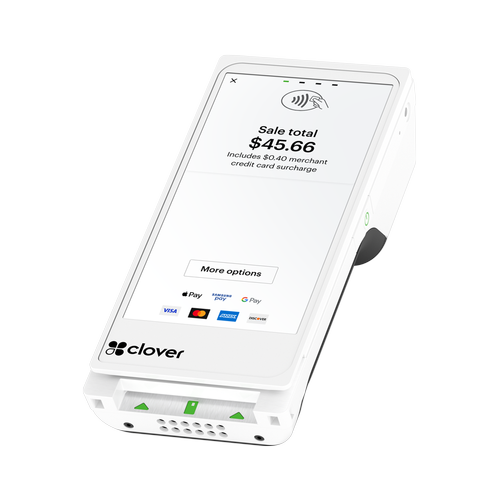
Clover Flex
An all-in-one handheld Clover for mobile payments, tableside service, line busting, food trucks and events.
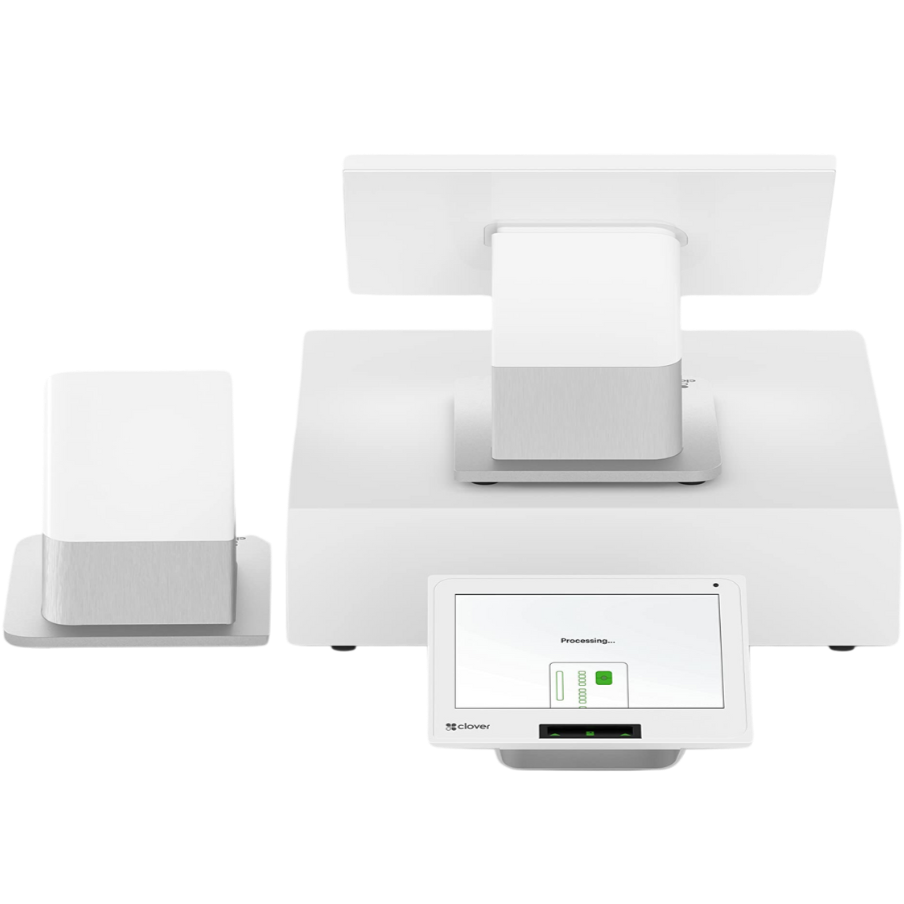
Clover Station Duo
A powerful countertop POS with separate merchant and customer-facing displays for busy businesses.
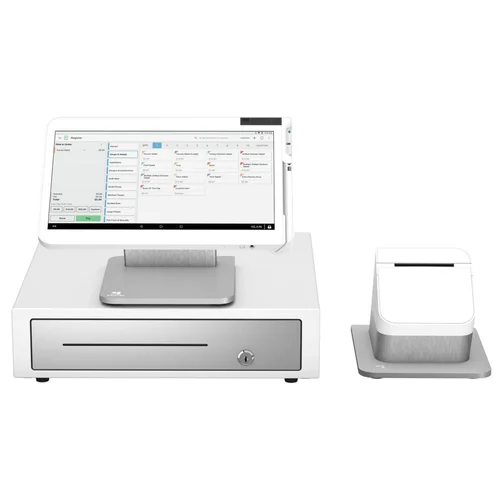
Clover Station Solo
A large 14-inch Clover workstation for restaurants, retailers and businesses that want a full-size POS.

Clover Mini
A compact touchscreen POS with built-in payment acceptance and receipt printing.
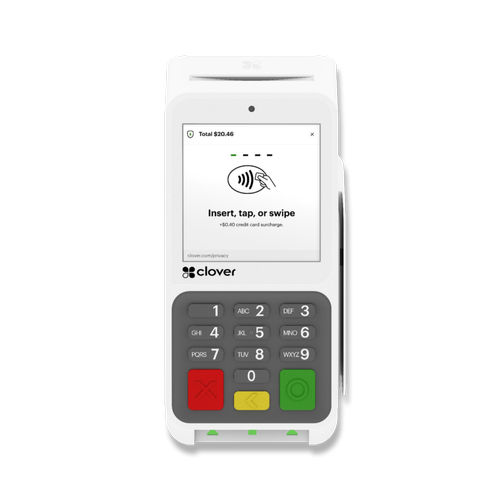
Clover Compact
A simple countertop Clover terminal for businesses that need payments without a full POS workstation.
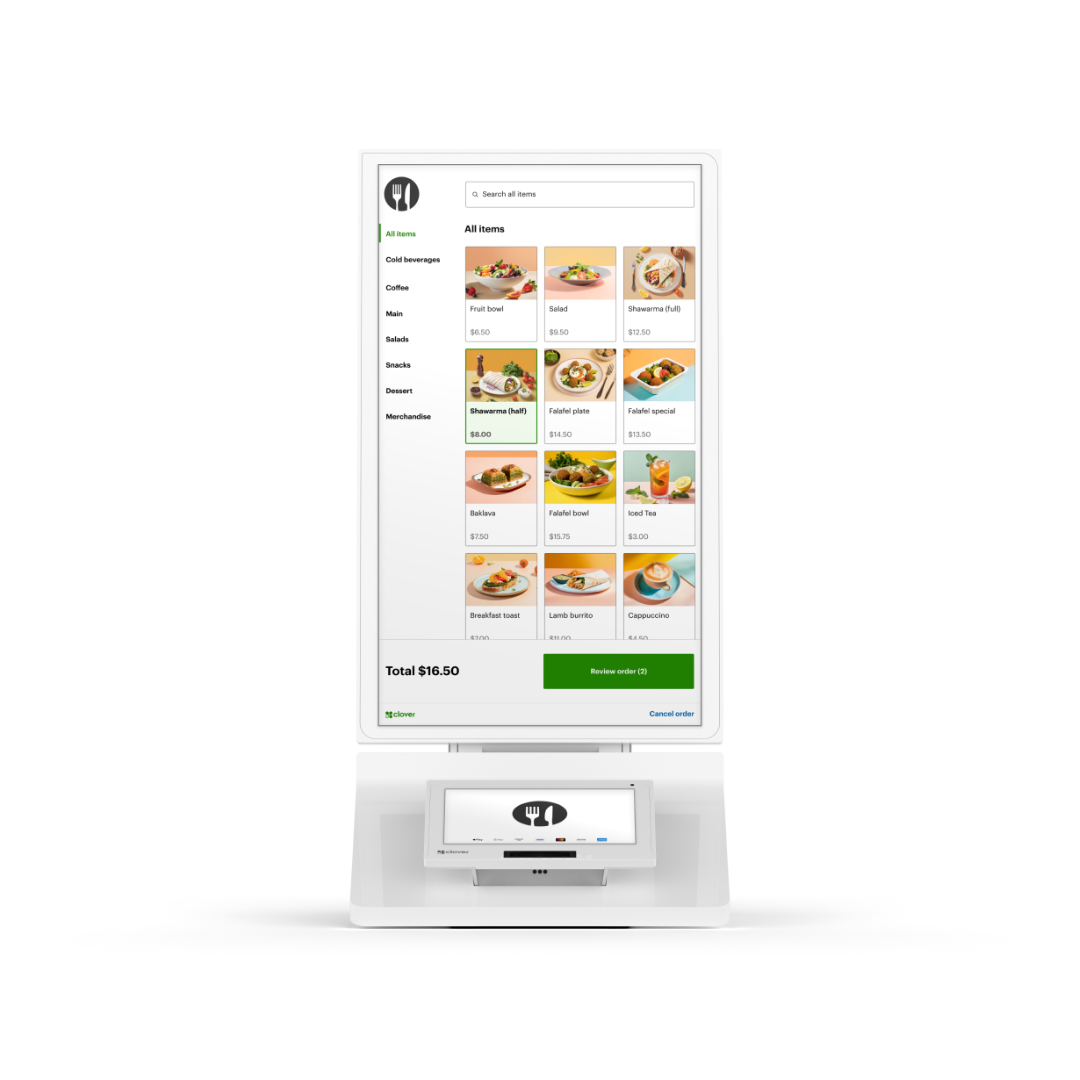
Clover Kiosk
Give customers a self-service ordering and checkout experience that connects directly with Clover.
5.0 stars across 30+ Google reviews.
Limelight Payments’ value is not just Clover hardware. It is guidance, setup, training, and real support after the sale.
“Someone online told me that if I was going to get a Clover system, I should go through a trusted sales rep — and that was the best advice I could’ve received. Ryan helped with everything: setting up my menu, uploading my inventory, and even integrating my gift cards.”
“I’ve been in business for over 20 years using credit card processors and Ryan is by far the most knowledgeable, helpful individual I have ever used.”
“If I have a question, Ryan still answers the phone or returns my call. I don’t get tossed around with customer service reps.”
Clover Station Duo questions.
Answers about Clover software plans, processing, accessories, setup, integrations, and whether the Station Duo is the right Clover device for your business.
Why should I talk to Limelight Payments before ordering?
Because the hardware is only one part of the decision. The bigger questions are which Clover software plan fits your business, what accessories you need, how your processing will be priced, whether your menu or inventory needs setup, and whether the Duo is the right device compared with a Flex, Mini, Solo, or bundle. Limelight Payments helps you choose the full setup before you move forward.
What Clover software plan do I need for Clover Station Duo?
It depends on the job the POS needs to perform. Clover Essentials POS Software starts at $29.95/mo and is the simplest path for general checkout, inventory, employees, tips, rewards, and gift cards. Clover Restaurant Growth POS Software is $89.95/mo for restaurants, bars, cafés, QSRs, online ordering, delivery, kitchen routing, and table workflows. Clover Retail Growth POS Software is $84.95/mo for advanced inventory, variants, barcode tools, labels, cost tracking, and eCommerce. Clover Services Growth POS Software is $84.95/mo for salons, spas, barbers, med spas, appointment scheduling, online booking, reminders, and service workflows.
What software plan should a full-service restaurant use with Clover Station Duo?
Most full-service restaurants should compare Clover Restaurant Growth because it unlocks restaurant workflows such as table mapping, floor plans, open tabs, check splitting, order types, kitchen printer or KDS routing, online ordering, delivery integrations, and QR-style ordering options. A common setup is a Clover Station Duo at the host stand or bar, a kitchen printer or KDS in back of house, and Clover Flex devices for tableside payment.
Can Clover Station Duo handle tableside ordering and payment?
The Station Duo is usually the fixed counter or host-stand device. For true tableside ordering and payment, many restaurants pair the Duo with Clover Flex handheld devices. The Duo anchors the restaurant workflow, while the Flex lets servers take orders, split checks, collect tips, and process payment at the table without walking back to the register.
What software plan should a café, bakery, coffee shop, or QSR use?
Some simple counter-service businesses can use Essentials if they mainly need item buttons, tips, receipts, basic inventory, employee permissions, and reporting. If the business needs kitchen routing, online ordering, delivery apps, order types, modifiers, KDS, or deeper restaurant reporting, Restaurant Growth is usually the better plan to compare.
What software plan should a retail store or boutique use?
Retail stores should compare Essentials and Retail Growth. Essentials can work for simpler retail checkout, but Retail Growth is usually better when you need advanced inventory, product variants, barcode scanning, barcode label workflows, cost tracking, item-level reporting, low-stock alerts, online catalog tools, eCommerce options, or a larger product catalog.
What software plan should a salon, spa, barber, or med spa use?
Salons, spas, barbers, med spas, and appointment-based businesses should compare Essentials and Services Growth. Essentials may be enough for simple checkout and tipping. Services Growth is usually the stronger fit when you need appointment scheduling, online booking, automated reminders, staff calendars, customer profiles, service history, and a front desk workflow tied to checkout.
Does Clover Station Duo help increase tips?
It can help tip-based businesses because the customer-facing screen makes the tip prompt visible and consistent. Customers can see the total, choose preset tip percentages, enter a custom tip, sign when needed, and complete payment on their own screen. This is useful for cafés, restaurants, bars, salons, spas, barbers, and service counters.
Can Clover Station Duo connect to online ordering and delivery apps?
Yes. With the right Clover software and integrations, restaurants can support online ordering and delivery workflows, including integrations such as Uber Eats, DoorDash, Grubhub, and Google. The important part is making sure orders route correctly to the POS, kitchen printer, KDS, menu, staff workflow, and reporting. Limelight Payments can review this before you order.
Can Clover Station Duo support retail barcode scanning and label printing?
Yes. The Duo can be a strong retail register when paired with the right software plan and accessories. Retail Growth is designed for advanced inventory, product variants, barcode tools, item labels, cost tracking, online catalog options, and stock visibility. Compatible scanners, label printers, cash drawers, and other accessories should be confirmed before ordering.
Can Clover Station Duo sell gift cards and manage customer rewards?
Yes. Clover can support gift cards, customer profiles, rewards, promotions, and feedback tools depending on your software and app setup. This is helpful for businesses that rely on repeat customers, including restaurants, cafés, salons, spas, boutiques, gift shops, and service businesses.
What accessories might I need with Clover Station Duo?
Common accessories include a cash drawer, barcode scanner, kitchen printer, receipt printer, label printer, KDS, scale compatibility review, Ethernet connection, or a Clover Flex for tableside or mobile checkout. Restaurants often need kitchen routing tools. Retail stores often need scanners and inventory tools. Salons may need appointment and customer profile workflows more than hardware accessories.
Can I use Clover Station Duo with my current credit card processor?
Usually no, not if you are getting it through Limelight Payments. Limelight Payments places Clover hardware with merchants who process through Limelight Payments. Clover devices are activated through specific processing relationships, so do not get Clover hardware expecting to use another processor unless compatibility is confirmed in writing beforehand.
How long does setup usually take?
Many Clover setups can be completed in about 4–5 business days after the merchant account is approved and required information is received. Timing can vary depending on shipping, underwriting, business type, menu or inventory complexity, accessory needs, and whether the setup involves online ordering, kitchen routing, retail inventory, or appointment booking.
What does Limelight Payments help set up?
Setup depends on the business, but Limelight Payments can help with software plan selection, menu or inventory structure, categories, modifiers, taxes, employee permissions, tipping settings, receipt settings, basic training, and accessory planning. For restaurants, that may include kitchen printer or KDS routing discussions. For retail, that may include inventory and barcode planning. For salons, that may include services, staff, booking, and customer workflow guidance.
Should I choose Clover Station Duo, Clover Flex, Clover Mini, or Clover Solo?
Choose Clover Station Duo when you need a fixed checkout station with a large staff screen, customer-facing display, receipt printer, and strong counter workflow. Choose Clover Flex when payments happen at the table, curbside, in the field, or away from the counter. Choose Clover Mini or Compact when counter space is limited and you do not need a larger dual-screen station. Choose Clover Solo when you want a single-screen station without the customer-facing Duo display.
Is Clover Station Duo better for restaurants or retail?
It can work well for both, but the software plan changes the value. Restaurants usually care about tables, tabs, tips, kitchen routing, online ordering, and delivery. Retail stores usually care about inventory, variants, barcode scanning, labels, returns, customer records, and product reporting. The same Duo hardware can run different Clover software depending on the business type.
Can medical, dental, or vet offices use Clover Station Duo?
Yes. Clover Station Duo can work at a medical, dental, or veterinary front desk for balances, copays, deposits, receipts, and customer-facing payment prompts. For healthcare-related workflows, ask about Clover’s Medical plan and confirm HIPAA-focused requirements before ordering.
Can I get a written quote before I order?
Yes. That is recommended. A written quote should separate hardware, software, processing, accessories, setup expectations, and any special terms. This helps you compare the complete Clover Station Duo setup instead of looking at only one part of the offer.
What happens after I submit the form?
A Limelight Payments POS advisor reviews your business type, current processor, current POS, checkout flow, software needs, accessory needs, and timeline. Then we recommend whether Clover Station Duo, Flex, Mini, Solo, Compact, or a bundle makes the most sense and send a clear quote for the hardware, software, processing, and setup path.
Not ready to order? Talk to a POS expert.
Most people just add to cart and the POS expert calls them. But if you'd rather talk through your business first, fill this out and we'll call you within one business day.
No commitment at this stage. We'll send pricing in writing before you sign anything.
Prefer to talk to a human?
Call Now: (888) 415-7020